ChatGPT YouTube Thumbnail Prompts
 CHATGPT PROMPTSYOUTUBE THUMBNAIL8 COPY-PASTE PROMPTS
Scroll through YouTube on your phone and watch where your thumb stops. A thumbnail gets about one second to say 'this video is for you'. A strong youtube thumbnail prompt focuses on three things: one clear subject, high contrast and empty space for a short title. Everything else is decoration.
The easiest way is to work in two steps. First, ChatGPT creates the background or edits your own photo. Then you add the title text yourself in Canva or a phone app, because AI often misspells words.
If you use your face, attach your own photo and ask ChatGPT to keep it unchanged. Results will differ each time, so generate a few and choose the clearest.
- Copy-Paste Prompts
- How do I get from a prompt to a finished thumbnail?
- Which layout rules keep a tiny thumbnail readable?
- Why is my thumbnail crowded, dull or showing a different face?
- How do I make thumbnails look like one channel?
- What do I see when I shrink the thumbnail to stamp size?
- How do I keep my own face natural in a thumbnail?
- What thumbnail style fits cooking, tech or study videos?
- What steps take me from idea to upload?
- FAQs
Copy-Paste Prompts: Youtube Thumbnail Prompt (8 Ready Ideas)
1. Tutorial with laptop
Create a 16:9 YouTube thumbnail background for a laptop tutorial.
SUBJECT: A modern laptop angled toward the viewer, screen glowing with an abstract blue interface, no readable text.
BACKGROUND: Dark navy with a soft spotlight.
SPACE: Leave the left 40 percent empty for a title.
CONTRAST: High, bright edges on the laptop.
AVOID: Logos, words, clutter.
Empty space on one side is the secret. You can place bold text there afterwards.
2. Face reaction with attached photo
Use the attached photo of me.
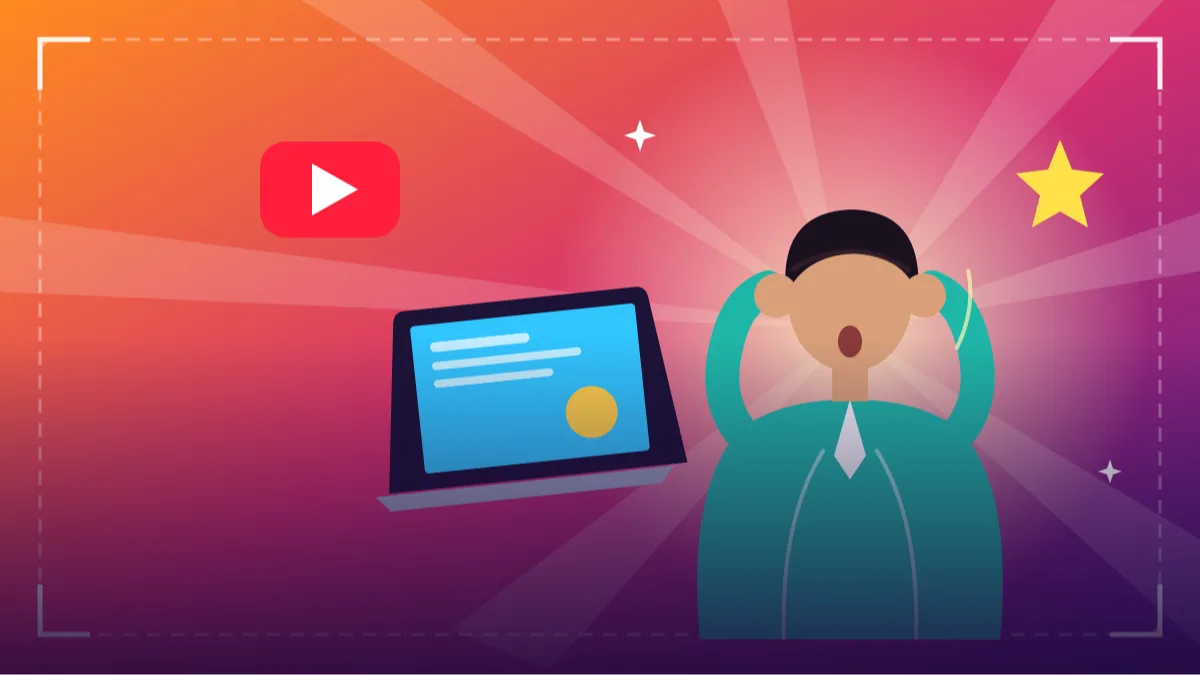
EDIT: Place me on the right third of a 16:9 frame, surprised expression kept natural, face unchanged.
BACKGROUND: Bright gradient from orange to deep purple with soft light rays.
LIGHT: Crisp rim light around my shoulders.
SPACE: Left side empty for a title.
AVOID: Changing my features, extra people, text.
Reaction-style pictures work when the face is large and the background is simple.
3. Cooking recipe hero
Create a 16:9 thumbnail image for a recipe video.
SUBJECT: A steaming bowl of [DISH] close up, rich colours, garnish on top.
LIGHT: Warm side light with sparkling highlights on the sauce.
BACKGROUND: Blurred dark kitchen.
COMPOSITION: Bowl on the right, empty dark area on the left.
AVOID: Text, hands, brand packaging.
Close-up food always beats wide shots on small screens.
4. Travel vlog banner
Create a 16:9 travel vlog thumbnail.
SCENE: A traveller with a backpack seen from behind, looking at [LANDMARK OR LANDSCAPE].
SKY: Dramatic sunrise, vivid but natural colours.
COMPOSITION: Traveller in the lower left, big sky above for a title.
STYLE: Cinematic photograph, slightly boosted contrast.
AVOID: Readable faces, text, crowds.
A back view avoids face issues and still feels personal.
5. Comparison split screen
Create a 16:9 split-screen thumbnail background for a comparison video.
LEFT: [PRODUCT A] on a cool blue background.
RIGHT: [PRODUCT B] on a warm red background.
CENTRE: A thin white diagonal divider with a plain empty circle where I can add a VS badge later.
LIGHT: Even, clean product-style light on both sides.
AVOID: Logos, text, glare, people.
Use generic product shapes if you cannot show branded items. Add text in your editor.
6. Gaming style energy
Create a 16:9 thumbnail background with a gaming feel.
SCENE: A neon-lit futuristic corridor with strong perspective lines leading to a bright vanishing point.
PALETTE: Electric blue and magenta with dark edges.
EFFECTS: Soft light streaks and a few subtle floating particles.
SPACE: Centre-right left empty for a character cutout or title.
AVOID: Existing game characters, logos, text.
Avoid copyrighted game names in prompts. Describe the mood instead.
7. Finance or study explainer
Create a clean 16:9 thumbnail for an educational video about [TOPIC].
SUBJECT: A hand-drawn style notebook with a simple diagram and a pencil beside it.
BACKGROUND: Soft yellow with a subtle paper texture.
LIGHT: Bright and even.
COMPOSITION: Notebook on the right, empty area on the left.
AVOID: Numbers or money promises, text, clutter.
Friendly and clear works better than flashy for learning content.
8. Before and after layout
Create a 16:9 thumbnail background showing a before and after of a [ROOM OR PROJECT].
LEFT: Slightly dull, messy, muted tones with flat light.
RIGHT: Bright, tidy, vivid colours with warm light.
DIVIDER: A clean vertical line in the exact middle.
CAMERA: Identical angle and framing on both sides.
AVOID: People, text, labels, exaggerated fake results.
Same angle on both halves makes the change instantly obvious.
How do I get from a prompt to a finished thumbnail?
Open ChatGPT, state '16:9 YouTube thumbnail' clearly, paste the prompt and fill the brackets. If a prompt uses your photo, attach it first and say the face must stay unchanged.
Download the image, import it into Canva, Photoshop or any phone editor, and add three to five words of text at the end. This keeps spelling perfect, and you can change the words later without generating the picture again.
Which layout rules keep a tiny thumbnail readable?
Test your design at tiny size. If you cannot understand it at the size of a postage stamp, simplify it. Most thumbnails fail not because they look bad, but because they try to say four things at once.
Keep one subject, strong contrast between subject and background, a large face with visible eyes, and a title of three to five words. Leave the lower-right corner clear, since the timestamp sits there. If the AI keeps putting a bright object in that corner, say 'bottom right corner empty'.
- One subject, not three.
- Strong contrast between subject and background.
- Faces large, eyes visible, expression natural.
- Short text of three to five words.
- Keep important parts away from the lower-right corner where the timestamp sits.
Why is my thumbnail crowded, dull or showing a different face?
Overcrowding is the usual issue. Remove props, simplify background and move the subject to one side. Another mistake is promising something in the thumbnail that the video does not deliver; viewers notice and leave.
If colours look dull, ask for 'higher contrast and slightly richer colour'. If your face looks different, repeat the instruction to keep it unchanged.
Dull colours usually need one contrast word, like 'bright rim light on the subject, darker background'. A face that changes needs the unchanged line repeated at the very top of the prompt.
How do I make thumbnails look like one channel?
Choose two brand colours and one layout, then reuse it. A consistent thumbnail design with chatgpt routine makes your channel look professional even with a small team.
Save your best prompts in a document, and swap only the subject for each new video.
Write your two brand colours and your title font into a text file, and paste them into every prompt. Over a few weeks the thumbnails start to feel like one channel, which helps returning viewers spot you.
What do I see when I shrink the thumbnail to stamp size?
Most people watch YouTube on a phone, and the thumbnail beside a suggested video is tiny. So judge your youtube thumbnail prompt output at that size, not full screen. Shrink the image to about the width of your thumb on the phone. Can you tell what the video is about? Can you see where the eye falls first? If the answer is 'a nice picture, but I am not sure what it shows', the design needs fewer elements.
Look for the three layers: foreground subject, middle contrast and background. The subject should be brightest or most colourful. The background should be calmer and darker or lighter than the subject, never the same value. A quick trick is to turn the image to black and white on your phone. If the subject disappears into the background in grayscale, contrast is too low; ask ChatGPT for 'much stronger light on the subject, darker background'.
Also check the corners. The video length badge covers the lower-right corner, and the channel or progress UI may touch the edges. Keep faces, title and key objects away from there. And make sure the title zone is truly empty; if the AI put smoke, props or a bright light in that area, regenerate with the instruction 'left 40 percent plain dark gradient, no objects'.
How do I keep my own face natural in a thumbnail?
A face works because people read emotion instantly. But AI face edits can go wrong, like eyes pushed too wide, teeth changed or skin smoothed into plastic. When you use a thumbnail prompt with my own photo, start from a clear, well-lit shot where you already show the expression you want: curious, laughing, thinking. Then tell ChatGPT 'keep my face, teeth and skin texture unchanged, change only the background and lighting'.
Do not ask for an exaggerated shocked mouth if that is not you or your video. A thumbnail that promises a drama the video does not deliver makes viewers click away quickly, and that is no good for you. A calm, honest expression with strong light usually performs more steadily.
If the cut-out edge around your hair looks rough, ask for 'soft natural edge, no glowing outline'. If you wear glasses and reflections hide your eyes, pick a photo where light does not bounce on the lenses. Keep a few reference photos of yourself in different moods so you can reuse them across videos without re-shooting.
What thumbnail style fits cooking, tech or study videos?
A cooking channel, a tech tutorial channel and a study channel need different looks. For food, close crops with warm side light and a little steam feel appetising, and a dark blurred background lets the colours pop. For tech tutorials, a clean dark background with one glowing device and lots of empty space makes chatgpt thumbnail ideas for youtube easy to read. For study and explainer videos, a hand-drawn notebook, a pencil and soft yellow paper look friendly and trustworthy.
Travel vlogs love big skies and a small person. Put the traveller low in the frame, face turned away, so a face does not have to be generated. Gaming and entertainment thumbnails can use strong neon colours, but only use original scenes; never ask for existing game characters or logos, as they cause policy trouble and look fake.
Whatever your style, repeat two colours across thumbnails. Viewers who like one video should recognise the next one in the feed. Write those colours into every prompt as the same two words, and save your best prompt as a base template.
What steps take me from idea to upload?
Start with the title of the video, not the picture. Write the three to five words you will put on the thumbnail. Then decide the one object or emotion that supports those words. Now write the prompt: ratio, subject, background, empty space, contrast. Generate three versions, shrink them, pick one, and add your text in Canva or a phone editor with a thick, simple font in white or yellow with a dark outline.
Check the final image against the video: does it show something that really happens? Upload it, then look at it on your own phone before the video goes public. If your channel allows testing alternative thumbnails, try two different layouts and see which one viewers click more, but remember results depend on many things and nobody can promise views.
Frequently Asked Questions
What size should a YouTube thumbnail be?
The standard is 16:9, commonly 1280 by 720 pixels. Mention 16:9 in your prompt and resize in your editor if needed.
Can ChatGPT add the title text?
It can try, but spelling errors are common, especially with longer words. Leave an empty zone in the prompt and add the title in a design app with a thick, simple font.
Can I use my own face in a thumbnail?
Yes, by attaching your own photo and asking for your face to stay unchanged. Check the result carefully, since small changes can happen.
Will this make my video go viral?
No tool can promise that. A clear thumbnail helps people understand your video, but content and audience matter much more.
Can I copy another channel's style?
Take inspiration from general layouts, but avoid copying someone's exact design, characters or branding.
Final Thoughts
A good youtube thumbnail prompt gives you a strong image with room to breathe, so your own title and face can do the talking. Make the title first, then ask for one clear subject and an empty zone beside it.
For your next upload, generate two layouts, shrink them to phone size and choose the one you can read in a glance. A matching banner or header image for your channel page would be a natural next step.
Note: AI image and text results vary by tool, version and settings. Use only your own photos, avoid copying real people’s likeness, and follow the terms of the AI tool you use.