ChatGPT Anime Style Portrait Prompts
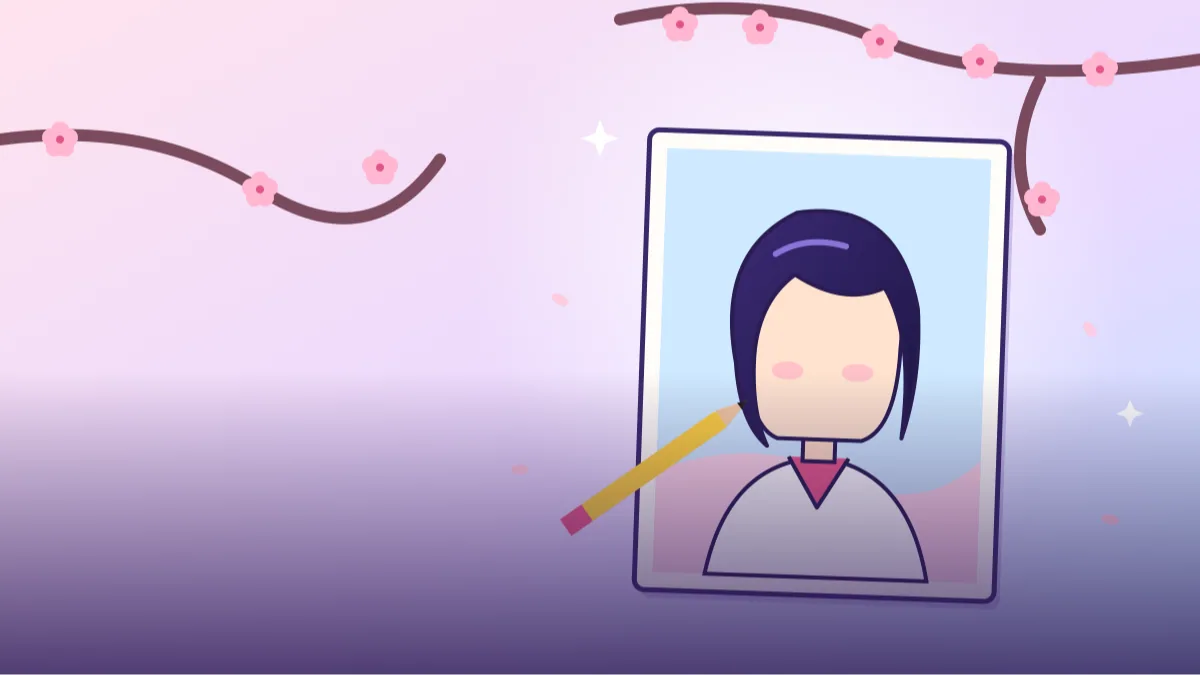 CHATGPT PROMPTSANIME STYLE PORTRAIT8 COPY-PASTE PROMPTS
Half the profile pictures on Instagram and Discord are anime avatars now. The nice part is you do not need an artist friend. A clear anime portrait prompt can turn your own selfie into artwork that still looks like you, with clean lines, big expressive eyes and a colourful backdrop.
Always upload your own photo and ask ChatGPT to follow your hair, outfit and main features. Avoid asking for specific named characters or studios; describing the style in plain words is safer and gives you something original.
Results differ with every attempt, so generate a few versions and pick the one that feels closest to you.
- Copy-Paste Prompts
- What do I upload, and what do I replace in the prompt?
- Which small details keep my face in the artwork?
- Why does the anime version stop looking like me?
- Where can I use the finished artwork?
- How do I check the first anime result?
- Flat colour, watercolour or semi-real: which should I pick?
- Can I make a graduation portrait in anime style?
- What can't an anime conversion do well?
- FAQs
Copy-Paste Prompts: Anime Portrait Prompt (8 Ready Ideas)
1. Classic clean line portrait
Redraw the attached photo of me as an anime-style portrait.
LIKENESS: Keep my hairstyle, hair colour, face shape and outfit recognisable.
LINE: Clean thin black outlines, flat cel shading.
EYES: Large, expressive, with soft highlights.
BACKGROUND: Plain pastel [COLOUR].
FRAMING: Head and shoulders.
AVOID: Realistic skin texture, text, extra characters.
A safe starting point. If it looks too different from you, repeat 'keep my likeness'.
2. Cherry blossom spring
Turn the attached photo into an anime portrait with a spring mood.
LIKENESS: Keep my features and clothing style.
BACKGROUND: Soft pink cherry blossom branches and drifting petals.
LIGHT: Gentle morning glow, pastel palette.
SHADING: Smooth watercolour-like anime shading.
FRAMING: Waist up, slight smile.
AVOID: Heavy shadows, text, other people.
Pastel palettes keep the portrait friendly and bright. Good for profile pictures.
3. City night neon
Make an anime-style illustration of me from the attached photo, standing on a rainy city street at night.
LIKENESS: Keep my face and hairstyle.
LIGHT: Neon signs without readable text reflecting on wet ground.
PALETTE: Blue, pink and warm yellow.
MOOD: Calm and cinematic.
AVOID: Weapons, text, crowds.
FRAMING: Waist up, slightly turned, calm expression.
STYLE: Clean anime lines with soft glow around the lights.
Request 'no readable text' to avoid garbled signs.
4. Sports jersey action
Draw the attached photo of me as an anime sports character mid-action playing [SPORT].
LIKENESS: Keep my face, hair and build recognisable.
OUTFIT: Plain team jersey in [COLOUR], no logos.
EFFECT: Motion lines and a bright sky.
STYLE: Dynamic anime illustration, bold lines.
AVOID: Real team names, numbers, text.
FRAMING: Full body, slight low angle, bright blue sky behind.
PALETTE: Two main colours plus white.
Leave out logos and team marks to keep the image original.
5. Traditional outfit portrait
Redraw the attached photo as an anime portrait of me wearing a [TRADITIONAL OUTFIT, e.g. festive kurta or saree].
LIKENESS: Keep my face, hairstyle and skin tone.
DETAIL: Neat fabric folds and simple tasteful patterns.
BACKGROUND: Warm lantern lights, soft bokeh.
STYLE: Clean anime lines, rich colours.
AVOID: Exaggerated features, text.
Mention skin tone explicitly so AI does not lighten or change it.
6. Chibi mini version
Create a cute chibi anime version of me from the attached photo.
PROPORTIONS: Large head, small body, simple hands.
LIKENESS: Keep hair colour, glasses or beard if I have them, and outfit colours.
BACKGROUND: Plain white with a few small stars.
STYLE: Thick outlines, bright flat colours.
AVOID: Realism, text, extra characters.
Great for stickers and chat avatars. Mention accessories you want kept.
7. Soft studio shading
Convert the attached photo into a semi-realistic anime portrait.
LIKENESS: Keep my face shape, eyebrows and smile.
SHADING: Soft gradients on skin, detailed hair strands.
EYES: Natural size, subtle anime sparkle.
BACKGROUND: Dark teal with a gentle rim light.
FRAMING: Close-up, shoulders visible.
AVOID: Oversized eyes, heavy filters, text.
CLOTHING: Plain dark shirt, collar visible.
COLOUR: Muted, natural skin tones with warm highlights.
Choose this when full anime looks nothing like you; it stays closer to real features.
8. Seasonal window scene
Illustrate me from the attached photo in anime style sitting by a window, holding a warm drink.
LIKENESS: Keep my face and hair.
SCENE: Snow falling outside, cosy sweater, a small plant on the sill.
LIGHT: Warm indoor glow against cool blue outside.
STYLE: Soft painterly anime.
AVOID: Text, other people, dramatic shadows.
Quiet scenes tend to make better wallpapers and profile images.
What do I upload, and what do I replace in the prompt?
Choose a clear photo with good light and your face fully visible. Attach it in ChatGPT, paste the prompt, and replace the brackets with your own hair, outfit and colour choices. Send and wait for the picture.
If the result drifts away from you, reply 'closer to my real face, same style'. Small corrections like this usually work better than writing a whole new prompt.
Which small details keep my face in the artwork?
Photos taken from the front work best. Side angles are possible, but they change the likeness more. Write your hairstyle and colour in words as well as relying on the photo, and mention accessories like glasses, a nose pin or earrings, since these are the marks friends use to recognise you.
Choose one palette, pastel or neon, not both. Add 'no text' so random letters do not appear on the clothes, and ask for a plain background if you plan to crop the result into a round profile picture.
- Mention hairstyle and colour in words as well as the photo.
- State accessories like glasses or earrings.
- Choose one palette, such as pastel or neon.
- Ask for 'no text' to avoid random letters.
- Request a plain background if you plan to crop for a profile picture.
Why does the anime version stop looking like me?
Asking for a famous character or a named studio look will often be declined or give a messy mix. Describe the traits instead: big expressive eyes, cel shading, clean lines, soft highlights. You get something original, and it is safer too.
If the hands look odd, switch to a head-and-shoulders crop. If your skin tone got lighter, say it directly in the prompt, for example 'warm medium brown skin, unchanged'. Heavy stylisation also shrinks details, so if a mole, dimple or hairline is important to you, name it.
Where can I use the finished artwork?
They work well as profile pictures, gaming avatars, phone wallpapers and small personal gifts. For a chatgpt anime avatar that matches your online identity, keep the same palette and background across versions so your accounts look related.
Ask ChatGPT to make a small set of expressions, like happy, thinking and sleepy, and you have the start of a chat sticker pack. Just keep the original line about your features in every request, otherwise each face drifts a little.
How do I check the first anime result?
Before you post the first image, give it a calm two-minute check. Start with the eyes: in anime style they are bigger than real life, but they should still sit at the same distance apart as yours and keep your eye colour. Then look at the hairline and parting, which is the quickest way friends recognise you. If you wear glasses, a beard or a nose pin, confirm that each one survived. These small marks matter more than the overall style.
Next, check the neck and shoulders. Some outputs stretch the neck or make shoulders uneven, especially when the original photo was cropped tightly. Look at the ears and hands too, since hands are the usual weak spot. A good anime portrait prompt result has clean line weight everywhere, no broken outlines, and colours that stay inside the lines. If a patch of hair looks smudged, that is a sign to ask for "crisp cel shading on hair" and generate again.
- Eyes match your spacing and eye colour
- Hairline, parting and accessories are intact
- Skin tone is unchanged, not lightened
- Outlines are clean with no smudges
- Hands are hidden or look natural
Flat colour, watercolour or semi-real: which should I pick?
Different shading words give very different artwork from the same photo. For a bold anime style profile picture prompt, ask for "flat cel shading, thin black outlines, limited palette". The result is bright and sharp even as a tiny round avatar. For a gentler look, say "watercolour-like soft anime shading" and pick a pastel background, which suits wallpapers and gifts. If you want something close to the real you, use the semi-realistic wording from the Soft studio shading prompt and keep the eyes at natural size.
Here is a quick way to compare. Run the same selfie three times in one chat and change only the shading line. Put the three results side by side on your phone and shrink them to avatar size. Most people find that the flat version wins for chat apps, while the soft version wins on a bigger screen. This is also the easiest way to learn how your own anime art style prompts behave before you try complicated scenes.
Can I make a graduation portrait in anime style?
Say you want a graduation gift picture of yourself. Start from the Traditional outfit portrait prompt and change three things. Replace the outfit with "black graduation gown and cap, plain tassel", change the background to "soft golden stage light, blurred hall", and add "hold a rolled certificate with no readable text". Keep the likeness line exactly as it is.
Send it, and check for the usual slips: the cap sitting too high, a tassel on the wrong side or a certificate with scribbles. Reply with one correction at a time, such as "lower the cap slightly, keep everything else". It may take a few rounds, which is common when you turn my photo into anime with chatgpt. Save the final image in the highest size you can download, then make a smaller square crop for your profile photo.
If you ever want a matching set for friends, remember each person must give permission and send their own photo. Do not make artwork of classmates or children from photos they did not agree to share.
What can't an anime conversion do well?
AI is good at style and weaker at exact likeness. Faces with strong side angles, heavy shadows or filters can drift a lot, and unusual features may be softened. A chatgpt anime avatar will never be a perfect copy, and that is fine because the point is a stylised version of you, not a legal ID photo. Do not use it where a real photo is required, such as forms or verification.
Text inside the picture, like a name on a jersey, is often wrong. Add words later in a design app if you need them. Finally, keep your original selfie safe and think about what personal details are visible in the background before you share anything publicly. A plain pastel backdrop is both prettier and more private.
Frequently Asked Questions
Can ChatGPT turn my selfie into anime?
Yes. Upload your own photo and describe the style. Ask it to keep your features recognisable and retry if it drifts.
Why does the portrait not look like me?
Heavy stylisation changes proportions. Use the semi-realistic prompt or repeat the likeness instruction, and describe distinctive features in words.
Should I name an anime series in the prompt?
Better not to. Named series and studios can give a messy copy or get declined. Describe the style in plain words, like clean line art and cel shading, and the artwork stays original.
Can I upload a photo of someone else?
Only if you have their permission. Never use photos of private individuals without consent.
What is the best picture to upload?
A sharp, well-lit, front-facing photo with your face unobstructed. Remove sunglasses and heavy filters for a better match.
Final Thoughts
A thoughtful anime portrait prompt keeps your own look at the centre and lets the style do the rest. Try the classic line version first, then explore backgrounds and moods that match your personality.
Save your favourite attempt with the exact wording that made it, so you can repeat it later. When you want a smaller, chattier version of yourself, sticker pack design prompts are a good next stop.
Note: AI image and text results vary by tool, version and settings. Use only your own photos, avoid copying real people’s likeness, and follow the terms of the AI tool you use.