Gemini Cafe and Laptop Lifestyle Prompts for Boys
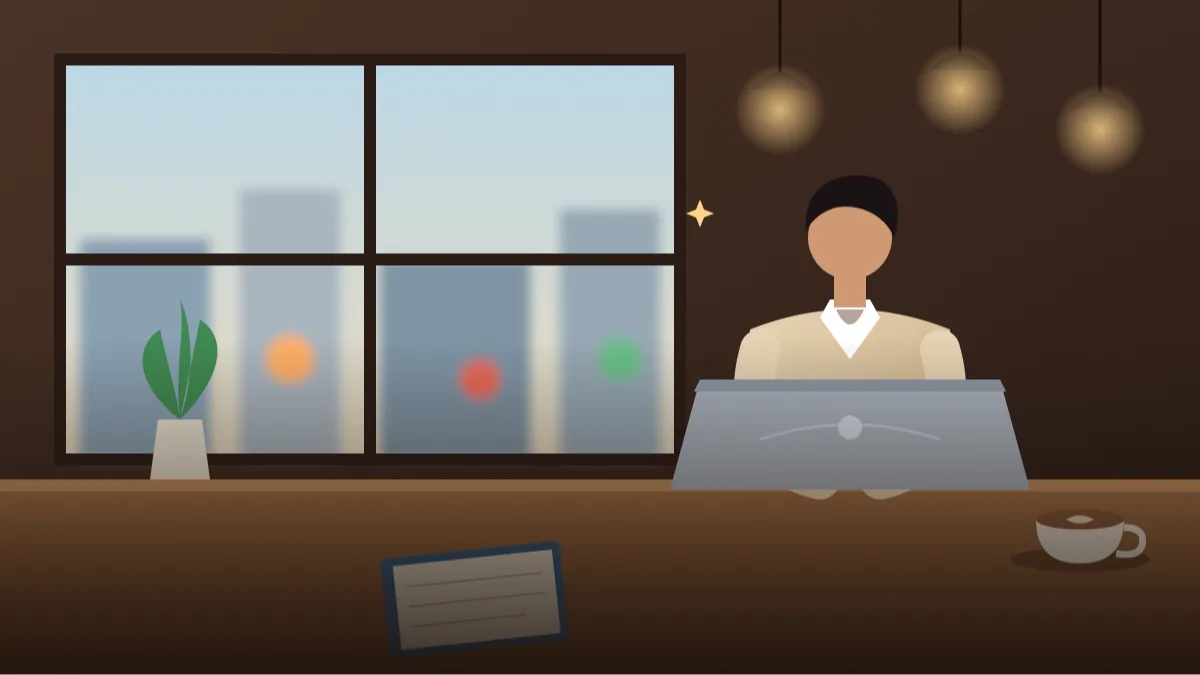 AI PHOTO PROMPTSCAFE LAPTOP LIFESTYLE BOYS8 COPY-PASTE PROMPTS
A laptop, a coffee and a window seat: that simple setup tells the story of a student, a freelancer or a creator in progress. A clear lifestyle photo prompt boys can reuse helps Gemini draw a believable working scene instead of a stock-photo smile. What makes it work are the small real details: a half-finished notebook, steam from a cup, fingers on the keyboard.
The eight prompts below cover a cafe window seat, a coworking desk, a night study session, a home desk setup and a quick standing-meeting moment. Outfits are casual and tidy. Laptops are plain and unbranded, since AI often draws fake logos on devices.
Upload your own photo, ask Gemini to keep your face unchanged, and run the prompts. Hands and keyboards are tricky, so retry once if the typing pose looks odd.
- Copy-Paste Prompts
- What do I check first when the laptop picture comes back?
- Window light, steam and long shadows: setting the mood for a coffee shop portrait prompt
- Why are my keyboard hands and laptop logo so strange?
- Portfolio, creator bio or LinkedIn banner: where can I use these?
- Laptop, cup, table, shadows: scan a lifestyle photo prompt boys result like a stranger would
- Same cafe, three looks: professional, creative and minimalist
- Student, freelancer or creator: one lifestyle photo prompt boys can adapt for each
- FAQs
Copy-Paste Prompts: Lifestyle Photo Prompt Boys (8 Ready Ideas)
1. Window Seat Coffee Work
SUBJECT: Use my uploaded photo, keep my face, hair and skin tone exactly unchanged, typing on a laptop, then glancing up with a small smile.
OUTFIT: Beige sweater over a collared shirt, jeans.
SETTING: Cafe window seat with a latte, a notebook and a small plant, street blurred outside.
LIGHT: Soft natural window light from the side.
CAMERA: 50mm, three-quarter view from across the table, shallow depth of field.
STYLE: Warm lifestyle photography, natural colours. Laptop is plain silver with no logo.
AVOID: Readable screen text, logos, distorted hands.
Looking up from the laptop adds life. A person staring at the screen all the time feels stiff.
2. Coworking Desk Focus
SUBJECT: My attached photo, face unchanged, working with a pen in one hand and the other on the laptop, concentrated expression.
OUTFIT: Light blue shirt with sleeves rolled, grey trousers.
SETTING: Bright coworking space with wooden desks, plants and a glass partition, other people blurred and faceless.
LIGHT: Even soft office daylight.
CAMERA: 35mm, seated three-quarter, slight angle from the side.
STYLE: Clean modern workplace photo. Blank unbranded laptop and notebook.
AVOID: Readable screens, faces of others, logos.
A freelancer photo idea gets stronger with a notebook and pen, it shows planning not just typing.
3. Late-Night Study Glow
SUBJECT: Uploaded photo of me, face unchanged, resting one hand on the chin while reading the screen, tired but focused.
OUTFIT: Dark hoodie, hair slightly messy.
SETTING: Dark room, desk with a lamp, a mug and neat stack of notebooks.
LIGHT: Warm desk lamp on the left, cool soft glow from the laptop on the face.
CAMERA: 50mm, medium close-up from the front-right.
STYLE: Cosy study aesthetic, warm and cool mix.
AVOID: Readable screen text, harsh blue face, extra lamps.
A study aesthetic photo prompt looks natural with two light colours: warm lamp, cool screen.
4. Standing Cafe Counter Call
SUBJECT: My own photo, face unchanged, talking on wired earphones, one hand holding a takeaway coffee.
OUTFIT: Olive jacket, white tee, black jeans, laptop bag on the shoulder.
SETTING: Cafe counter with a chalkboard behind that has abstract doodles, no words.
LIGHT: Warm indoor light with window fill.
CAMERA: 35mm, waist-up, slight motion.
STYLE: Candid urban lifestyle.
AVOID: Menu text, readable receipts, extra hands.
Candid motion makes the picture feel unposed. Skip it if hands look strange.
5. Home Desk Creator Setup
SUBJECT: Attached selfie as reference, face unchanged, sitting back in a chair, arms behind the head, relaxed confident smile.
OUTFIT: Plain black tee, headphones around the neck.
SETTING: Tidy home desk with a laptop, a second monitor with abstract wallpaper, a small camera on a tripod and LED strip lights in warm white.
LIGHT: Soft ambient warm light, gentle face light from the front.
CAMERA: 35mm, three-quarter seated, slightly wide.
STYLE: Creator workspace photo, clean and modern.
AVOID: Logos on devices, readable screens, messy cables.
A creator desk photo prompt needs 'tidy' in the wording, otherwise cables appear everywhere.
6. Garden Cafe Notebook Sketch
SUBJECT: Use my uploaded photo, face unchanged, sketching in a notebook, a laptop closed beside it.
OUTFIT: Linen shirt in sage green, light trousers.
SETTING: Outdoor garden cafe with metal chairs, hanging plants and dappled sun.
LIGHT: Gentle shade with warm patches of sunlight.
CAMERA: 50mm, seated three-quarter, shallow depth of field.
STYLE: Relaxed, creative, fresh colours.
AVOID: Readable sketches or text, extra cups, strong shadows on the face.
A closed laptop keeps the focus on you and removes screen problems.
7. Library Cafe Group Table Solo
SUBJECT: My attached photo, face unchanged, smiling at the camera over the top of the laptop.
OUTFIT: Maroon sweatshirt, round glasses.
SETTING: Study cafe with warm wooden shelves and soft hanging lights, no readable spines.
LIGHT: Warm pendant light overhead with soft fill.
CAMERA: 50mm, medium shot from the front.
STYLE: Friendly student-life photo, rich colours.
AVOID: Reflection of the screen in the glasses, other faces, text.
If you wear glasses in real life, upload that photo and keep 'same glasses' in the prompt.
8. Quick Meeting Stand-Up Walk
SUBJECT: Uploaded photo of me, face unchanged, walking through a lobby with a laptop under one arm and a phone in the other hand.
OUTFIT: Navy blazer over a white tee, chinos, clean sneakers.
SETTING: Modern co-working lobby with glass walls and plants, blurred.
LIGHT: Bright daylight from large windows.
CAMERA: 35mm, full body, slight motion.
STYLE: Dynamic, professional-casual.
AVOID: Logos, readable phone screen, legs merging.
Walking shots show a different side from sitting ones. Ask for 'natural stride' if the legs twist.
What do I check first when the laptop picture comes back?
Upload a clear selfie and paste the prompt. The first check is the laptop: logos, extra keys and odd screens are all signs you should regenerate. Then check your fingers, which must match the number and position of normal hands.
Use a source selfie in which your face is fully visible and your shoulders are square to the camera. If you usually wear glasses while working, keep them on in the upload and mention them in the prompt, otherwise Gemini may remove them and give you a stranger's face. And do not ask for a new outfit, a new hairstyle and a new place in the same message. Change one, check the face, then change the next.
If the second try is worse than the first, go back to the first and tweak one line. Longer prompts are not always better; the cafe scene often improves when you delete a prop, not when you add one.
- Keep screens angled away or blank.
- Say 'plain laptop, no logo' every time.
- Describe one prop on the table, not five.
Window light, steam and long shadows: setting the mood for a coffee shop portrait prompt
Window light is the natural choice for cafe scenes. It brings a soft side light that makes skin look healthy. Late afternoon adds warm tones; morning adds fresh, cooler tones.
For a coffee shop portrait prompt, mention at least one detail that shows time of day: long shadows, steam, hanging lamps. These make the scene feel real and not copied.
Indian cafes give you plenty of material. Think of exposed brick, ceiling fans, steel tumblers, hanging bulbs and a menu chalkboard in the background (blurred, so the letters do not turn to nonsense). A cafe in Bengaluru feels different from a dhaba-style chai point in Pune, and a line like 'small neighbourhood cafe, wooden stools, ceiling fan, warm bulbs' tells Gemini exactly which one you mean.
Why are my keyboard hands and laptop logo so strange?
Hands on keyboards often look wrong. Use a pose with one hand holding a cup or a pen, or a closed laptop. Also avoid gibberish text on screens, signs and notebooks; say 'blurred' or 'blank'.
If the background feels crowded, ask for 'quiet cafe, empty tables' and the whole composition becomes cleaner.
Typing is one of the hardest things for an image model, because ten fingers over a hundred keys is a lot of detail in a small area. That is why a picture of someone looking up from the screen, holding a cup, almost always looks better than a close-up of typing. If you really need the typing pose, ask for 'hands partly hidden behind the laptop screen, only the forearms visible'. It hides the part the AI struggles with and still tells the story.
Portfolio, creator bio or LinkedIn banner: where can I use these?
A gemini laptop work photo can sit on your portfolio page, LinkedIn banner, creator bio or YouTube about section. It tells people you are active and focused without a long description.
Be honest on professional pages, though. If a picture is AI-generated, label it, or use it for casual spaces only.
A practical idea for freelancers: use one picture as your Instagram highlight cover, one as a Behance or portfolio banner and one as the cover of a proposal PDF. Keep the same outfit colour in all three and the pages look like they belong together. Do not use the picture to suggest you work at a real company or cafe you have never worked with.
Laptop, cup, table, shadows: scan a lifestyle photo prompt boys result like a stranger would
Before saving, scan the picture the way a stranger would. Start with the laptop: the screen should be blank, angled away or glowing softly with nothing readable, and the hinge should sit where a real hinge sits. Many results show a laptop that is wider at the top than the bottom, or a keyboard with the wrong number of rows. Those are quick signs to regenerate.
Look at the cup next. A latte should have a believable rim, a saucer if it is a sit-down cafe, and steam only if the light can catch it. Then check the table: a notebook with one pen is fine, but a notebook with three pens, a phone, a charger and two cups looks staged. A simple rule is one laptop, one drink, one analogue item, whether that is a notebook, a book or a pair of earphones.
Finally, look at the shadows on your face and compare them with the window. If the window is on your left but the shadow falls on your left cheek, the light is lying. Add 'light from the window on the left, shadows on the right side of the face' to the LIGHT line and try again. A cafe photo prompt for boys is not just about the coffee, it is about whether the light makes sense.
Same cafe, three looks: professional, creative and minimalist
You do not need eight different ideas to get variety. Take the Window Seat Coffee Work prompt and shift one thing at a time. For a more serious, professional look, change the outfit to a plain navy shirt, replace the latte with a glass of water, move the camera to eye level and ask for 'neutral grey tones'. The picture now suits a consultant or student applying for internships.
For a creative, bohemian version, swap the sweater for a loose linen shirt, add a sketchbook and a camera on the table and change the light to 'late afternoon golden sun with long shadows'. For a minimalist look, say 'white walls, one wooden table, one laptop, one cup, lots of empty space' and use a 70mm lens for a calm, uncluttered background.
A good gemini laptop work photo can also change by season. In winter, ask for a coat on the chair and mist on the window. During monsoon, add rain drops on the glass and a warm interior glow. These small cues make the picture feel specific, which people notice more than a fancy outfit.
Student, freelancer or creator: one lifestyle photo prompt boys can adapt for each
A student can use the late-night study glow as a phone wallpaper or a study-account post. A freelancer can use the coworking desk for a portfolio banner, with a 16:9 ratio requested in the camera line and plenty of calm space on the right for a headline. A creator can crop the home desk setup into a square for Instagram and a vertical frame for stories, so say '4:5' or '9:16' at the start.
Be careful with anything formal. Hiring platforms, college forms and official profiles expect a true photograph of you, and an AI scene may break their rules or the trust of the person reading. Also avoid showing real brand names, real shop signs or real people in the background. If you want other customers in the cafe, ask for 'blurred silhouettes only'.
One more honest point: AI sometimes smooths skin and sharpens jaws. If the result looks like a different, more polished person, regenerate with 'natural skin texture, no beautifying, keep my face exactly as uploaded'. Looking like yourself is always the better picture.
Frequently Asked Questions
Can Gemini draw a specific laptop brand?
It might, but logos usually look wrong. Ask for a plain laptop and add the logo, if needed, in an editor.
Why do the hands on the keyboard look strange?
Typing is complex for AI. Choose poses with hands on a cup, pen or phone, or keep the laptop closed.
Can I use the picture for a professional profile?
For creator and casual pages, yes with a clear note. For official or hiring platforms, use a real photograph.
How do I add a brand or channel name?
Use a design app after generating the image. AI-written text is unreliable and often spelled wrongly.
Final Thoughts
A clear lifestyle photo prompt boys can rely on describes the place, the props and the light, and keeps screens and logos out of the way. Add your own face and you have a believable work-from-cafe story.
Try the garden cafe sketch first if laptops give you trouble, since a closed laptop removes the biggest risk. Pair it with a simple outfit change and you will have a small set of pictures that feel like one story.
Note: AI image and text results vary by tool, version and settings. Use only your own photos, avoid copying real people’s likeness, and follow the terms of the AI tool you use.