ChatGPT Sticker Pack Design Prompts
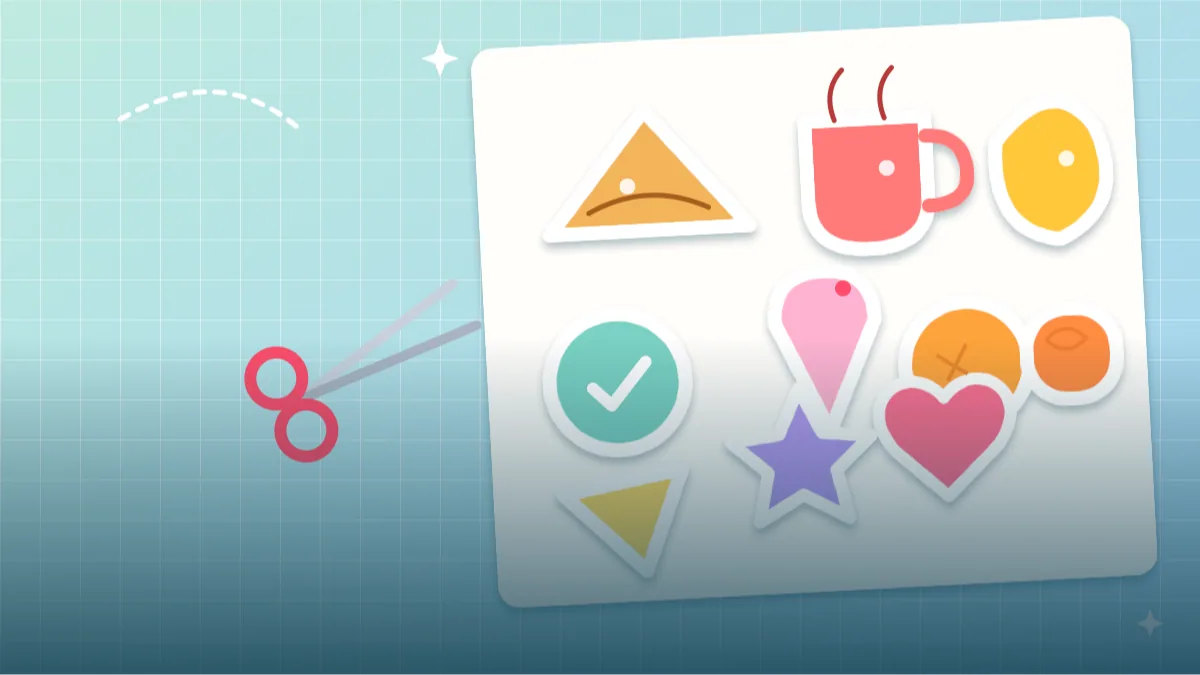 CHATGPT PROMPTSSTICKER PACK DESIGN8 COPY-PASTE PROMPTS
Every family WhatsApp group has that one cousin who sends a perfect sticker at the perfect time. Stickers look casual, but they follow strict rules: a clear outline, bold simple shapes and a plain background for easy cut-out. A tidy sticker design prompt tells ChatGPT those rules, so you can turn the result into chat stickers or a printed set.
It works best to design a sheet of six or nine stickers at once, so the style stays consistent. For personal stickers, upload your own photo and ask ChatGPT to keep your look, same hair, same glasses, same shirt colour.
Remember that messaging apps and print shops have their own size and format requirements, so check those before exporting.
- Copy-Paste Prompts
- How do I ask ChatGPT for a whole sticker sheet?
- What makes a sticker readable at thumb size?
- Why do some of my stickers turn blurry or uneven?
- Where can I actually use these stickers?
- How do I judge the sheet before cropping?
- One sticker is bad. Do I redo everything?
- What changes between a sheet and a real chat pack?
- FAQs
Copy-Paste Prompts: Sticker Design Prompt (8 Ready Ideas)
1. Expression sheet of me
Create a sticker sheet of six cartoon expressions of me from the attached photo: happy, laughing, thinking, surprised, sleepy and thumbs up.
LAYOUT: 3 by 2 grid on plain white with equal gaps.
STYLE: Thick dark outline, flat bright colours, white sticker border around each.
KEEP: Same hair, skin tone, glasses and top in every sticker.
AVOID: Text, shadows, differences in style.
Consistency is key. Regenerate a single sticker if one looks different.
2. Cute food icons
Create a sheet of nine kawaii-style food stickers: samosa, chai cup, dosa, mango, laddoo, momo, pizza slice, ice cream and jalebi.
STYLE: Round simple shapes, tiny smiling faces, thick outlines, pastel colours.
BORDER: White die-cut border around each, about the same thickness on all nine.
DETAILS: Blush-pink cheeks, two small dot eyes, one tiny sparkle near each item.
BACKGROUND: Plain white.
AVOID: Text, brand packaging, shadows.
Swap the food list for your own favourites or regional dishes.
3. Pet sticker set
Turn the attached photo of my pet into a set of six stickers.
POSES: Sleeping, running, begging, curious head tilt, happy jump, sitting.
KEEP: Fur colour, markings and ear shape.
STYLE: Cartoon with bold outlines and soft colours.
BORDER: White die-cut edge.
LAYOUT: 3 by 2 grid with clear gaps so nothing touches.
BACKGROUND: Plain white.
AVOID: Text, other animals, human hands.
Pets are very popular for chat stickers. Mention special markings to keep them.
4. Motivational icons without text
Create a sheet of eight small motivational sticker icons.
ICONS: Rising sun, trophy, flexed arm, book, lightbulb, heart, rocket and clock.
STYLE: Flat vector, rounded shapes, two accent colours: [COLOUR 1] and [COLOUR 2].
BORDER: Thick white sticker edge.
LAYOUT: 4 by 2 grid on a plain white background with equal spacing.
SIZE: Each icon fills most of its cell so it stays readable when small.
AVOID: Text, gradients, tiny details.
Icons without text are universal and avoid misspelling problems.
5. Festival sticker pack
Create a sheet of eight festival stickers for [FESTIVAL].
ITEMS: Lamps, flowers, sweets, rangoli patterns, gift boxes, stars, balloons and a simple greeting card shape.
STYLE: Flat cheerful illustration, warm palette.
BORDER: White die-cut outline of even thickness.
LAYOUT: 4 by 2 grid with equal gaps between every item.
MOOD: Warm, welcoming and family friendly.
BACKGROUND: Plain white.
AVOID: Religious figures, text, shadows.
Great for sharing greetings in groups. Keep icons simple for small screens.
6. Planner and journal set
Create a sheet of ten small planner stickers.
ITEMS: Checkbox, tiny calendar, coffee cup, water drop, moon, flower, arrow, star, heart, bookmark.
STYLE: Minimal line icons with muted pastel fills.
SPACING: Even, with room around each for cutting.
LINES: Thin dark grey, rounded ends, consistent weight across all ten.
SIZE: Roughly 2 cm each when printed, so keep details few.
BACKGROUND: Plain white.
AVOID: Text, thick shadows, clutter.
Minimal pastel looks lovely printed on matte sticker paper.
7. Mascot reactions
Create six reaction stickers of a round [ANIMAL] mascot: cheering, crying a little, laughing, sleeping, thinking and waving.
STYLE: Simple shapes, thick outlines, three colours plus white.
BORDER: White die-cut edge on each.
LAYOUT: 3 by 2 grid on plain white.
FACE: Two big dot eyes, tiny beak or nose, same face shape in all six.
AVOID: Text, existing characters, shadows.
A small brand mascot can become your business's signature sticker pack.
8. Travel memories
Create a sheet of eight travel stickers.
ITEMS: Suitcase, camera, passport-like booklet without text, mountain, beach umbrella, train, palm tree and a map pin.
STYLE: Hand-drawn sketch with watercolour fills.
BORDER: White die-cut edge, even all round.
PALETTE: Soft blue, sand yellow, leaf green and a touch of coral.
LAYOUT: 4 by 2 grid with generous gaps.
BACKGROUND: Plain white.
AVOID: Text, real landmarks, logos.
Printed stickers like these look great on journals and luggage.
How do I ask ChatGPT for a whole sticker sheet?
Ask for one sheet with a plain white background and a clear grid, for example three rows of three, with space between every sticker. Download it, then crop each sticker in an editor like Canva, Photoshop Express or any free cropping app. If your messaging app needs transparency, remove the background after cropping.
Do not expect the AI to hand you perfectly separated files. Think of the sheet as a rough print, and plan a few minutes of cleanup. For WhatsApp or Telegram, follow their current size and format rules, which change from time to time, so read the app's own help page before exporting.
What makes a sticker readable at thumb size?
Stickers are seen small, usually inside a chat bubble on a phone, so bold and simple always wins. Thick outlines and flat colour survive shrinking, while thin lines and gradients blur out. A white border around each design gives the classic sticker look and keeps it visible on both dark and light chats.
Leave clear gaps between items, so cutting is easy. Keep text out, because AI misspells words and tiny letters look messy at small size. Use one palette across the set, like mustard, teal and cream, so the sheet feels like a family and not a random collection. If a sticker needs a word, add it yourself in an editor.
- Use thick outlines and flat colour.
- Add a white border for the sticker look.
- Keep gaps between items.
- Avoid text and tiny details.
- Use a consistent palette across the set.
Why do some of my stickers turn blurry or uneven?
Too much detail turns into a blur at small size. Ask for simple shapes. Another mistake is inconsistent character design across the sheet. Repeat key features in the prompt, such as hair, glasses and outfit colour.
If the border is uneven, ask for a thick, even white outline or add one in your editor.
Check the outline thickness on every sticker too. If one has a thin edge and another a fat one, ask for 'same thick white outline on all stickers' or fix it in an editor. Do this before cropping, so you only fix the sheet once.
Where can I actually use these stickers?
Use them in chats, on laptop lids, journals or as small merchandise for a creative project. A whatsapp sticker pack with chatgpt can be a fun gift for friends and family when made with their permission.
If you plan to sell stickers, check the terms of the tool and avoid logos or existing characters.
Stickers also look good on a water bottle, a notebook cover or a small gift card, and a printed sheet from a local shop makes a cheap, personal return gift. Print a test sheet first and look at the colours in daylight.
How do I judge the sheet before cropping?
Before you crop anything, zoom out until the whole sheet is about the size of a phone screen, then shrink it again to the size of one chat bubble. A good sticker design prompt gives you a sheet that still reads clearly at that tiny size. If an expression turns into a blur of lines, the drawing is too detailed and the prompt needs the words "simple shapes, thick outline".
Then check the small things one by one. Is the outline the same thickness on every sticker? Do the six faces really look like the same person, with the same hair parting, the same glasses and the same shirt colour? Are the white borders even, or does one sticker have a thin edge while another has a fat one? Do any two stickers touch each other? If they do, cutting them apart later becomes painful.
Hands and paws deserve a special look. In a thumbs-up sticker the AI sometimes draws four fingers or six, and in the pet set a tail may end up attached to the wrong side. Eyes should point in the same direction in every sticker unless you asked otherwise. Finally, look for stray letters. Even when we write "no text", a few random characters sometimes sneak into corners, and they look very odd once printed.
One sticker is bad. Do I redo everything?
It is normal that five stickers come out lovely and one looks off. Do not regenerate the full sheet, because the lucky five will change too. Instead, reply in the same chat: "Keep the sheet exactly as it is, but redraw only the sleepy sticker in the bottom row with the same line thickness and colours as the others." Naming the position helps more than a vague "fix it".
If a character keeps drifting, paste a short fixed description at the start of every request, for example "round face, black side-parted hair, round glasses, mustard hoodie". Keep that line identical each time. For a cute sticker sheet prompt with a pet, add the one marking people recognise most, like a white sock on the left paw or a torn ear.
Here is a worked example. Take the Mascot reactions prompt above and change it for a school science club. Replace [ANIMAL] with "owl wearing a tiny lab coat", change the colours to teal, yellow and white, and swap the reactions for "excited, confused, proud, tired, celebrating, waving". Run it once, check the sheet using the list above, and fix any single sticker by position. Ten minutes later the club has a small pack for its group chat.
What changes between a sheet and a real chat pack?
Once the sheet looks right, crop each sticker, remove the white background in an editor if the app needs transparency, and export at the size the app currently asks for. Rules for a whatsapp sticker pack with chatgpt artwork change from time to time, so read the app's latest guide instead of trusting an old video. Keep a copy of the original sheet in case you need to re-export.
A sticker pack from my photo is fun, but remember that your friends are people too. Make stickers of someone else only when they say yes, and never of a child you do not know. Do not use your face sticker pack as proof of identity or for anything official, because it is a cartoon and not a likeness you can rely on.
AI is also honestly weak at some things here: exact spelling, matching the same face perfectly in nine poses, and clean transparent edges. Plan to spend a few minutes in an editor, and treat the AI output as a very good first sketch rather than a finished product. Save your best die cut sticker design ai results in one folder with the exact prompt next to each, so you can repeat a style next month without guessing.
Frequently Asked Questions
Can ChatGPT make transparent background stickers?
Not reliably. Ask for a plain white background and remove it with an editing tool for transparency.
What size should chat stickers be?
Requirements vary by app and change over time. Check the app's current guide and resize in an editor.
How do I keep characters consistent?
Describe the same features in every request, such as hair, glasses and outfit colour, and generate the set in one sheet. If a single sticker drifts, redraw only that one by naming its position on the sheet.
Can I add words to the stickers?
AI often misspells text. Add words yourself in an editing app.
Can I sell printed stickers?
Check the tool's terms of use, and avoid existing characters, brands and real people.
Final Thoughts
A clear sticker design prompt asks for bold outlines, plain backgrounds and consistent characters, which makes cutting, sharing and printing easy. Begin with the expression sheet or the food set, then try your own themes.
Pick one theme today, maybe your own six expressions, and see how it looks next to a chat bubble. If you enjoy it, the anime portrait prompts are a natural next step for building a cartoon version of yourself.
Note: AI image and text results vary by tool, version and settings. Use only your own photos, avoid copying real people’s likeness, and follow the terms of the AI tool you use.