Gemini vs ChatGPT for Photo Prompts: Which Works Better
 CHATGPT PROMPTSGEMINI VS CHATGPT8 COPY-PASTE PROMPTS
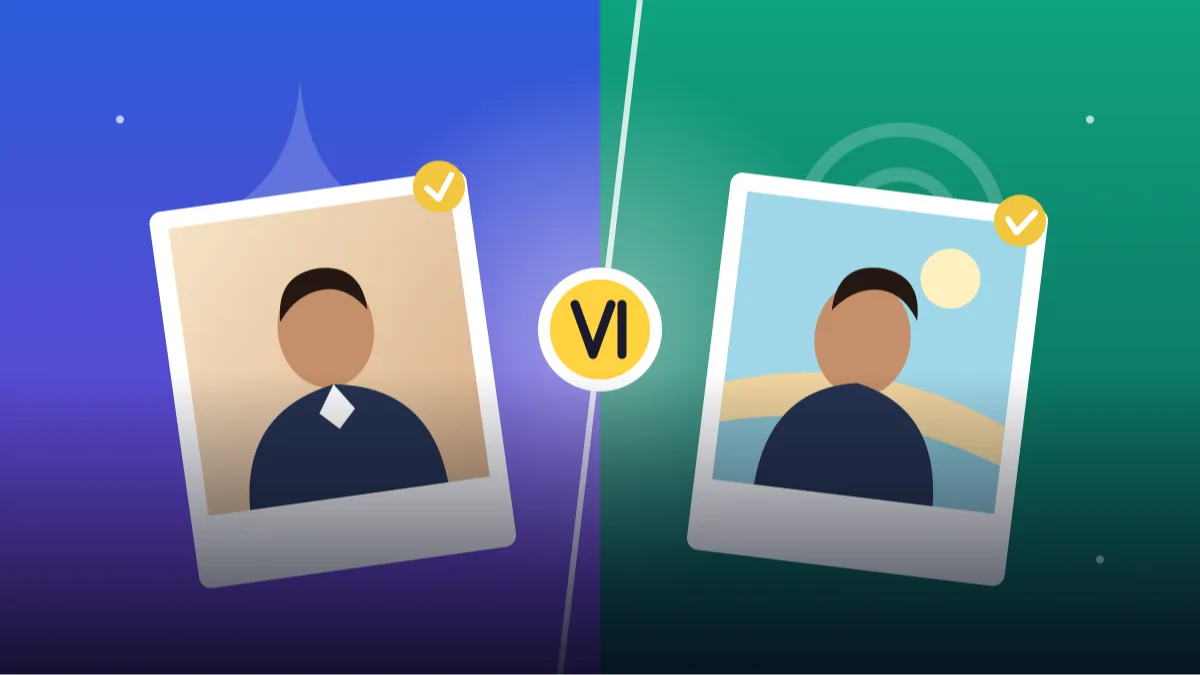
Everyone wants a one-line answer to gemini vs chatgpt photo results, and a clean winner makes a good headline. Real life is messier. Both tools are good, both update often, and the one that wins depends on whether you are fixing a selfie, making a poster or editing a group photo from a cousin's wedding.
So instead of crowning a champion, here is a fair way to compare. We list what matters for photo prompts: face keeping, scene realism, text in images, follow-up editing and ease of use. Then there are eight identical prompts you can paste into both tools with the same photo.
Run the tests yourself, because your face, your lighting and your taste are the real judges. Any patterns mentioned below are tendencies people commonly report, not rules.
- Copy-Paste Prompts
- How do I compare Gemini and ChatGPT fairly on one photo?
- Does one tool follow long prompts better than the other?
- What exactly do I paste into each app?
- Which tool should I pick for my goal?
- What mistakes give me the wrong winner?
- How do I score each of the eight tests?
- Which differences usually show up between the tools?
- Are there limits or privacy risks in comparing free tools?
- Which AI keeps my face better?
- FAQs
Copy-Paste Prompts: Gemini Vs Chatgpt Photo (8 Ready Ideas)
1. Test 1: Face Keeping
Use the attached photo of me. Keep my face, hairstyle and skin tone exactly unchanged. Only change the outfit to a plain navy blazer and white shirt, and the background to a soft light grey studio wall. Soft window light from the left, 85mm lens, natural skin texture. Do not beautify my face.
Run this in both tools with the same photo. Compare the eyes, nose and jawline against your original.
2. Test 2: Background Swap Only
Edit the attached photo. Keep me, my pose, my clothes and my expression exactly as they are. Replace only the background with a quiet beach at sunrise, softly blurred, warm light. Match the light on my face to the new scene without altering my features. No new objects on or around me.
A great test of how well each tool respects the 'keep everything else' instruction.
3. Test 3: Complex Scene
SUBJECT: Face unchanged from my uploaded photo, sitting on a wooden bench
OUTFIT: mustard sweater, jeans
SETTING: autumn park with fallen leaves, a lamp post and a bicycle in the distance
LIGHT: low golden sunlight from the left
CAMERA: 50mm lens, f/2
STYLE: warm realistic photograph
AVOID: extra people, floating leaves on face, text
Check how each tool handles many small objects. Count the bicycles, benches and people.
4. Test 4: Text in the Image
Create a clean square poster using my attached photo, face unchanged. Soft pastel background. Large clear headline text at the top reading: WELCOME TO MY CHANNEL. Smaller text under it: New videos every Friday. Keep the text sharp, correctly spelled, and not overlapping my face.
LAYOUT: Headline centred in the top third, subtitle in the second line, clear space around both.
AVOID: Extra words, decorative script fonts, stray symbols.
Spelling inside images is a classic weak point. Compare letters closely and fix small errors in a normal editor.
5. Test 5: Style Change
Turn the attached photo into a soft watercolour illustration while keeping my face recognisable: same hairstyle, same smile, same skin tone. Gentle pastel palette, white paper texture, visible brush edges. Plain white background. No text, no signature.
FRAMING: Head and shoulders, centred.
CHECK: Hairline, eye shape and smile should still match the original photo.
AVOID: Changing my age or skin tone.
Illustration styles are where face likeness often drops. Judge which version still looks like you.
6. Test 6: Follow-Up Editing
Keep this image exactly as it is, including my face, outfit, pose and background. Change only one thing: make the lighting slightly warmer and softer, like late afternoon window light from the right. Do not alter colours of the clothes or my expression.
CHECK: Compare the background, jewellery and hands with the previous image to see if anything else shifted.
AVOID: Cropping, new objects, changes in expression.
Use after any first result. Some tools make small edits cleanly, others redraw more than you asked.
7. Test 7: Product Photo
Create a clean product photo of a [object, e.g. brown leather wallet] on a pale wooden table. Soft side light from a window, gentle natural shadow, a folded cloth and a small green plant softly blurred behind. 60mm lens, f/4, top-down at 45 degrees. No text, no logos, no extra products.
Objects do not involve faces, so this isolates scene realism and tidy composition.
8. Test 8: Group Photo
Use the attached photo of three friends. Keep every person's face, height and position unchanged. Improve only the lighting to soft natural daylight and place them in front of a simple garden wall with flowers. Keep their clothes as they are. Do not add, remove or swap anyone. Realistic 35mm photo, f/5.6.
Use only photos where everyone has agreed to be edited. Check every face afterwards.
How do I compare Gemini and ChatGPT fairly on one photo?
Use one photo, one prompt, one try each, then a second try each. Save the results in a folder and look at them the next day with fresh eyes. This small habit stops you from judging by excitement alone.
Score each tool on the same five things: face likeness, how well it followed your list, realism of light, tidy details like hands, and how easy follow-up edits were.
- Face likeness against your original
- Instruction following in long prompts
- Light and skin realism
- Text and small objects
- Ease of follow-up editing
Does one tool follow long prompts better than the other?
A common pattern is that one tool follows a long labelled prompt line by line, while the other gives more pleasing colour and mood on the first try. Which is which can flip after an update, so testing beats trusting any article, including this one.
Free plans also differ in daily limits and image quality. Check what your own account allows before planning a big batch of gemini image editing prompts or chatgpt image generation tips experiments, or you may hit the limit at test number five.
What exactly do I paste into each app?
Open each app in its own tab. Attach the same photo, paste the same prompt, and send both back to back. Do not tweak the prompt for either tool, or the test stops being fair.
Keep a small note on your phone for each test: tool name, date, number of tries and a score. When one tool is clearly better for a task, write that down. You might end up using one for face edits and the other for posters, and that is perfectly fine. The notes also save you from repeating the same experiment three months later.
Which tool should I pick for my goal?
For profile pictures and headshots, choose whichever kept your face closest. For posters with words, choose whichever spelled better. For fast ideas and mood boards, choose the faster one. There is no rule that you must stay loyal to one app.
If you are hunting for the best ai for photo prompts overall, the honest answer is the one that fits your photo and your patience today. A tool that needs two retries but keeps your face is better than one that gives a gorgeous stranger.
What mistakes give me the wrong winner?
Do not compare a polished final result in one tool with a first try in another. Do not use different photos, because a bright daylight selfie will beat a dim indoor one in any tool. And do not judge by a single run, because AI output varies each time.
Three attempts each gives a clearer picture. Also watch your own bias: if you already love one app, you will forgive its small errors. Hiding the tool names while a friend ranks the images is the cleanest fix.
How do I score each of the eight tests?
When you run the eight tests, write a score from 1 to 5 for each tool on a simple page. Judge face first: eyes, nose, hairline and smile. Then judge the instruction: did it change only what you asked? Then judge detail quality, such as hands, fabric and background. Finally judge speed and effort, meaning how many tries it took. Add the scores for each goal, not one overall number, because a tool that wins on faces may lose on text.
This habit also protects you from first impressions. A pretty image often feels like a winner even if it changed your face. Looking at the face-keeping score before the beauty score is a fairer way to choose the best ai for photo prompts for your needs. Repeat the same test after a month, because apps update and the order can change.
- Face: eyes, hairline, smile
- Instruction: only the requested change
- Detail: hands, fabric, background
- Effort: number of retries
- Text: spelling and layout
Which differences usually show up between the tools?
Certain patterns come up in comparisons like these, though none is guaranteed. Some tools keep an uploaded face more closely when you ask for one small change, and others make bolder creative changes. Some write correct text on a poster more often. Some are better at following a long labelled prompt line by line. These differences vary by version and by day, so treat them as things to test, not as facts.
For gemini image editing prompts, we suggest short instructions that name one change. For chatgpt image generation tips, long labelled prompts with a clear AVOID line often help. If a tool keeps ignoring the same instruction, move to the other for that task rather than fighting it.
Are there limits or privacy risks in comparing free tools?
Free plans can limit the number of images or change features, and we cannot tell you today's limits, so check each app's help page. If you are doing a compare ai image tools free test, plan the eight tests over a few days so a daily limit does not stop you halfway. Write down the date and the app version if it shows one.
Privacy matters here: you are uploading your face to two services. Read each tool's data and privacy settings, avoid uploading photos of other people without permission and avoid ID documents or private places. Keep the original photo on your device and delete test images you do not need.
Which AI keeps my face better?
The question which ai keeps face better has no permanent answer. Make three runs with the same photo and the Face Keeping prompt in each tool. Ask a friend who knows you to look at the outputs without telling them which tool made which. Their pick is more reliable than yours, because we all get used to AI-made faces after staring at them for a while.
Also check small things a friend will notice at once: the mole you do have, the one you do not, the hairline, the shape of your smile. Keep the result for a month, then test again after the apps update.
Frequently Asked Questions
Which one keeps my face better?
It varies by photo and by update. Run the face keeping test above in both and compare against your original; your own eyes are the best judge.
Are the prompts different for each tool?
The same labelled prompt style works in both. You may tweak wording slightly if one tool ignores a line, but start with identical text.
Can I use both for free?
Both usually offer some free use, with limits that change over time. Check your account for current daily image limits.
Which is better for posters with text?
Test the text prompt in both. Spelling quality changes between versions, and small errors can be fixed later in any design app.
Is gemini vs chatgpt photo quality likely to change?
Yes. Both get updated often, so redo your tests every few months and keep notes on what works best for you.
Final Thoughts
There is no permanent winner in gemini vs chatgpt photo editing, only a better fit for your task this month. Use the eight tests, keep your notes, and switch freely when one tool surprises you.
Run the Face Keeping and Text in the Image tests first, because they usually show the biggest difference. Once you know your pick, the anime portrait prompts are a fun way to put it to work.
Note: AI image and text results vary by tool, version and settings. Use only your own photos, avoid copying real people’s likeness, and follow the terms of the AI tool you use.