ChatGPT Realistic Portrait Prompts
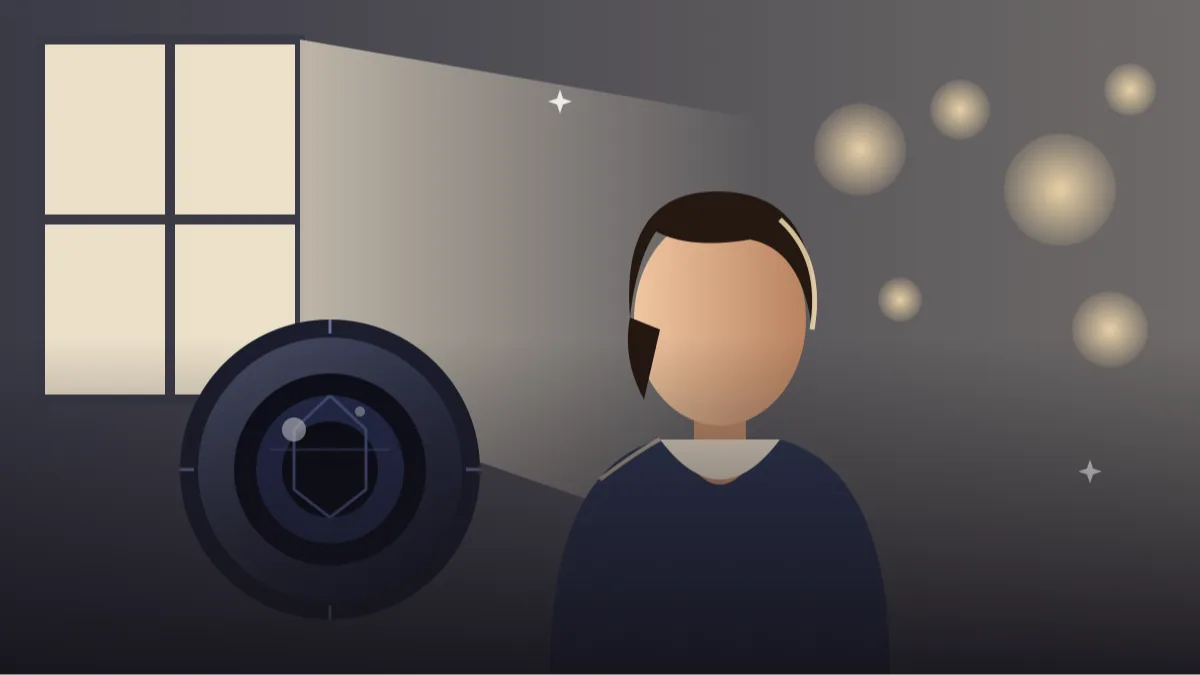 CHATGPT PROMPTSREALISTIC PORTRAIT8 COPY-PASTE PROMPTS
The difference between an AI picture that looks fake and one that looks like a real camera shot is usually small details. A strong realistic portrait prompt borrows words from photographers: lens length, light direction, depth of field and real skin texture.
We always upload our own photo and say that our face, features and age must remain unchanged. That one line protects you from the smooth, glowing look that gives AI portraits away.
Results vary from attempt to attempt, so generate two or three and pick the most believable.
- Copy-Paste Prompts
- Writing a realistic portrait prompt in photographer's order
- From upload to final pick in ChatGPT
- Why a realistic portrait prompt still looks fake, and the wording that cures it
- One face, a small set of pictures for every profile
- Reading a realistic AI portrait the way a photographer does
- A worked example: turning the window light prompt into a CV photo
- Honest limits and fair use of AI portraits
- FAQs
Copy-Paste Prompts: Realistic Portrait Prompt (8 Ready Ideas)
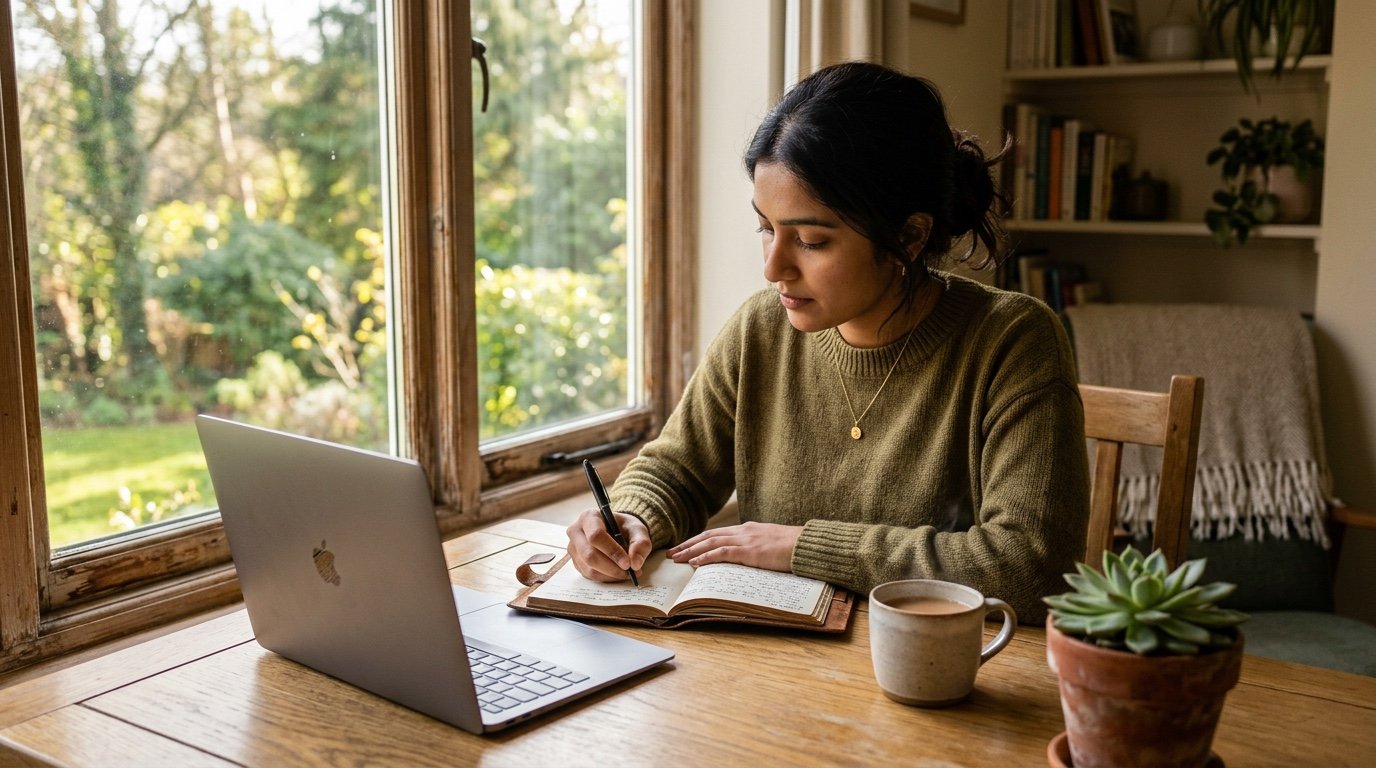
1. Window light portrait
Create a realistic portrait using the attached photo of me.
FACE: Keep my face, features, age and expression unchanged.
LIGHT: Soft window light from the left, gentle shadow on the right cheek.
CAMERA: 85mm lens, f/2, shallow depth of field.
BACKGROUND: Out-of-focus muted wall.
SKIN: Natural texture with visible pores.
AVOID: Beauty filter, plastic skin, text.
The classic. A real window and an 85mm lens do most of the work.
2. Golden hour outdoors
Make a realistic outdoor portrait of me from the attached photo.
KEEP: Face, hair and clothes recognisable and unchanged.
LIGHT: Golden hour sun low behind my shoulder, warm rim light on the hair, soft fill on the face.
CAMERA: 105mm, f/2.2, eye-level.
BACKGROUND: Softly blurred trees and a dry path.
COLOUR: Natural warm tones.
AVOID: Orange skin, overdone glow, text.
If the skin looks too orange, ask for 'neutral skin tones with warm background'.
3. Corporate headshot
Create a professional headshot from the attached photo.
KEEP: My face, hair and expression unchanged.
OUTFIT: Plain navy blazer over a white shirt, collar sitting naturally.
BACKGROUND: Soft grey, slightly blurred.
LIGHT: Large softbox from the front-left with a gentle fill on the shadow side.
CAMERA: 85mm, chest-up crop, eyes on the upper third.
AVOID: Retouching skin, changing teeth, text.
Great for LinkedIn, but make sure it still looks like you when someone meets you.
4. Black and white portrait
Convert the attached photo of me into a realistic black and white portrait.
FACE: Unchanged, with natural skin texture and fine lines.
LIGHT: Directional side light with deep but detailed shadows.
TONE: Rich blacks, clean highlights, fine film grain.
CAMERA: 50mm, slightly tight crop, eye-level.
BACKGROUND: Dark plain wall, no gradient glow.
AVOID: Flat grey look, smoothing, text.
Contrast and a bit of grain give it a timeless film feel.
5. Cafe lifestyle portrait
Create a realistic lifestyle portrait of me from the attached photo, sitting at a cafe table with a cup.
KEEP: Face and clothes unchanged.
LIGHT: Ambient daylight from a large window.
CAMERA: 35mm, f/2.8, slightly off-centre composition.
BACKGROUND: Softly blurred shelves and warm lights.
AVOID: Readable signs, other people close by, text.
A candid pose looks more real than a stiff pose. Mention looking slightly away.
6. Street evening portrait
Make a realistic evening street portrait of me from the attached photo.
KEEP: Face, hair and outfit unchanged.
LIGHT: Mixed streetlamps and warm shop glow, soft reflections on a slightly wet road.
CAMERA: 50mm, f/1.8, handheld feel with slight natural grain.
BACKGROUND: City bokeh, no readable signs.
AVOID: Neon overload, plastic skin, text.
Mention slight grain; clean, perfect images look artificial.
7. Environmental portrait at work
Create a realistic portrait of me from the attached photo in my workspace, which is [WORKSPACE TYPE].
KEEP: Face, hair and age unchanged.
PROPS: Simple tools of the job around me, not covering my face.
LIGHT: Natural light from a side window.
CAMERA: 35mm, waist-up, slight depth of field.
AVOID: Clutter, logos, text.
Great for about pages and bios. Keep props simple to avoid strange objects.
8. Close-up detail portrait
Create a realistic close-up portrait based on the attached photo.
FACE: Unchanged, natural eyes, visible skin texture and small imperfections.
LIGHT: Soft diffused light from above-front, one clear catchlight in each eye.
CAMERA: 100mm macro-style portrait, f/2.8, focus on the near eye.
BACKGROUND: Plain dark teal.
AVOID: Over-smoothing, enlarged eyes, text.
Close-ups reveal AI mistakes, so check teeth, eyelashes and ears carefully.
Writing a realistic portrait prompt in photographer's order
Start with what must not change: face, age, hair. Next, give the light: its direction, softness and colour. Then the camera: lens, aperture and angle. End with what to avoid.
This order mirrors how a photographer plans a shot, and it keeps the AI from inventing a different person.
Here is a simple skeleton you can reuse: 'Keep my face exactly as in the photo. Soft window light from the left. 85mm lens, f/2, eye-level. Natural skin texture. Avoid: smoothing, extra fingers, text.' Four short lines, each doing one job.
Keep each line short. Long sentences with many ideas tend to blend together, and the tool picks the loudest word and ignores the rest.
From upload to final pick in ChatGPT
Choose a sharp, front-facing photo with natural light. Upload it, paste a prompt and send. Judge the result at full size, looking at eyes, ears, teeth and hands.
If something is off, correct one thing at a time: 'less smoothing, more natural skin texture, same pose'.
Two quick checks after the first picture: zoom into the eyes and the teeth. If either looks different from your photo, you have found where to focus your next correction.
Also compare the picture with your real photo on a phone, side by side. A portrait that looks beautiful alone can still feel like a stranger when set next to your original.
- Use a high-resolution input.
- Avoid heavy filters on the source photo.
- Ask for one change per message.
- Save the best attempt before trying more.
Why a realistic portrait prompt still looks fake, and the wording that cures it
The most common mistake is glossy, airbrushed skin. Mention 'visible pores, natural texture'. The second is the AI changing your face to a more average one. Use the line 'keep my facial features, face shape and age unchanged'.
Also avoid vague praise like 'ultra HD 8K masterpiece'. It adds nothing real. Camera and light details do.
Another cause is lighting that has no source. 'Beautiful lighting' lets the AI invent a glow on every surface. A named source, like a window on the left, gives a believable shadow side.
If the skin is still too perfect, add 'small natural imperfections, light freckles or fine lines as in the photo'. Realism often comes from what is left in, not from added polish.
One face, a small set of pictures for every profile
Change the clothing colour, background or time of day to build a small set for your website, resume and social profiles. A consistent professional headshot with ai set across platforms makes you look organised.
Be open about AI use when it matters, such as formal profiles, and make sure the final image still represents you honestly.
For a resume photo use a plain light wall and a dark shirt. For a creative profile, try the golden hour or the cafe version. Keep the same face line and crop in every version so the pictures look like they belong to one person.
Save each prompt that worked in a note with the platform name next to it. When you need a fresh picture in six months, you can run the same prompt with a new photo and get a matching result.
Reading a realistic AI portrait the way a photographer does
Real cameras follow physics, and that is what we use to spot a fake. Begin with the light. If the key light comes from the left, the shadow under the nose and chin should fall to the right. When a portrait has glow on both cheeks and no clear shadow, it usually means the AI has painted a studio look without a real source. Fix it by naming the light: 'single window on the left, shadow side slightly darker'.
Now look at the eyes. In a real photo, both eyes carry the same small bright reflection of the window or lamp. In weak AI images the catchlights are different shapes or missing. Then look at the depth of field. At 85mm and f/1.8 the ears and the shoulder further from the camera should fall a little soft. If everything is razor sharp from nose to wall, ask for a 85mm portrait look with chatgpt and 'shallow depth of field, background softly blurred'.
Last, look at the edges: hair against the background, the collar against the neck, glasses frames against the cheek. Cut-out looking edges, or hair that melts into the wall, are signs that the model has composited rather than photographed. A line such as 'natural hair strands, no halo, no sharp cut-out edge' helps a lot.
A worked example: turning the window light prompt into a CV photo
Say you want a portrait for your resume, and the window light prompt gives a lovely soft result but the look is too casual. Keep the structure and change three lines. Under OUTFIT write 'dark blue shirt, collar neat'. Under BACKGROUND write 'plain light grey wall, no plants'. Under LIGHT, keep the window but add 'softly lit from the front-left, no strong shadow across the face'.
Next, adjust the framing. A CV photo is usually chest-up, with a little space above the head. Add 'head and shoulders crop, eyes in the upper third, centred'. Finally, protect your face with one more line: 'keep my real expression, do not add a smile or remove any natural lines'.
Generate two or three versions and place them next to your original photo. Ask yourself the simple test: would a colleague who meets you tomorrow say it is you? If yes, you are done. If the face looks even slightly younger or sharper than you, tell ChatGPT 'match my actual age and skin texture' and try again. A believable realistic ai portrait from my photo is better than a flattering one that later surprises people.
Honest limits and fair use of AI portraits
Even with a strong prompt, ChatGPT can drift. Teeth may become too even, earrings may turn into different shapes, and a plain shirt can pick up folds that were not there. Hands are still the hardest part, so crop them out unless they are essential.
For official use, such as passports, exam forms or visa applications, do not submit an AI-altered picture. Those places need an unedited photograph. For LinkedIn, a personal website or a creative profile, a portrait made from your own photo is fine as long as it still looks like you, and a short note such as 'portrait enhanced with AI' keeps things transparent.
Never use somebody else's photo without their permission, and do not ask for a portrait that imitates a well-known person. Your own face, your own consent, and your own honesty keep this whole workflow safe.
Frequently Asked Questions
How do I make a realistic portrait prompt look less AI?
Ask for natural skin texture, real lens and light details, and a slightly imperfect candid feel. Avoid beauty-filter words.
Will ChatGPT keep my face the same?
It tries, but small differences appear. State the instruction clearly and compare with your original photo.
Which lens words work best?
An 85mm look is classic for portraits, 50mm for natural lifestyle shots and 35mm for environmental scenes.
Can I use AI portraits for LinkedIn?
Many people do, but keep it honest and close to your real appearance. Some platforms have their own rules.
Why do the hands look wrong?
Hands are difficult for image tools. Crop them out or pick a close-up prompt.
Should I upload a selfie or a photo taken by someone else?
A photo taken from a little distance with a longer lens is better, because phone selfies bend the nose and forehead. If you only have a selfie, tell ChatGPT to 'keep my face but correct wide-angle distortion naturally'.
Final Thoughts
A grounded realistic portrait prompt uses plain photography language and protects your real features. Try the window light version first, then explore golden hour, black and white and workplace scenes.
Take the window light version today with your clearest photo, and compare it with your original before you decide. If you later want colour and mood in a festive setting, our festival photo prompts are a fun place to play.
Note: AI image and text results vary by tool, version and settings. Use only your own photos, avoid copying real people’s likeness, and follow the terms of the AI tool you use.