AI Lego Style Portrait Prompts
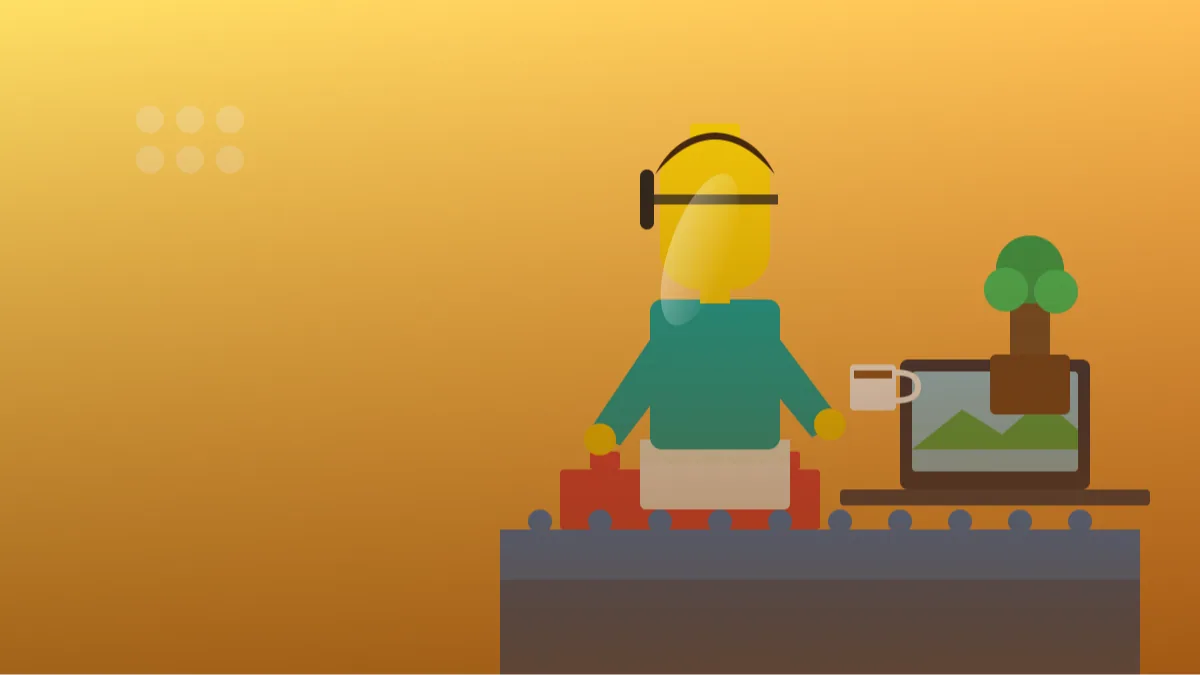 AI PHOTO PROMPTSAI LEGO STYLE PORTRAIT8 COPY-PASTE PROMPTS
Building blocks have a charm that works for every age. Glossy plastic, round studs and tiny smiling faces make any scene feel friendly. A good lego style prompt lets you appear in that world as a little brick character, holding things that matter to you.
We prepared eight prompts for Gemini and ChatGPT image tools. Attach your own photo, ask the tool to keep your recognisable features such as hairstyle, glasses and skin tone, and then pick a scene. We use the words toy brick and minifigure style, and we avoid real brand marks and licensed sets.
The aim is a toy-like look: glossy plastic, visible studs, small seams. It will not match a factory model exactly, and that is fine, because your picture is a fun original.
- Copy-Paste Prompts
- Telling a lego style prompt what makes you, you: hair, glasses, colours
- Making a lego style prompt look like real toy photography
- Why does my brick figure look like a cartoon instead of a toy?
- Avatars, gifts and captions for your brick self
- How a good toy brick figure should look up close
- Lighting and lens choices that sell the miniature effect
- A worked example: building a minifigure style profile picture
- Where toy brick AI pictures struggle
- FAQs
Copy-Paste Prompts: Lego Style Prompt (8 Ready Ideas)
1. Brick Minifigure Desk
Use my attached photo; keep my hairstyle, glasses and skin tone recognisable.
SUBJECT: a toy brick minifigure of me sitting at a tiny desk.
OUTFIT: printed shirt and a small headset.
SETTING: miniature office built from bricks, with a laptop, a coffee cup and a plant made of green pieces.
LIGHT: soft studio light, glossy plastic reflections.
CAMERA: macro lens, shallow depth of field, eye-level.
STYLE: realistic toy-brick photography, visible studs and seams.
AVOID: brand logos, readable text, human skin texture.
Macro and shallow depth of field are the secret to making it look like a real miniature.
2. Brick Kitchen Cook
Use my uploaded photo; keep my recognisable features.
SUBJECT: toy brick minifigure of me stirring a pot with a happy printed smile.
OUTFIT: apron and chef hat in plain white bricks.
SETTING: small kitchen made from coloured bricks, with tiny round vegetables and a hanging utensil rack.
LIGHT: warm overhead light, glossy highlights.
CAMERA: macro, slightly high angle.
STYLE: playful brick diorama, colourful and tidy.
AVOID: brand names, text, real food textures.
Keep the foods as simple round bricks. It looks more authentic than detailed vegetables.
3. Brick Travel Backpacker
Use my attached photo and keep my recognisable features.
SUBJECT: toy brick figure of me with a backpack and a small flag-less map.
OUTFIT: hiking jacket and cap in plain colours.
SETTING: mountain path built from grey and green bricks, little trees and a stream of blue plates.
LIGHT: bright daylight, soft shadows.
CAMERA: macro, low angle, hills in the background blur.
STYLE: toy brick landscape photography, glossy.
AVOID: country flags, logos, text, human-like faces.
Low angle photography makes a tiny scene feel big.
4. Brick Cricket Match
Use my uploaded photo with my recognisable features.
SUBJECT: toy brick minifigure of me swinging a bat.
OUTFIT: plain blue jersey and helmet, no numbers.
SETTING: small brick cricket ground, stumps, a boundary line made of white plates, tiny crowd of blank-faced figures.
LIGHT: sunny daylight with crisp shadows.
CAMERA: macro, side view.
STYLE: bright toy brick photography.
AVOID: team names, sponsor logos, text, human faces.
Blank-faced background figures keep attention on the main character.
5. Brick Wedding Couple Base
Use my attached photo and keep my recognisable features.
SUBJECT: toy brick minifigure of me, formal pose, printed smile.
OUTFIT: elegant ivory sherwani-style outfit in brick pieces.
SETTING: tiny decorated stage with flower pieces, fairy-light dots and curtains of sheer white bricks.
LIGHT: warm soft light.
CAMERA: macro, centred, slightly angled.
STYLE: neat brick diorama, glossy plastic.
AVOID: other figures, text, religious symbols, logos.
Make each person in a family a separate figure and combine them in an editor.
6. Brick Gardener
Use my uploaded photo with my recognisable features.
SUBJECT: toy brick figure of me watering plants with a tiny can.
OUTFIT: straw hat and simple green apron.
SETTING: small garden of brick flowers, a fence of tan bricks and a bird made of yellow pieces.
LIGHT: fresh morning light.
CAMERA: macro, eye level with the plants.
STYLE: cheerful toy-brick photography, vivid colours.
AVOID: text, real plants, human skin texture.
Small animals built from a few bricks add charm without risking weird anatomy.
7. Brick Gamer Night
Use my attached photo and keep my recognisable features.
SUBJECT: toy brick minifigure of me on a sofa holding a controller.
OUTFIT: hoodie with headphones.
SETTING: cosy brick living room, a small TV showing colourful blocks, snacks made of orange pieces.
LIGHT: evening lamp plus screen glow.
CAMERA: macro, slightly low angle.
STYLE: toy-brick photography with moody warm light.
AVOID: game logos, console brands, text.
Screen glow on the plastic face gives instant realism.
8. Brick Superhero Skyline
Use my uploaded photo; keep my recognisable features.
SUBJECT: toy brick minifigure of me in a hero pose on a rooftop.
OUTFIT: original cape and mask design in teal and gold, no emblem.
SETTING: small brick city skyline at dusk with windows made of yellow tiles.
LIGHT: warm sunset behind, soft rim light.
CAMERA: macro, low angle, skyline blurred.
STYLE: dramatic toy photography.
AVOID: known hero symbols, logos, text.
Design your own emblem-free costume. It stays original and avoids licensed characters.
Telling a lego style prompt what makes you, you: hair, glasses, colours
Upload a photo where your hairstyle, glasses and clothes are easy to see. Paste the lego style prompt, send, and look at how the figure represents you. The face on a minifigure is simple, so the key traits are hair, accessories and colours.
If something is missing, add it in one line: add my round glasses and short black hair.
Think of three clues that your friends use to recognise you at a distance, and write only those. Maybe it is a beard, a maroon jacket and a smartwatch. If you write ten details, the small figure turns cluttered and the face looks tiny. A turban, a cap or a dupatta is also worth naming clearly, since the AI will otherwise replace it with a standard hairpiece.
- Mention accessories you always wear.
- Ask for printed smile and simple face.
- Keep one figure and one scene per image.
Making a lego style prompt look like real toy photography
The most convincing toy brick portrait prompt results use macro photography language: shallow depth of field, close focus, glossy plastic, small seams. Real brick photos often have a soft blurred background and a few tiny reflections.
Ask for visible round studs on flat surfaces, because they are the signature of the style.
Why does my brick figure look like a cartoon instead of a toy?
If the figure looks like a cartoon person and not a toy, add: moulded plastic, claw hands, cylindrical head. If a real brand name appears, repeat the AVOID line and ask for plain blocks.
Do not expect the same figure twice. For a series, reuse the same outfit description every time.
Another reason is soft wording. Words like 'cute', 'adorable' and 'magical' push the AI towards a Pixar-style character, which has smooth skin and big eyes. Replace them with hard, physical words: 'rigid plastic', 'visible mould lines', 'glossy surface', 'stud on top of the head'. If the arms bend like a person's, add 'straight stiff arms, no elbow bend'. Small mechanical words bring the toy feeling back.
Avatars, gifts and captions for your brick self
Use your minifigure style profile picture as an avatar for a gaming group or a small business page. For gifts, make the figure of a friend with their hobby as the scene, after asking their permission.
A cute caption such as Built from imagination and a few hundred bricks, stays light and harmless.
A teacher can make a brick figure for a classroom board, a coder can use one for a GitHub profile, and a small baker can use a brick version of themselves holding a plain cake as a page logo. Keep the picture clearly yours; avoid any famous character costumes, sports club colours or superhero emblems, since these belong to other people. Tell friends in the caption that it is an AI-made brick-style picture and not an official toy.
How a good toy brick figure should look up close
Imagine the figure sitting on your real desk, about the height of a thumb. What would you see? A slightly shiny yellow or skin-toned head, a printed face with two dots and a smile, short stubby arms with C-shaped hands, and legs that do not bend like human legs. If your result has realistic nostrils, individual eyelashes or soft skin, the model has drifted into doll or cartoon territory.
Check the surfaces next. Flat brick tops should carry round studs, and corners should look slightly rounded with a tiny seam where pieces meet. A real toy scene is also never perfect. A few plates sit a little crooked, and the baseplate usually shows a faint scratch. If you feel the picture is too clean, ask for 'light dust and a few tiny scuffs on the plastic'.
Finally, confirm the personal details survived. A lego style prompt works when your viewers can say 'that is you' from three clues: hairstyle, glasses or beard, and outfit colour. If one is missing, say it again in a short line at the end of the prompt.
Lighting and lens choices that sell the miniature effect
The word 'macro' is the biggest trick. Macro photography makes a tiny object look tiny, because only a thin slice of the scene is sharp. Combined with a soft blurred background, your figure feels like a real toy photographed on a hobby table. Without that wording, the model often shows a full cartoon landscape and the toy magic disappears.
For light, pick one source and say where it comes from. Soft daylight from a window on the left makes glossy plastic show a smooth white reflection down one side. A warm lamp behind the figure adds a rim of gold on the shoulders. If highlights look blown out and white, add 'diffused light, no harsh specular glare on the plastic'.
Angle matters as well. A low angle, as in the superhero skyline, makes the figure feel heroic. A slightly high angle, as in the kitchen, feels playful and cute. Use eye level when you want a calm profile picture. Try changing only this one word and compare, so you learn what each angle does.
A worked example: building a minifigure style profile picture
A minifigure style profile picture needs a different setup from a scene. Start with 'Brick Minifigure Desk', then delete the desk, laptop and plant. Replace the setting with 'plain pastel-blue background, figure centred, head and torso only, chest up'. Add 'square 1:1 composition with space around the head'. Now the figure fills the frame and stays readable in a tiny avatar circle.
Next, simplify the outfit. Instead of a printed shirt and a headset, choose one strong colour and one accessory, for example 'a mustard hoodie and round black glasses'. Small avatars reward bold colour and punish tiny prints. If the face is too smiley, change it to 'calm printed smile'.
If you also run a small page or a hobby channel, make three versions with different backgrounds and use one for each platform. For a gaming group, 'dark purple background with soft neon edge glow' feels right. Keep everything free of real brand marks, game names and sports teams, since those are protected and can create trouble for a public page.
Where toy brick AI pictures struggle
Be ready for some quirks. Hands holding small objects such as a phone, a pen or a bat are often fused or oddly placed. Choose scenes where the figure holds one large, simple object. Text on shirts and screens becomes nonsense, so skip it. Groups are harder than single figures, because the model tends to blend features, so make family pictures one person at a time and combine them in an editor.
Do not use a child's photo for these without a parent's clear consent, and never post another person's brick version without asking. The result is only a playful illustration, and it should not be sold as a licensed product or presented as official merchandise.
Frequently Asked Questions
Is this the real Lego?
No. The prompt only asks for a toy-brick look. Avoid using brand logos or licensed sets so your image stays original.
Will it look like me?
A minifigure has very simple features, so it captures hair, glasses and clothing more than a real face. Mention those details.
Can I make a family scene?
You can try, but each person needs a clear description. It is easier to create each figure separately and combine them.
Why do my bricks look too soft?
Add hard plastic, glossy and visible seams. Soft clay or fabric words change the look.
Final Thoughts
Tiny scenes make everyone smile, and a thoughtful lego style prompt can put you in the middle of one. Start with the desk or the kitchen, then try something more adventurous like the superhero skyline.
Retry when something looks off and change one detail at a time. Once you have your brick self, put it beside a clay or pastel version of the same photo and see which one your friends like better.
Note: AI image and text results vary by tool, version and settings. Use only your own photos, avoid copying real people’s likeness, and follow the terms of the AI tool you use.