Instagram Reel Cover Photo Prompts That Stop the Scroll
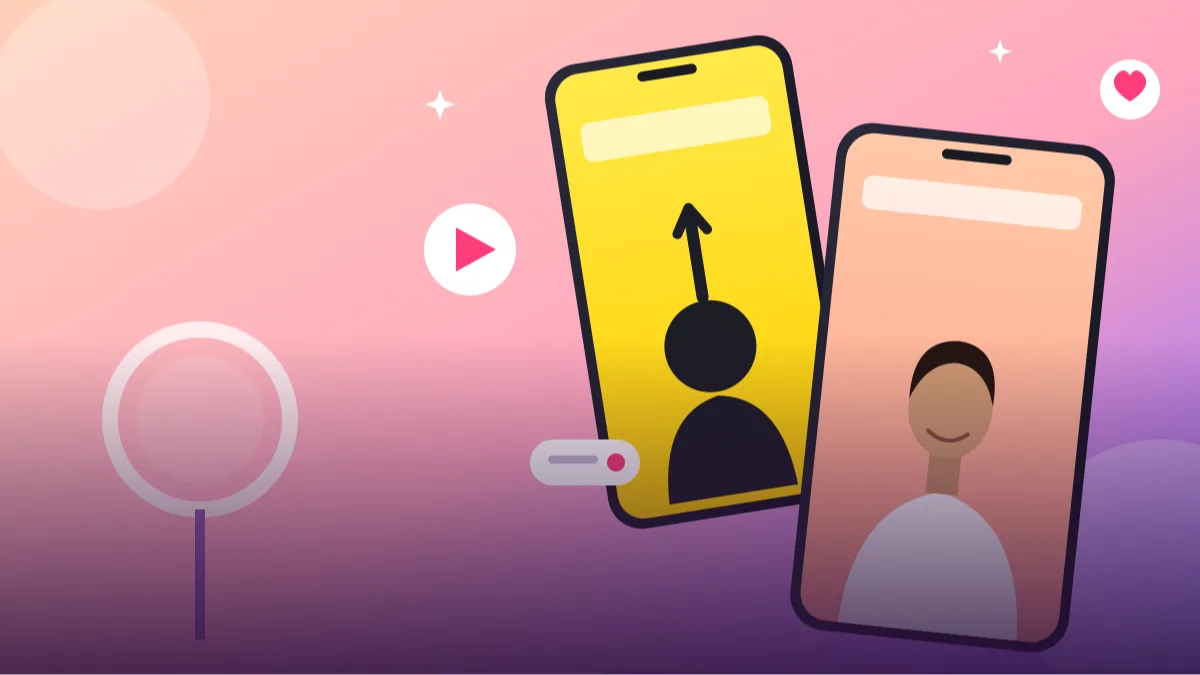 AI PHOTO PROMPTSREEL COVER PHOTOS8 COPY-PASTE PROMPTS
You made a solid reel, and then spent twenty minutes hunting for a thumbnail. A good reel cover prompt fixes that. Your grid is the first thing a new visitor scrolls, and a messy mix of random video frames makes even a great page look unplanned.
In this post we have collected eight prompts that work with Gemini and ChatGPT image tools. You attach your own photo, paste the prompt, and the AI builds a cover with a clear subject, calm background and empty space where you can add your title later. Every prompt asks the tool to keep your face unchanged, because a cover that does not look like you feels fake.
Results will vary from tool to tool, so treat each prompt as a starting point. Change the colours, the mood or the background to match your niche, and retry once or twice if the first image is not right.
- Copy-Paste Prompts
- How do I make a cover from my own photo in two minutes?
- Where should my face sit so the grid crop does not cut it?
- Why does my cover show garbled text or a different face?
- What changes when I use Gemini for a reel thumbnail?
- What title should go on top, and where else can I reuse the image?
- Will nine covers look good together on my grid?
- Can I adapt the desk setup cover for a study page?
- FAQs
Copy-Paste Prompts: Reel Cover Prompt (8 Ready Ideas)
1. Clean Studio Pastel Cover
Use my attached photo and keep my face exactly unchanged.
SUBJECT: me from chest up, looking at the camera with a relaxed smile.
OUTFIT: plain white shirt.
SETTING: soft peach seamless studio backdrop.
LIGHT: large softbox from the front left, gentle shadows.
CAMERA: vertical 9:16, 85mm look, subject on the lower two-thirds, empty top third for a title.
STYLE: clean, modern, creator-brand look.
AVOID: extra text, logos, heavy filters, distorted hands.
The empty top third is the whole trick. You can place a big title there in Canva or Instagram's own text tool.
2. Bold Colour Block Cover
Take my uploaded photo, keep my face and hairstyle unchanged.
SUBJECT: me pointing upward toward empty space, confident expression.
OUTFIT: black hoodie.
SETTING: flat electric yellow background with a thin darker yellow shadow behind me.
LIGHT: bright even light, crisp edges.
CAMERA: vertical 9:16, eye-level, subject centred with margins on both sides.
STYLE: high-contrast poster look, sharp cutout feel.
AVOID: text, watermarks, extra people, warped fingers.
Strong single colours read well even when the grid thumbnail shrinks to a tiny square.
3. Desk Setup Tutorial Cover
Use my attached photo, face stays unchanged.
SUBJECT: me seated at a tidy wooden desk, one hand on a laptop, glancing at the camera.
OUTFIT: light grey sweater.
SETTING: minimal home office with a small plant and warm lamp, blurred background.
LIGHT: window light from the right plus warm lamp glow.
CAMERA: vertical 9:16, 35mm, slightly high angle, clear space above my head.
STYLE: realistic, cosy productivity vibe.
AVOID: readable screen text, clutter, extra fingers.
Great for study, coding or business tips reels. Swap the laptop for a notebook if your niche is journaling.
4. Street Style Walking Cover
Use my uploaded photo and keep my face unchanged.
SUBJECT: me mid-step on a pavement, looking slightly off camera and smiling.
OUTFIT: denim jacket, white tee, simple sneakers.
SETTING: quiet city lane with muted shop fronts, shallow depth of field.
LIGHT: golden hour sun from behind, soft rim glow on hair.
CAMERA: vertical 9:16, 50mm, full body, space on the right side for text.
STYLE: natural candid photography, warm tones.
AVOID: signboards with readable words, crowds, heavy retouching.
Ask for a specific side for text space. It stops the AI from placing your head in the exact spot you want a title.
5. Kitchen Recipe Cover
Use my attached photo, face unchanged.
SUBJECT: me holding a freshly cooked plate of food near my chest, happy expression.
OUTFIT: simple kurta or casual tee with an apron.
SETTING: bright home kitchen with steam rising from the plate, soft blurred shelves.
LIGHT: warm window light from the left, gentle highlights on food.
CAMERA: vertical 9:16, 50mm, plate in sharp focus, clear space at the top.
STYLE: appetising food-creator look, natural colours.
AVOID: text, brand packaging, plastic-looking food.
Food covers get more clicks when the dish is the sharpest thing in the frame, so mention it clearly.
6. Fitness Routine Cover
Use my uploaded photo and keep my face unchanged.
SUBJECT: me stretching with arms overhead, calm focused face.
OUTFIT: modest sports tee and track pants.
SETTING: sunlit park path early morning with light mist.
LIGHT: soft low sun from the side, cool shadows.
CAMERA: vertical 9:16, 35mm, full body, generous sky space above.
STYLE: fresh, healthy, documentary feel.
AVOID: text, gym brands, exaggerated muscles, body distortion.
Keep claims out of your caption too. A friendly routine cover works better than any promise of results.
7. Travel Diary Cover
Use my attached photo, face stays the same.
SUBJECT: me seen from the waist up, looking over my shoulder toward a hill view.
OUTFIT: light jacket and a small backpack strap.
SETTING: mountain viewpoint with layered blue ridges and a few clouds.
LIGHT: soft morning light, slight haze.
CAMERA: vertical 9:16, 28mm, me placed on the left third, scenery filling the right.
STYLE: cinematic travel photograph, natural colour grading.
AVOID: text, other tourists, fake lens flare, extra limbs.
Place yourself on one third of the frame. The scenery then does the talking and your text fits on the empty side.
8. Retro Film Grain Cover
Use my uploaded photo and keep my face unchanged.
SUBJECT: me leaning against a wall, relaxed pose, soft half smile.
OUTFIT: vintage shirt with rolled sleeves.
SETTING: textured pale wall with a long window shadow across it.
LIGHT: warm afternoon sun, slightly faded blacks.
CAMERA: vertical 9:16, 50mm, medium shot, empty wall space on one side.
STYLE: analog film look with fine grain and muted warm colour.
AVOID: text, date stamps, scratches over my face, plastic skin.
Film grain hides small AI flaws, which makes this style a safe pick when other prompts give odd details.
How do I make a cover from my own photo in two minutes?
Open Gemini or ChatGPT with image generation switched on. Attach one clear photo of yourself: front-facing, good light, no sunglasses. Then paste the full reel cover prompt you like and send it.
If the face looks even slightly different, reply with one short line such as: keep my exact face from the attached photo, only change the background. A second try usually fixes it.
- Upload a sharp, recent photo, not a screenshot of a screenshot.
- Paste the prompt without cutting the AVOID line.
- Download the image and add your title in Canva or inside Instagram.
- Crop to 4:5 later to check how it looks on your profile grid.
Where should my face sit so the grid crop does not cut it?
Instagram now shows a tall crop on the grid, so your face should sit in the middle area, not at the very top or bottom. When you ask for an instagram reel cover photo ai image, mention safe margins and the AI usually respects them.
Contrast matters more than detail. A cover is seen as a small square on a phone, so one clear subject on a simple background beats a busy scene every time.
- Pick two or three brand colours and reuse them across covers.
- Keep the same lighting style so the grid looks like one family.
- Ask for space on the top or one side, never both.
Why does my cover show garbled text or a different face?
The most frequent problem is the AI inventing its own garbled text, like a shop board with half-spelt words. Always write AVOID: text, then add your real title yourself. Another problem is a face that drifts away from yours. Use a cleaner, front-facing source photo and repeat the keep-my-face instruction in the same chat instead of starting over.
If hands look odd, ask for hands out of frame or resting in pockets. It is faster than regenerating ten times. If the background grows extra objects, add 'no other objects except the ones listed'. And if the colours come out muddy, name two exact colours, like mustard yellow and off-white, rather than saying 'aesthetic'.
What changes when I use Gemini for a reel thumbnail?
A reel thumbnail prompt for gemini often works better when you describe the lens and the light in plain words, like 85mm portrait look or soft window light. Gemini tends to follow the labelled-line format very well, so keep the SUBJECT, SETTING and CAMERA lines separate and short.
ChatGPT sometimes adds extra props or a second person in the background. If that happens, add a line: no extra objects other than the ones I listed. Both tools respond well to one edit at a time, so change the background first, then the colours, then the pose, instead of rewriting everything.
What title should go on top, and where else can I reuse the image?
A cover is only half the story. Use a short, honest title on top, such as 3 desk tips I actually use, and make sure the caption matches what the reel really teaches. Avoid exaggerated promises, since viewers notice quickly when a cover over-sells the video, and they scroll away.
You can also reuse these images as story highlight covers, Pinterest pins, a WhatsApp channel banner or a YouTube community post by changing the crop. Keep one master version with the title removed so you can resize it each time without regenerating.
Will nine covers look good together on my grid?
A single cover can look great and still spoil the grid. Instagram shows your reels in a tall crop, in rows of three, so before you commit to a style, imagine nine covers together. A mix of nine different colours, lighting types and distances looks restless. A mix where every cover shares two colours and a similar framing looks like a brand, even for a small page.
A simple method is to choose a pattern and repeat it. For example: face covers in one colour on odd posts, and object or scene covers on even posts. Or keep the face always on the left and the title area on the right. Write this rule into every reel cover prompt, such as 'subject on the left third, clear empty space on the right for a title', and your covers will line up without effort.
Also pay attention to brightness. Dark moody covers beside very bright pastel ones create jumpy rows. If your niche needs both, alternate them deliberately or place a neutral cover between. Preview by saving four or five generated images in a phone album and scrolling through them quickly, as a stranger would.
Can I adapt the desk setup cover for a study page?
Imagine you teach exam tips and your reels are about note-making. Start with the desk setup tutorial cover. Replace the gadgets with study items: one notebook, a pen, a small lamp and a mug. Keep it to three or four objects, because more will clutter the cover when it is tiny.
Change the colour to something calm and bright, such as a pale yellow wall and a white desk, which suits a study page. Replace the pose with 'looking at the camera with a friendly half-smile, one hand holding a pen'. Keep the line that protects your face and the line that leaves the top third empty.
After generating, open a design app and add a title such as 'Note-making in 10 minutes' in a bold font with a contrasting colour. Check the cover at about one inch wide on your phone. If you can still read the title and see your face, the cover works. If not, shorten the words or enlarge the font. A cover should promise only what your reel delivers, so choose a title that matches the video and avoid dramatic claims. This is the practical side of an aesthetic reel cover ideas workflow.
Frequently Asked Questions
Can I use these prompts for free?
Most image tools have a free daily limit, and it differs by country and by time. If one tool says you have reached the limit, try the other or come back the next day.
Will my face stay the same?
Usually close, but not always perfect. Upload a sharp front-facing photo, repeat the keep-my-face line and retry if the result drifts.
What size should a reel cover be?
Make it vertical at 9:16, around 1080 by 1920 pixels, and keep your key subject in the centre so the 4:5 grid crop does not cut it.
Can I add text inside the AI image?
You can try, but AI often spells words wrong. It is safer to leave space and add text yourself with a proper font.
Should my face be on every reel cover?
Not necessarily. A face helps people recognise you, but a cover about a recipe or a place may work better showing the dish or the view. A good balance is faces on advice reels and objects on step-by-step reels, as long as the style stays consistent.
Final Thoughts
A tidy cover will not replace good content, but it makes people stop long enough to give your video a chance. Pick a reel cover prompt from the list, attach your own photo, and test two styles before you settle on one for your whole grid.
Choose one prompt, test the cover on your own grid preview and keep the style for at least ten posts so it can settle in. If you plan to start a channel as well, profile photo prompts match well with these covers.
Note: AI image and text results vary by tool, version and settings. Use only your own photos, avoid copying real people’s likeness, and follow the terms of the AI tool you use.