ChatGPT Pixar Style 3D Character Prompts
 CHATGPT PROMPTSPIXAR STYLE 3D CHARACTER8 COPY-PASTE PROMPTS
Rounded shapes, big expressive eyes and soft glowing light: the look of modern animated movies feels friendly to almost everyone. A careful pixar style prompt describes those qualities in plain words so ChatGPT can give you an original 3D character version of yourself, with your own hair, glasses and skin tone still in place.
A quick note: we describe the style instead of naming characters or studios. That keeps results original. We also tell the AI to keep our own hair, skin tone and glasses, so we still look like ourselves.
Results vary, so try a couple of times and pick the sweetest one.
- Copy-Paste Prompts
- Running a pixar style prompt on your own photo
- Words that give the soft 3D animated look
- Why a character can look off, and what to change
- Profile picture, card or gift: where the character fits
- What a good animated character result should look like
- Three worked variations of one pixar style prompt
- Fixing a 3d cartoon avatar ai result that feels wrong
- Honest limits and respect notes
- FAQs
Copy-Paste Prompts: Pixar Style Prompt (8 Ready Ideas)
1. Friendly 3D portrait
Create a friendly 3D animated character version of me from the attached photo.
KEEP: Hairstyle, hair colour, skin tone, glasses or beard if present.
STYLE: Soft rounded forms, slightly larger expressive eyes, smooth shading.
LIGHT: Warm key light with a gentle rim.
BACKGROUND: Plain pastel gradient.
FRAMING: Head and shoulders.
AVOID: Uncanny realism, existing characters, text.
A reliable first prompt. 'Slightly larger eyes' avoids the creepy extremes.
2. Adventure outfit
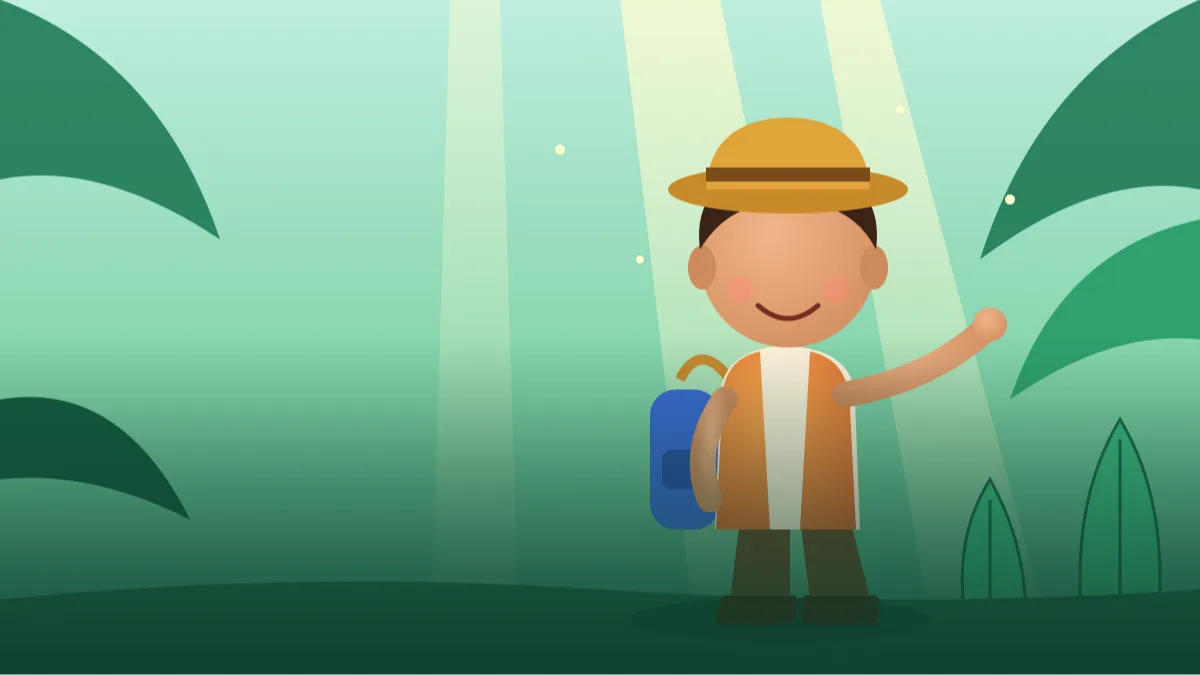
Make a 3D animated character of me from the attached photo as an explorer.
OUTFIT: Simple vest, backpack and sturdy boots in colours inspired by my photo.
POSE: Confident, pointing forward, smiling.
BACKGROUND: Lush green jungle with soft light beams, stylised not realistic.
STYLE: Soft 3D render, warm colours.
AVOID: Weapons, existing characters, text.
An outfit story gives the character personality.
3. Family of characters
Turn the attached family photo into a 3D animated family portrait, shared with everyone's consent.
KEEP: Each person's hairstyle, skin tone, glasses and outfit colours.
STYLE: Soft rounded forms, warm shading, expressive faces.
SETTING: Cosy living room with a sofa, green plants and a soft rug.
POSE: Everyone sitting close together, smiling and looking at the viewer.
LIGHT: Warm afternoon window light, gentle shadows.
FRAMING: Wide enough to show every person fully.
AVOID: Changing ages dramatically, text, existing characters.
Describe every person briefly if the AI mixes them up.
4. Chef character
Create a 3D animated character of me from the attached photo as a happy chef.
OUTFIT: White chef coat and hat, no logos.
POSE: Holding a steaming pot, proud smile.
SETTING: Bright toy-like kitchen with colourful props.
LIGHT: Warm, soft, with a gentle steam glow.
KEEP: Face shape, hair colour, glasses, skin tone.
STYLE: Soft rounded 3D render, smooth shading, expressive eyes.
FRAMING: Waist-up, centred, with some space around.
AVOID: Text, existing characters, realistic skin pores.
Colourful props keep the scene lively. Swap the profession as you like.
5. Kid-safe birthday card
Make a cheerful 3D animated illustration for a birthday card of the person in the attached photo (an adult, or a child with parent's consent).
SCENE: Balloons, a cake with plain candles, confetti.
KEEP: Hair, skin tone and a clean friendly face.
STYLE: Soft 3D render, bright colours.
LEAVE: Empty space at the top for a message.
AVOID: Text, existing characters.
Always get a parent's permission when using a child's photo, and keep sharing private.
6. Sci-fi gentle
Create a 3D animated character of me from the attached photo as a friendly space traveller.
OUTFIT: Rounded white suit with a transparent helmet, colourful patches without text.
SETTING: Small planet with soft glowing plants.
STYLE: Warm, soft shading, whimsical.
KEEP: Face, hair and skin tone.
AVOID: Dark mood, existing characters, text.
Using the word 'whimsical' keeps science fiction soft and gentle.
7. Pet companion
Create a 3D animated version of the pet in the attached photo.
KEEP: Fur colour, markings and ear shape.
STYLE: Slightly larger eyes, soft fur shading, charming expression.
SETTING: Sunlit garden with oversized flowers.
LIGHT: Warm, soft, late afternoon.
POSE: Sitting happily with head slightly tilted, tongue or whiskers as in the photo.
FRAMING: Full body, centred, some grass in the foreground.
AVOID: Existing characters, text, human-like hands.
Pets usually convert beautifully. Mention special markings to keep them.
8. Cosy home scene
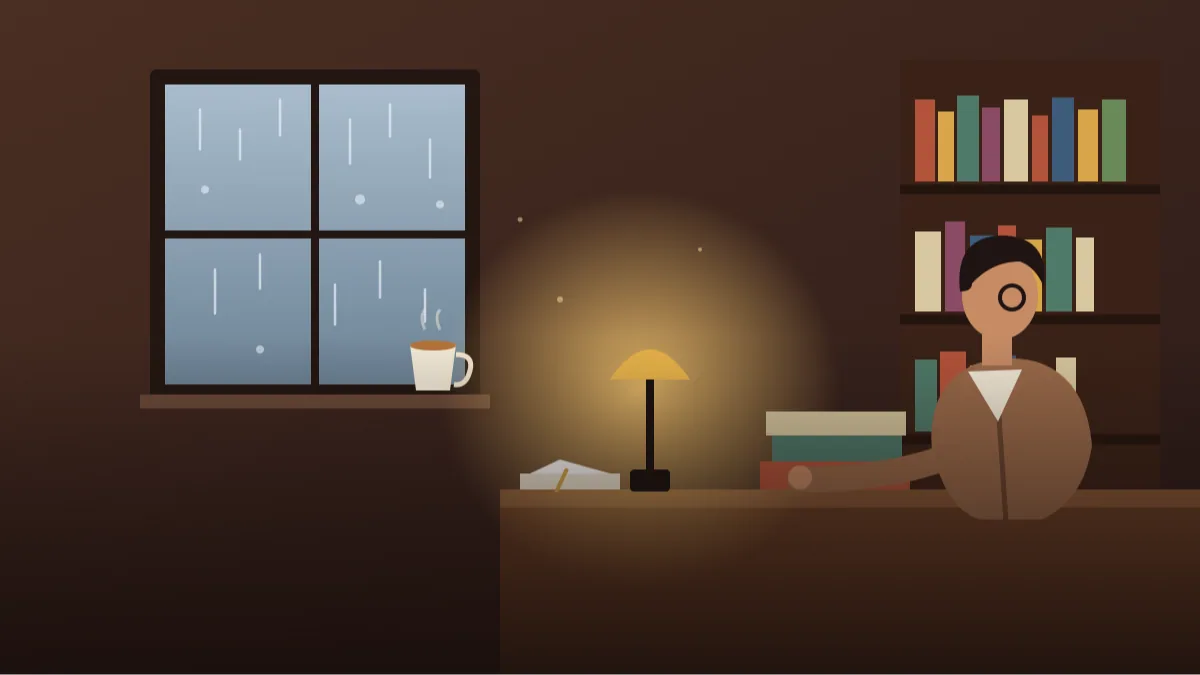
Show a 3D animated character of me from the attached photo reading in a cosy attic room.
KEEP: Hair, skin tone, glasses and outfit colours.
SETTING: Round window, string lights, books, a sleeping cat.
LIGHT: Warm lamp glow.
STYLE: Soft 3D render with gentle depth of field.
AVOID: Text, existing characters, dark mood.
Small details in the room tell a story and look expensive.
Running a pixar style prompt on your own photo
Attach a clear photo, ideally front-facing. Paste the prompt, change the brackets, and send. Check the first result for likeness: hair, glasses and skin tone matter most.
If the character looks generic, add one distinctive detail like freckles or a beard.
Pick a photo where your face is straight to the camera and the hair is not covered. Group photos are harder, so crop to one person for the first try. If you wear glasses daily, keep them on in the photo, because the AI treats them as part of your face.
Read the result for likeness before anything else. Parting, beard, glasses and skin tone matter more than eye size. If one of these is wrong, name it in your reply: 'add the round glasses and the short beard from my photo'.
Words that give the soft 3D animated look
The style depends on soft form and warm light more than on detail.
Soft form and warm light do most of the job. Ask for 'gentle rim light, warm bounce from below, soft shadow under the chin', and the face gains that glow seen in animated films.
Pick a simple palette of three to four colours and repeat it in the clothes and background. Characters on a plain gradient background read much better as a small profile picture than characters in a crowded room.
- Use words like rounded, soft, warm and expressive.
- Slightly enlarge the eyes, not the whole face.
- Pick colours that match your original outfit.
- Add one prop that tells a story.
- Keep backgrounds simple and stylised.
Why a character can look off, and what to change
Using names of films or characters can produce copies or be declined. Describe features instead. Another mistake is too realistic a request, which creates uncanny faces. Keep it stylised.
If your skin tone changes, say it explicitly, for example 'warm brown skin tone, unchanged'.
Pet and family scenes need extra care. Mention each person or animal once, with one clear feature, and ask for 'each character separate, nobody overlapping'. Crowded frames tend to merge hands and hair.
If the style drifts towards realistic skin pores, reply 'more stylised, smoother shapes, simpler face details'. It usually calms the picture straight away.
Profile picture, card or gift: where the character fits
Use it as a profile picture, a children's story illustration, a birthday card or a gaming avatar. A 3d animated character from photo chatgpt also makes a cute family gift when printed.
Keep the original photo safe and share characters of children only privately.
For a printed gift, ask for a plain light background and leave a little empty margin around the head. That makes framing and cropping easy. For a WhatsApp or Instagram DP, ask for a square frame with the face centred.
For a story or a children's book, ask for the same character in two or three poses and keep the outfit description identical each time. That is the nearest thing to a consistent mascot that a chat tool can give you.
What a good animated character result should look like
Before you celebrate the first image, run a quick checklist. Start with the eyes: they should be a little larger than real, but still sit at the same distance apart as in your photo. If they are spaced too wide, the character starts to look like a toy, not like you. Next, check the hair. A good soft 3d render character keeps your parting, length and curl pattern, just simplified into clean, chunky shapes instead of individual strands.
Look at the skin next. Animated-style skin should be smooth, but not plastic or glossy like a balloon. You want a gentle warm glow on the cheeks and a soft shadow under the chin. Hands are the other weak spot. Fingers are often fused or too many, so if hands matter in the scene, ask for hands tucked in pockets or holding a prop with the fingers hidden.
Finally, judge the whole picture from a distance. Shrink it to phone size. If you can still read the expression and recognise the outfit colours, the image works as an avatar. If it turns into a muddy blob, your background is too busy or the colours are too close to each other.
Three worked variations of one pixar style prompt
Take the first prompt, the friendly portrait, and change only one line at a time. This is the quickest way to learn what each word really does.
Want it softer and more storybook? Change the style line to 'hand-painted look, gentle pastel colours, slightly flatter shading' and the light line to 'soft morning window light'. The result moves away from glossy 3D toward a picture-book feel, which suits children's stories.
Want it bolder for a gaming avatar? Change the background to 'deep teal gradient with a few floating sparkles', and the light to 'strong warm key from the left with a bright rim on the right'. The extra contrast makes the character pop on a small profile circle.
Want it for a festival greeting? Keep your face details, then add 'wearing a simple kurta in saffron and cream, small diyas glowing softly behind' and leave the top third empty for a message. You get a cheerful card that looks hand-made, and still looks like you.
- Change one line per attempt so you know what caused the difference.
- Save the version you like as your own base prompt.
- Keep the AVOID line every time, because it guards against copied characters.
Fixing a 3d cartoon avatar ai result that feels wrong
Most problems come from one of four causes, and each has a simple wording fix.
The character looks like a stranger: your photo may be dark or tilted. Upload a bright, straight-on picture and write 'same face shape and same nose and mouth proportions as the photo, only stylised'. The character looks scary: you probably asked for realism somewhere. Remove words like detailed, realistic or cinematic, and add 'friendly, gentle smile, soft cheeks'.
Everything looks too shiny: add 'matte, soft fabric textures, no glossy plastic skin'. The family members are mixed up: describe each person in one short line, from left to right, such as 'left: father with grey beard and glasses; middle: daughter with two plaits'. This helps the AI keep each person separate.
If one image is nearly perfect, do not start again. Reply to it with one specific change, such as 'keep everything, but make the smile slightly smaller'. Editing the good result usually beats a fresh try.
Honest limits and respect notes
One more habit helps a lot: ask for the same character in two poses, such as a smiling portrait and a waving full-body image, so you have a small set to use across a profile, a card and a story.
ChatGPT will not give you an editable 3D model, and it may drift a little between two images, so the same character will not look identical every time. If you need one fixed mascot for a business, keep the best image and use it as a reference in later chats rather than hoping to recreate it from words.
Use only your own photo, or a photo shared by a person who agrees. Do not turn a stranger's picture into a character, and keep children's characters private unless a parent has clearly said yes.
Frequently Asked Questions
Can I name a studio in the prompt?
We suggest not. Describing the style in plain words gives original artwork and avoids copyright issues.
Will it look like me?
Often, if you list hair, skin tone and accessories. You can retry or add small details for a closer match.
Can I use photos of my kids?
Only with care. Keep results private and avoid posting children's images publicly.
Why does the face look strange?
Over-realistic requests can look uncanny. Ask for a stylised, friendly look with softer proportions.
Is this real 3D software?
No. It creates images that look like 3D renders, not editable 3D models.
Final Thoughts
A gentle pixar style prompt is about soft shapes, warm light and a character that still looks like you. Start with the friendly portrait, then try outfits, pets and cosy scenes.
Try the pet companion prompt on your own dog or cat first, since pets forgive small mistakes. Once you enjoy that, move on to the family scene for a sweet gift, or browse our other ChatGPT cartoon and avatar prompts.
Note: AI image and text results vary by tool, version and settings. Use only your own photos, avoid copying real people’s likeness, and follow the terms of the AI tool you use.