Teacher and Educator Portrait AI Prompts
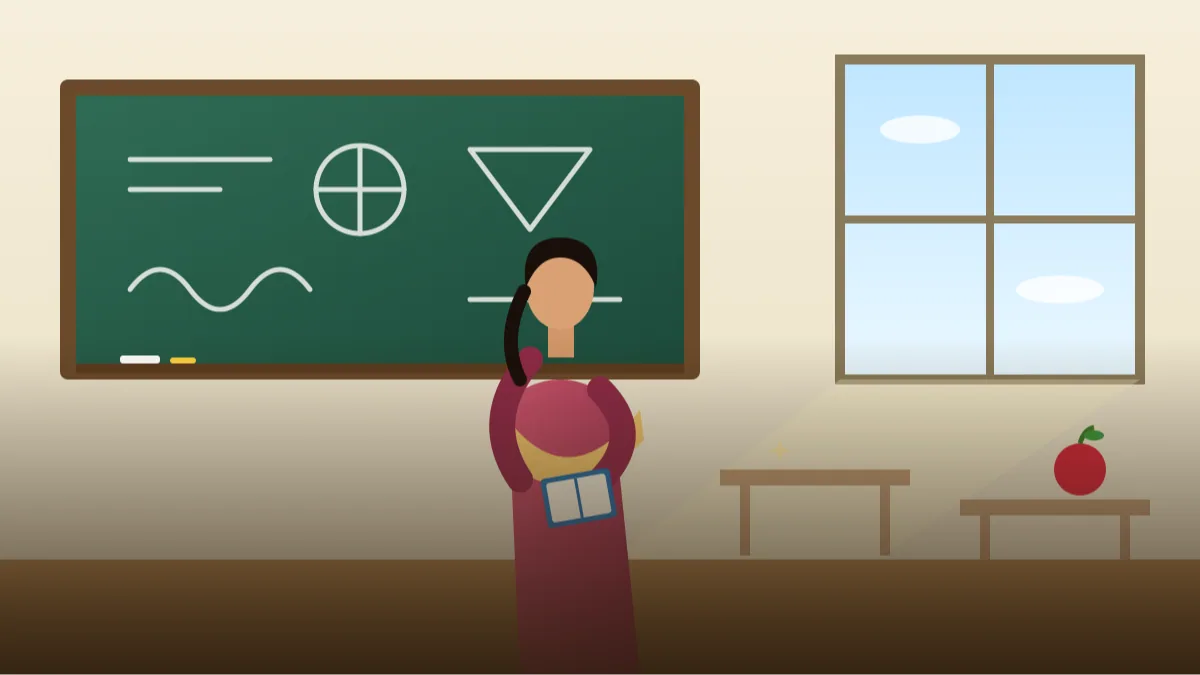 AI PHOTO PROMPTSTEACHER EDUCATOR PORTRAIT8 COPY-PASTE PROMPTS
Before a parent pays the fee or a student clicks play, they look at one thing: your face. A friendly, clear picture does half the job of saying 'this teacher is kind'. A well-written teacher portrait prompt can turn an ordinary phone selfie into a neat profile image for your school page, tuition poster or course thumbnail.
These eight prompts are warm and wholesome. No children appear in any of them, because we do not want an AI tool generating pictures of students. Each prompt uses your own photo and keeps your face unchanged, so the picture matches the person who walks into the class.
Whether you teach maths in a village school or run an online English course, there is a style below for you. Just remember that AI results vary, and the second attempt is often better than the first.
- Copy-Paste Prompts
- Your first teacher portrait prompt: which photo to start with
- What makes a tutor profile photo ai result feel trustworthy?
- Photos you should never upload, and why
- Where the finished photo can go: poster, portal, channel
- Does your teacher portrait prompt result look like you?
- Primary school, college or coaching: one photo does not fit all
- A small-town maths tutor and her poster photo
- FAQs
Copy-Paste Prompts: Teacher Portrait Prompt (8 Ready Ideas)
1. Chalkboard Classroom Smile
SUBJECT: Use my attached photo, keep my face, hair and skin tone unchanged.
OUTFIT: Simple cotton shirt or saree in a soft solid colour.
SETTING: Empty bright classroom with a clean green chalkboard and wooden desks blurred behind.
LIGHT: Soft daylight from large classroom windows.
CAMERA: Waist-up, 50mm lens look, standing beside the board, warm smile.
STYLE: Friendly, natural colour, slightly nostalgic.
AVOID: Students, readable board text, clutter, extra people, watermark.
Keep the board blank. If you want a formula or word on it, add it later with an editing app.
2. Online Instructor Home Studio
SUBJECT: Attached photo of me, face and hairstyle exactly unchanged.
OUTFIT: Solid colour half-sleeve shirt, no busy patterns.
SETTING: Tidy desk with a microphone on an arm and a simple bookshelf softly blurred.
LIGHT: Soft key light from the front, warm lamp glow at the back.
CAMERA: Chest-up, 70mm lens look, looking into the lens as if on a video call.
STYLE: Clear, modern, welcoming.
AVOID: Brand logos on equipment, readable screens, cables everywhere, text.
A microphone tells viewers this is a video lesson. Tidy cables improve the look immediately.
3. Library Reading Corner
SUBJECT: My attached portrait, keep face and expression the same.
OUTFIT: Cardigan over a collared shirt in muted tones.
SETTING: School library with tall shelves blurred, one open book in my hands.
LIGHT: Warm soft light from a side window.
CAMERA: Three-quarter angle, 85mm lens look, glancing up from the book, gentle smile.
STYLE: Thoughtful, calm, cosy colours.
AVOID: Readable book titles, students, dust or glow effects, text.
Great for language and literature teachers. Hands holding books can warp, so check fingers carefully.
4. Science Lab Instructor
SUBJECT: Use my attached photo, face unchanged, same age.
OUTFIT: White lab coat over a plain shirt.
SETTING: Clean school science lab, benches and glass jars blurred, no chemicals in use.
LIGHT: Bright even light, slight blue-white tone.
CAMERA: Waist-up, 50mm lens look, hands resting on the bench, friendly face.
STYLE: Curious, tidy, realistic.
AVOID: Fire, smoke, dangerous experiments, students, readable labels, text.
We keep the lab safe and empty. Safe-looking images are better for a school website.
5. Coaching Class Banner Portrait
SUBJECT: Attached photo of me, keep my real face and expression.
OUTFIT: Smart blazer over a plain shirt, confident look.
SETTING: Plain deep blue background with a soft gradient, empty space on the right side for text.
LIGHT: Soft studio light, hair light from behind.
CAMERA: Head and shoulders placed on the left third, 85mm lens look.
STYLE: Bold, clean, poster-friendly, true colours.
AVOID: Text in the picture, fake rank claims, extra faces, logos.
Leaving empty space on one side makes it easy to add class timings in Canva afterwards.
6. Primary Teacher Garden Warmth
SUBJECT: My attached photo, face and hairstyle unchanged.
OUTFIT: Bright but simple kurta or blouse in a cheerful colour.
SETTING: School garden with flowers and a swing blurred far behind, no children.
LIGHT: Soft morning sunlight with shade on the face.
CAMERA: Head and shoulders, 70mm lens look, cheerful open smile.
STYLE: Warm, joyful, safe, natural colours.
AVOID: Children, playground crowds, over-saturated flowers, text.
Warm colours suit early-years teachers. Keep the saturation realistic.
7. University Lecturer Formal
SUBJECT: Use my attached portrait, keep the face, glasses and beard unchanged.
OUTFIT: Tweed-style jacket over a plain shirt, no tie.
SETTING: Lecture hall with empty rows of seats, blurred, no people.
LIGHT: Soft stage-like light from the front, subtle shadow.
CAMERA: Chest-up, 85mm lens look, calm thoughtful expression.
STYLE: Academic, serious yet kind, realistic.
AVOID: Slides with text, students, glare on glasses, watermark.
Hall seats give scale. The empty setting keeps the image clean and free of privacy issues.
8. Music and Art Teacher Studio
SUBJECT: Attached photo of me, keep face and skin tone as in the original.
OUTFIT: Casual denim shirt with rolled sleeves.
SETTING: Bright art room with an easel and brushes softly blurred, one acoustic guitar leaning on a wall.
LIGHT: Natural window light, warm tones.
CAMERA: Waist-up, 40mm lens look, relaxed pose, creative smile.
STYLE: Artistic, friendly, colourful but natural.
AVOID: Readable posters, students, messy paint on clothes, text.
A couple of props suggest your subject. Don't overload the frame, it distracts from your face.
Your first teacher portrait prompt: which photo to start with
Take a simple photo of yourself in daylight, standing or sitting straight. A spot near a window or a verandah at 4 pm works well, with no cap, no sunglasses and no heavy filter. Attach it and paste one prompt exactly. Gemini and ChatGPT both accept a photo with a text instruction.
When the first image appears, check hands and glasses. These are the parts that go strange most often. If they look wrong, say exactly what to fix and run it again.
- Use your own photo only.
- No students in the source photo.
- Keep one prompt per attempt.
What makes a tutor profile photo ai result feel trustworthy?
A good tutor profile photo ai result feels kind first and clever second. Parents react to warmth. Choose soft light, a gentle smile and plain colours.
Keep the background related to learning but not crowded. One blackboard or bookshelf is enough. Too many props can look like a stock photo. Also match the outfit to what you really wear in class. If you teach in sarees or kurtas every day, keep that in the prompt, because a blazer you never wear will feel odd when a parent meets you in person.
- Pick soft solid shirt colours.
- Use daylight words, not studio words, for school pages.
- Frame yourself slightly off-centre for banners.
Photos you should never upload, and why
Never upload photos with students in them to an AI tool without proper permission from parents and the school. It is much safer to use only your own picture.
Also avoid showing school names or ID cards in the image. If your school needs its logo on the picture, add it afterwards in an editor. The same goes for student names on a board, class registers, test papers or a house number visible outside a window. Crop or clear these before you upload, because once a photo goes to a tool you cannot fully control where it travels. If your school has a policy on social media photos, read it before posting any edited picture.
Where the finished photo can go: poster, portal, channel
Use the picture on your tuition poster, YouTube channel art, school staff page and course thumbnails. A short caption such as 'Maths for classes 8 to 10, evening batches' is enough.
If you plan a school teacher profile picture for a school portal, check whether the school asks for plain unedited photos first. Staff pages, WhatsApp parent groups and a Google Business listing for your tuition centre all need different crops, so save one wide and one square version. Keep the caption factual: subjects, classes and timing.
Does your teacher portrait prompt result look like you?
Teachers wear glasses, chalk-dusted sleeves and lanyards more often than other professionals, and each of those can confuse an AI. So start by checking glasses: both lenses should be the same size, the frame should sit evenly on the nose and there should be no bright white glare hiding the eyes. If there is glare, add 'anti-reflective lenses, eyes clearly visible'.
Look at the chalkboard or whiteboard behind you next. Even when you ask for a blank board, small scribbles sometimes appear. Zoom in. If you see pseudo-letters, say 'completely clean, empty green board'. Then check the desks: they should be in tidy rows and not melting into one another in the blur.
Finally, ask whether the image looks like you on a normal good day, not a magazine cover. A warm, slightly tired and honest smile is better than a perfect plastic one. Students and parents notice the difference between a friendly face and a staged one. If the smile looks forced, change the expression line to 'gentle half-smile, relaxed eyes' and generate again.
Primary school, college or coaching: one photo does not fit all
A primary teacher's page can carry bright colours, a garden and a wide smile. A senior secondary or college teacher usually needs a calmer palette and a steady expression, because older students and their parents want to see seriousness along with kindness. A coaching class banner, on the other hand, is a marketing graphic and can be bolder, but should still avoid fake rank claims or guaranteed results.
For a YouTube channel, a square crop with the face in the upper centre works for the profile picture, while a wide image with space on the right suits the channel art. For a WhatsApp group or a school portal, a close head-and-shoulders crop is better because the image appears tiny. In every case keep your own face clear at thumbnail size.
Many school portals ask for plain, unedited ID-style photos. In that case, use the AI portrait only for your tuition page or social profile, and give the school the plain picture they requested.
A small-town maths tutor and her poster photo
Imagine a tutor in a small town who takes evening batches for classes 8 to 10. She clicks a photo near a window at 4 pm, with a plain wall behind her, and uploads it. She takes the Coaching Class Banner prompt and changes the background to 'deep green' to match her poster colour. She adds to the outfit line: 'simple cream salwar kameez with a small dupatta'.
The first result puts her head too close to the centre. She replies, 'move me further to the left, keep the right half empty'. The second result is right. In Canva she writes the batch timings, fee details and phone number herself, in large letters. She does not add any claim like 'guaranteed 90 percent'.
That is the whole process: a good source photo, one prompt, one correction and a human-written message on top. It can be done in a single evening. The same recipe suits a spoken-English trainer, a yoga teacher or a music tutor; only the background colour and clothing line change. If you run a coaching class banner photo campaign, keep your face large enough to recognise on a phone screen and let the written details carry the real information, such as batch timing, subjects and your contact number. Never add claims like top ranks or guaranteed results to a poster, because those need real proof and can mislead parents.
Frequently Asked Questions
Can I use these for an online course thumbnail?
Yes. The banner prompt leaves empty space for text, so it makes a good online course instructor photo base.
Why are there no students in the prompts?
We avoid generating images of children for safety reasons. A classroom without students still looks inviting.
Will the AI spell the board text correctly?
Usually not. Keep the board blank and add text later with a normal editing app.
Is it okay to retry many times?
Yes, retrying is normal. Change one detail at a time, like the background or outfit colour, to learn what works.
Final Thoughts
A kind, clear teacher portrait prompt helps students and parents feel at ease before the first class. Pick one style, upload your own photo, and adjust until the picture feels like you on your best teaching day.
Try the Chalkboard Classroom Smile first, and if you also coach professionals or run a consulting side-practice, professional headshot prompts have a more formal set to try.
Note: AI image and text results vary by tool, version and settings. Use only your own photos, avoid copying real people’s likeness, and follow the terms of the AI tool you use.