Studio Lighting Setup Prompts for AI Portraits
 AI PHOTO PROMPTSSTUDIO LIGHTING SETUP AI8 COPY-PASTE PROMPTS
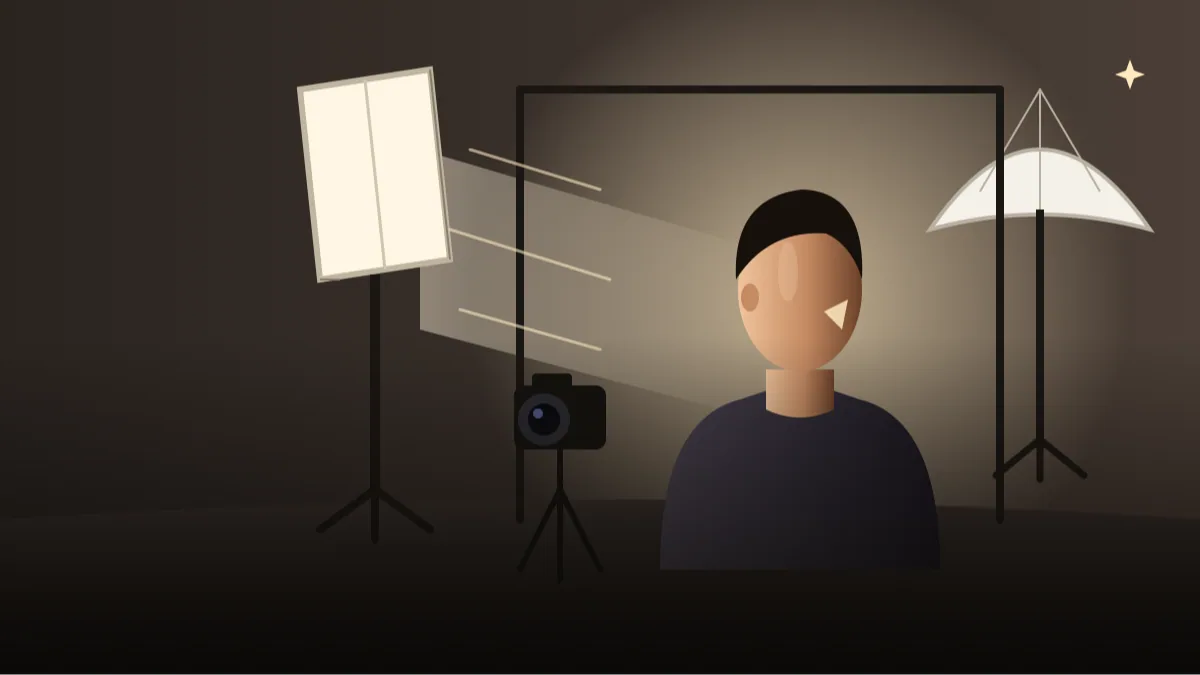
Ask ten people what makes a portrait look professional and most will say the face, the clothes or the camera. A photographer would say the light. A good studio lighting prompt tells the AI where the light comes from, how soft it is and where the shadows fall, and that one change lifts a portrait from flat to polished.
Each of the eight prompts below explains one classic setup from a real studio: Rembrandt, butterfly, loop, split, rim, clamshell, high key and low key. You will pick up both the look and the words that trigger it. Whether you want a softbox portrait prompt or a dramatic edge light, start with the one that matches the mood you want.
Use your own photo, keep your face unchanged and treat results as drafts. AI follows lighting words loosely, so a few retries are normal.
- Copy-Paste Prompts
- Four choices to write into every studio lighting prompt
- Getting the Rembrandt triangle to show up
- Contradictions that ruin a studio lighting prompt
- Which setup suits a LinkedIn photo, an art page or beauty work?
- Did the AI really change the light? Three quick checks
- Backdrops, clothes and skin tones under different light
- A cafe owner's About page: turning loop light into a softbox look
- FAQs
Copy-Paste Prompts: Studio Lighting Prompt (8 Ready Ideas)
1. Rembrandt Triangle Light
SUBJECT: Use my attached photo, keep my face, hair and skin tone unchanged.
OUTFIT: Dark plain sweater.
SETTING: Dark brown-grey studio backdrop.
LIGHT: Rembrandt lighting, one soft key light at 45 degrees above and to the left, a small triangle of light on the shadow-side cheek, no fill.
CAMERA: Head and shoulders, 85mm lens look, slight turn of the head.
STYLE: Painterly, moody, natural skin.
AVOID: Flat light, harsh clipping, text, logos.
Look for the small triangle of light under the eye on the dark side. It is the signature of this setup.
2. Butterfly Beauty Light
SUBJECT: Attached photo of me, face unchanged.
OUTFIT: Simple black top.
SETTING: Soft light grey backdrop.
LIGHT: Butterfly lighting, a large soft light placed directly in front and above the face, small shadow under the nose and chin, subtle white reflector below.
CAMERA: Tight head and shoulders, 100mm lens look, straight-on, calm expression.
STYLE: Glamour yet natural, smooth gradients, true skin texture.
AVOID: Heavy smoothing, glare, text, logos.
Flattering for cheekbones. The small butterfly-shaped shadow under the nose gives this setup its name.
3. Loop Light Everyday
SUBJECT: Use my attached photo, keep face the same.
OUTFIT: Light blue shirt.
SETTING: Neutral mid-grey backdrop.
LIGHT: Loop lighting, soft key light 30 degrees to the side and slightly above, small loop-shaped shadow of the nose on the cheek, gentle fill.
CAMERA: Head and shoulders, 85mm lens look, friendly smile.
STYLE: Clean, natural, professional.
AVOID: Deep shadows, flat front light, text, logos.
The easiest setup for everyday portraits and the one we use most for LinkedIn style images.
4. Split Light Drama
SUBJECT: Attached photo of me, face unchanged.
OUTFIT: Dark roll-neck.
SETTING: Black backdrop.
LIGHT: Split lighting, one hard-ish light directly from the side lighting exactly half of the face, the other half in shadow, no fill.
CAMERA: Head and shoulders, 85mm lens look, direct serious gaze.
STYLE: Dramatic, cinematic, realistic.
AVOID: Lost eyes in shadow, plastic skin, text, logos.
Dramatic and not for every profession. Great for actors' and musicians' pictures.
5. Rim Light Separation
SUBJECT: Use my attached photo, keep face the same.
OUTFIT: Dark jacket over a plain shirt.
SETTING: Dark blue-grey background.
LIGHT: Soft key from the front-left, and a rim light from behind-right creating a thin bright edge on hair and shoulder.
CAMERA: Chest-up, 100mm lens look, slight smile.
STYLE: Separation from background, clean, modern.
AVOID: Halo glow, colour casts on skin, text, logos.
Ideal when your dark hair blends into a dark background. The rim line gives clean separation.
6. Clamshell Soft Beauty
SUBJECT: Attached photo of me, face unchanged.
OUTFIT: Neutral top.
SETTING: Pale pink-beige backdrop.
LIGHT: Clamshell lighting, one large softbox above the face and one reflector below, both pointing at the face, even shadowless look with soft catchlights.
CAMERA: Tight head and shoulders, 100mm lens look, relaxed gaze.
STYLE: Soft, even, natural skin texture.
AVOID: Over-smoothing, flat grey cast, text, logos.
A favourite of beauty photographers. Keep natural texture in the request so skin stays real.
7. High Key Bright White
SUBJECT: Use my attached photo, keep face unchanged.
OUTFIT: Light pastel top.
SETTING: Pure white seamless backdrop, evenly lit.
LIGHT: High key lighting, bright even light on subject and background, minimal shadows, soft catchlights.
CAMERA: Waist-up, 70mm lens look, cheerful smile.
STYLE: Fresh, airy, bright, natural colour.
AVOID: Washed-out skin, blown highlights, text, grey backdrop.
Great for ecommerce, health and lifestyle pages. Check that skin doesn't wash out.
8. Low Key Dark Mood
SUBJECT: Attached photo of me, face unchanged.
OUTFIT: Black clothing.
SETTING: Deep black backdrop.
LIGHT: Low key lighting, a single soft light from the side, most of the frame dark, face gently lit with visible detail.
CAMERA: Head and shoulders, 105mm lens look, calm direct gaze.
STYLE: Moody, elegant, fine detail.
AVOID: Face lost in black, noisy shadows, text, logos.
Dark portraits suit artists and executives alike. Ask for 'visible detail in shadows' if it goes too dark.
Four choices to write into every studio lighting prompt
Think of the light as a small set of choices: direction, softness, strength and fill. Say each one in the LIGHT line, as the prompts above do. 'Soft key light from the left, no fill' tells the AI much more than 'good lighting'.
Upload your own photo that has simple, even light, because the AI will try to relight it. Photos with harsh shadows make this harder, and a window-lit selfie works better than a tube-light one.
Use the same photo for all eight setups. That way the only thing that changes is the light, and you can see which one suits your face.
- Name the setup, such as loop or butterfly.
- Say where the main light sits.
- State fill: none, gentle or strong.
Getting the Rembrandt triangle to show up
For a rembrandt lighting ai prompt, the small triangle of light on the shadow cheek is what you check first. If it does not appear, ask for 'turn the head slightly away from the light'. Small head turns change the shadows more than any new adjective.
Lens words also matter. A longer lens (85 to 105mm) flatters faces, while a wide lens can stretch features and ruin lighting shapes.
If the triangle is too big or covers the whole cheek, ask for 'key light slightly higher and further from the face' to shrink it.
If the triangle is too big or covers the whole cheek, ask for 'key light slightly higher and further from the face' to shrink it.
- 85mm and above for portraits.
- Keep eyes visible in shadow styles.
- Use dark backdrops for moody looks.
Contradictions that ruin a studio lighting prompt
The biggest mistake is asking for contradictory things, such as 'dramatic shadows but even soft light'. Pick one. If you want both, generate two images and compare.
If the face becomes plasticky, add 'natural skin texture, visible pores' and remove words like glowing or perfect. If the shadows hide your eyes, ask for a small catchlight in each eye.
Another quiet one is naming five setups in one prompt, like 'Rembrandt with butterfly and rim'. The AI averages them into a muddy middle. Choose one main setup and add at most one accent light.
Which setup suits a LinkedIn photo, an art page or beauty work?
Corporate profile: loop or clamshell. Creative work: Rembrandt or low key. Beauty and personal care: butterfly or high key. Gaming or musician pages: rim light or split.
Try the same photo in three setups and compare. It is the fastest way to learn what suits your face. When you explore a loop lighting prompt style, keep the fill light gentle so the nose shadow stays soft.
A round face often looks good in Rembrandt or split because the shadow adds shape. A narrow face usually likes broader, softer light like clamshell. These are only starting points, so let your own results decide.
Did the AI really change the light? Three quick checks
After every result, do a short three-step check. Step one is the catchlights, the tiny bright reflections in the eyes. In a real studio they show the shape of the light source: a square softbox gives a square glint, a ring light gives a ring. If your picture has no catchlights at all, the eyes look dead. Ask for 'a small softbox-shaped catchlight at the top of each eye'. If there are two or three different catchlights in one eye, say 'one catchlight per eye'.
Step two is the shadow under the nose and chin. Its direction and length show where the light is. In a butterfly lighting portrait prompt result it should fall straight down, short and centred. In a loop setup it bends slightly to one side and does not touch the cheek's shadow. In Rembrandt, the nose shadow joins the cheek shadow and leaves that little triangle. If the shadows point in two directions, the AI mixed lights, so cut the prompt to a single key light.
Step three is the background. In a rim light portrait ai picture, the glow should hug the hair and the edge of the shoulder, and the front of the face stays softer. If the whole face glows, the rim light has become the key light, so write 'rim light only on hair and shoulder edge, face lit by soft key from the front left'.
Backdrops, clothes and skin tones under different light
Light behaves differently on different colours, and AI follows that logic. A dark skin tone under high key light can look washed out if the backdrop is pure white and very bright, because the camera exposes for the background. Add 'expose for the face, rich natural skin tone, background slightly below pure white'. A fair skin tone in low key can lose the cheek entirely, so request 'gentle highlight on the cheekbone'.
Clothes matter too. Black clothes against a black backdrop vanish in low key, so the head seems to float. Choose a charcoal or navy top, or add a small rim light on the shoulder. In high key, white shirts against a white wall blur into one shape. Pastel or mid-tone shirts work much better.
If you wear glasses, soft large lights create big white reflections on the lenses. Ask for 'key light slightly higher and to the side, no glare on lenses, frames unchanged'. A tilted head by just a few degrees also helps. Beards and thick hair soak up light, so say 'keep the texture of my beard and hair visible' in dark setups.
A cafe owner's About page: turning loop light into a softbox look
Imagine you own a small cafe and need a friendly photo for the About page. The Loop Light Everyday prompt is a good base, but you want it warmer and softer. Keep SUBJECT and the face line. Change OUTFIT to 'cream apron over a plain mustard shirt'. Change SETTING to 'warm beige wall, slightly blurred shelf with cups far behind'. Change LIGHT to 'large soft key light from the front left, 35 degrees, gentle fill from the right, warm colour temperature, small catchlights'.
That one new light line turns a corporate look into a friendly, inviting picture, and it is a good example of a softbox portrait prompt in everyday use. If you want an even calmer result, say 'cloudy window light' instead of 'softbox'; real photographers know that a big window is just a free softbox.
Remember that AI-made portraits should be honest. If a picture is for a business page, it should still look like you. A flattering light is welcome. A different jawline or younger face is not.
Frequently Asked Questions
Does AI really understand lighting terms?
Mostly, but not perfectly. Naming the setup and describing the light direction in plain words gives the best results.
Which lighting is safest for LinkedIn?
Loop lighting with a gentle fill, or clamshell for an even look. Avoid split and low key for corporate profiles.
Will my face change with different lighting?
Shadows alter how your face looks, but the features should stay the same. Keep the face-unchanged line in every prompt.
Can I use rim light with a bright background?
Rim light shows best on dark backgrounds. On bright backgrounds the edge glow is hard to see.
Final Thoughts
A clear studio lighting prompt is the cheapest upgrade you can give an AI portrait. Try each of the eight setups with your own photo, notice which one makes your face look best, and reuse that wording in all your future prompts.
When you settle on a favourite, browse the other portrait and business photo prompts on Tech Boi Prompt. Enjoy playing with light!
Note: AI image and text results vary by tool, version and settings. Use only your own photos, avoid copying real people’s likeness, and follow the terms of the AI tool you use.