Ecommerce Model Photo AI Prompts
 AI PHOTO PROMPTSECOMMERCE MODEL8 COPY-PASTE PROMPTS
Small sellers often cannot afford a model shoot for every new product. An ecommerce model photo prompt can help you show your real garment or accessory on a person, using a photo of yourself or a friend who has agreed, so shoppers understand fit and style.
The most important rule: the product in the picture must be the real product. Do not use AI to invent a design you do not sell, change the colour, or hide flaws. A good fashion product model photo ai result should look like what the buyer receives, not like a different item.
Upload your own photo (or a model's with written permission), plus a clear photo of the product. Ask the tool to keep the face unchanged and the product exactly as photographed.
- Copy-Paste Prompts
- Two uploads, one clear label: running the ecommerce model photo prompt
- Keeping the lifestyle shot believable
- What you must never change with AI: colour, size, material
- Ecommerce model photo prompt mistakes and the wording that fixes them
- Checklist before you publish an AI model photo
- A worked example: adapting the kurta prompt for your own catalogue
- Marketplaces, consent and what AI should not replace
- FAQs
Copy-Paste Prompts: Ecommerce Model Photo Prompt (8 Ready Ideas)
1. Kurta on a Plain Backdrop
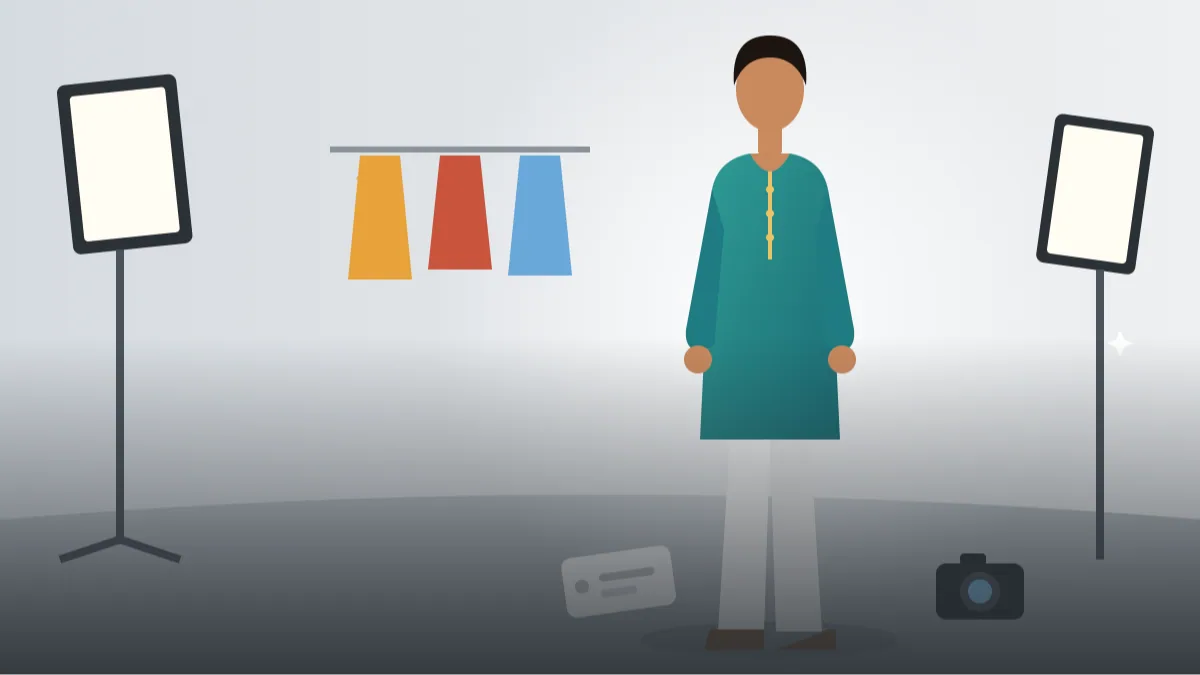
SUBJECT: Use my attached photo of the person, keep face and body unchanged. Dress them in the attached kurta, keeping its exact colour, print and neckline.
OUTFIT: The attached kurta with plain white trousers.
SETTING: Plain light grey studio backdrop.
LIGHT: Soft even studio light, true colours.
CAMERA: Full-body, 50mm lens look, front-facing, hands relaxed at sides.
STYLE: Clean catalogue photo, accurate fabric texture.
AVOID: Changed colours, invented patterns, extra accessories, text, watermark.
Always write that the garment should keep its exact colour and print. Compare with your real product.
2. T-shirt Lifestyle Street
SUBJECT: Attached photo of me, face unchanged. Show me wearing the attached plain t-shirt exactly as it appears.
OUTFIT: The attached t-shirt, blue jeans.
SETTING: Quiet sunny street with blurred shops, no signs.
LIGHT: Soft daylight, gentle shadow.
CAMERA: Waist-up, 50mm lens look, hands in pockets, relaxed smile.
STYLE: Casual, natural colour, accurate fabric folds.
AVOID: Brand logos, changed t-shirt colour, extra graphics, strangers, text.
Lifestyle shots help shoppers imagine wearing it. Keep the t-shirt unchanged.
3. Saree Drape Front View
SUBJECT: Use my attached photo of the model, face unchanged. Show the attached saree draped in a simple classic style, same colour and border.
OUTFIT: The attached saree with a matching plain blouse.
SETTING: Light cream studio wall with a small wooden stool.
LIGHT: Soft diffused light, true colours.
CAMERA: Full-body, 50mm lens look, standing straight with pallu visible, gentle smile.
STYLE: Elegant, accurate fabric drape.
AVOID: Changed border design, altered colour, heavy jewellery, text, logos.
Sarees are hard for AI to drape. Retry and compare the border and colour carefully.
4. Handbag Held at Side
SUBJECT: Attached photo of me, face unchanged. Show me holding the attached handbag exactly as photographed.
OUTFIT: Neutral plain top and trousers so the bag stands out.
SETTING: Clean white studio wall.
LIGHT: Soft studio light, true colours.
CAMERA: Three-quarter body, 70mm lens look, bag hanging naturally from the forearm.
STYLE: Simple catalogue style, accurate leather texture and stitching.
AVOID: Redesigned bag, added logos, wrong strap length, text.
Neutral clothes keep focus on the bag. Check strap and stitching against the real item.
5. Sneakers on Feet Close-up
SUBJECT: Use the attached sneaker photo as the exact product. Show them worn by me in a casual standing pose, with my face unchanged in a second wider frame.
OUTFIT: Plain jeans.
SETTING: Clean concrete floor with a soft grey wall.
LIGHT: Soft daylight, even.
CAMERA: Low angle on the feet and ankles, 50mm lens look, shoes sharp.
STYLE: Product-focused, true colour.
AVOID: Changed laces or soles, extra logos, wrong shoe shape, text.
Shoes are easy to distort. Compare both shoes for matching shapes.
6. Winter Jacket Outdoor
SUBJECT: Attached photo of me, face unchanged. Show me wearing the attached jacket with exact colour and zip details.
OUTFIT: The attached jacket over a plain tee, dark trousers.
SETTING: Hill station street with soft misty background, no signs.
LIGHT: Soft cool daylight.
CAMERA: Three-quarter body, 50mm lens look, hands in pockets, relaxed.
STYLE: Natural, crisp fabric detail.
AVOID: Changed pockets, extra patches, snow effects, logos, text.
Mention small details like pockets and zips so they stay correct.
7. Jewellery Set Neck Close-up
SUBJECT: Use my attached photo, face partly visible, unchanged. Place the attached necklace and earrings exactly as in the product photo.
OUTFIT: Plain dark neckline top.
SETTING: Soft neutral backdrop.
LIGHT: Soft light with gentle sparkle, no harsh glare.
CAMERA: Head and shoulders, 100mm lens look, slight head turn.
STYLE: Elegant close-up, accurate shape and stones.
AVOID: Redesigned jewellery, extra chains, changed stone colours, text.
Check number of stones and chain length. If the design changes, retry rather than selling a wrong look.
8. Home Textile on Bed
SUBJECT: Use my attached photo, face unchanged. Show me sitting on a bed with the attached bedsheet and cushions exactly as photographed.
OUTFIT: Comfortable plain home clothes.
SETTING: Bright bedroom with a soft wall and a plant.
LIGHT: Natural morning window light.
CAMERA: Wide 28mm lens look, relaxed, reading a closed book.
STYLE: Cosy, bright, accurate fabric colour.
AVOID: Changed pattern, extra bedding, children, text, logos.
Home textiles need accurate pattern colour. Tell the tool not to alter the pattern.
Two uploads, one clear label: running the ecommerce model photo prompt
Upload two things: a clear photo of the person and a clear photo of the product on a plain background. Then paste the prompt. In the prompt, say which image is the product and which is the person.
Check the result against your real item. Colour, print, buttons and stitching must all match. If anything is different, do not use the picture, retry instead.
- Photograph the product flat, in daylight.
- Use a consenting model or yourself.
- Compare colours on a phone screen.
Keeping the lifestyle shot believable
Shoppers trust simple pictures. A plain backdrop and soft light give the clearest view. Use a online store lifestyle image only as a second photo, after the plain one, to show mood.
Include several angles: front, back and detail. AI can create them, but remember to check each for accuracy.
Pick a setting that fits the product and your buyer. A cotton kurta looks right on a plain wall or a simple balcony, not on a beach or a palace. A lifestyle shot should help the buyer imagine daily use, so keep the background calm and a little blurred.
Light matters for colour accuracy. Ask for 'soft daylight, neutral white balance'. Warm lamp light and coloured neon will shift how the garment looks and cause returns.
- Front, back and detail views.
- True colour is more important than style.
- Note model height and size in the description.
What you must never change with AI: colour, size, material
Misleading product pictures cause returns and bad reviews, and they can break consumer rules. Never alter colour, size, material or features with AI.
If you used an AI-generated model photo, avoid implying the person wore it in a real shoot. Be clear in your listing about size charts and fabric details so buyers have the facts.
Size and fit are the next danger. If your kurta is size M and the AI model looks like an XL or XS, buyers will misjudge the fit. Write the model's height and the size worn in the listing, and show that the garment hangs as it really does.
Material also changes quietly. Cotton can look like silk under a glossy light, and a printed polyester can look like linen. If the finish in the picture is different from the cloth in your hand, regenerate with 'matte cotton texture, no sheen'.
Ecommerce model photo prompt mistakes and the wording that fixes them
The most common problem is a changed product: slightly different neckline, missing buttons, wrong pattern. Fix this by repeating 'exactly as in the attached product photo' and keeping the prompt short.
If the model's hands look odd, change the pose to hands in pockets or at the sides. Simpler poses give cleaner results.
Checklist before you publish an AI model photo
Before any picture goes on your listing, put the real product next to the AI image on one screen and go through this list slowly. An ecommerce model photo prompt can make something look good while quietly changing it, and buyers notice when the parcel does not match.
Check these items one by one. Colour: is the shade the same as the flat photo, in daylight? Pattern: are the print repeats, borders and motifs the same size and position? Neckline, sleeve length, hem and buttons: count them. Fit: does the garment sit on the model the way it will sit on a real body, or is it unnaturally tight or loose? Accessories: has the AI added a belt, scarf or necklace you do not sell? If yes, either remove it or mention 'styling only, not included' in the listing.
- Colour matches the real product in daylight
- Print, border and button count are identical
- No extra items that you do not actually sell
- Model height and size worn are written in the description
- Size chart and fabric details are in the listing
- Your marketplace's image rules were checked in the seller panel
A worked example: adapting the kurta prompt for your own catalogue
Let us take the first prompt, kurta on a plain backdrop, and adapt it for a small seller named Meena who sells cotton block-print kurtas. She has her own photo, a flat photo of the kurta and a size M garment.
Step one, she attaches both pictures and labels them: 'Image 1 is the person, keep the face unchanged. Image 2 is the product, reproduce it exactly.' Step two, she writes the real details: 'cotton block-print kurta in indigo and white, mandarin collar, three-quarter sleeves, knee length'. Step three, she adds the pose: 'standing straight, arms relaxed at the sides, full length'. A calm pose helps check the fit.
Step four, light and backdrop: 'soft daylight from the left, plain light grey wall, no props'. Step five, the result is compared with the real kurta. If the block print is bigger than reality, she adds 'small repeating motifs, about the size of a coin'. For a second image, she asks for a three-quarter view, and for a third a close-up of the collar and fabric.
For a model wearing kurta photo like this, the plain image goes first in the gallery and the lifestyle one second. A try on style product photo should never be the only photo, and a real flat-lay or hanger shot should stay in the listing so buyers see the truth.
Marketplaces, consent and what AI should not replace
Every platform has its own image rules. Amazon India, Flipkart and Meesho may differ on backgrounds, borders, text on images and how models can be shown, and these rules change. Read the current guidelines in your Seller Central or seller panel, and check whether your marketplace offers its own built-in AI image or listing tools, since those are designed around its policies. We do not know every current rule, so please verify rather than trust a blog post.
On consent: if the person in the photo is not you, get a clear written yes that covers using their face in product images, for how long, and where. A simple message from a friend is better than nothing, but a signed note is safer. Never use a stranger's or a celebrity's face.
AI should not replace honest information. Keep your size chart, fabric composition, wash instructions and a clear photo of the real product on the listing. Do not use AI to create reviews, fake customer photos or 'as worn by' claims. If you cannot say it truthfully, leave it out. A plain, accurate picture that sets the right expectation causes fewer returns than a glamorous one that does not match, and a clothing store model picture is only helpful when it tells the truth.
Frequently Asked Questions
Is it legal to use AI model photos for products?
Rules vary. It is generally acceptable if the product is shown accurately and the picture is not deceptive. Check marketplace policies, as some require real photos.
Can I use another person's face?
Only with their written consent. Never use celebrities or strangers.
What about a shopify product image ai workflow?
Create the image, check it against the real product, then upload. A shopify product image ai approach still needs honest, accurate pictures.
Why does the product colour change?
Lighting words and filters can shift colour. Ask for true colours and compare with the real item.
Final Thoughts
A careful ecommerce model photo prompt can save time and money, but only if the product stays accurate and the person is shown with consent. Try a few prompts with your own photo and your real product, compare side by side, and publish only what is true.
After you finish your first listing, go back to the checklist above and tick every line. If you also write your own product copy, look at our other ecommerce prompts for titles and bullet points so the words match the pictures.
Note: AI image and text results vary by tool, version and settings. Use only your own photos, avoid copying real people’s likeness, and follow the terms of the AI tool you use.