AI Lighting Keywords Cheat Sheet for Photo Prompts
 AI PHOTO PROMPTSLIGHTING KEYWORDS CHEAT SHEET8 COPY-PASTE PROMPTS
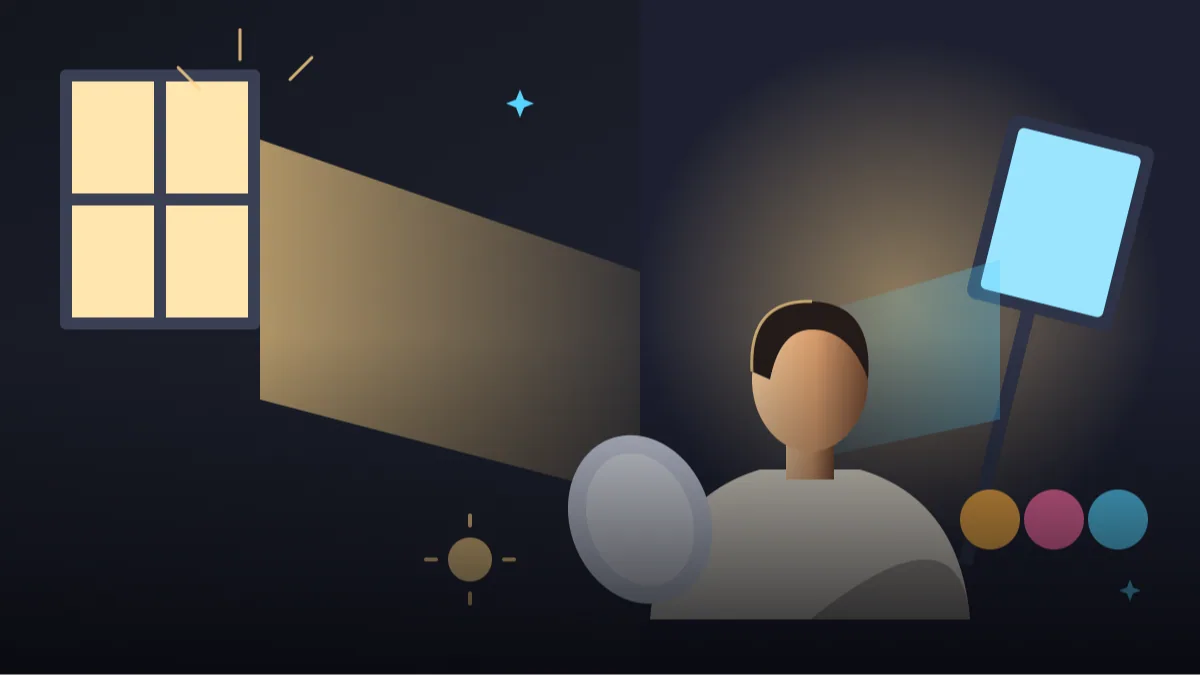
If one thing separates a flat AI picture from a believable photograph, it is light. The face, the background and even the clothes look different depending on where the light comes from and how soft it is. Anyone who has taken a selfie next to a window and then another under a tube light already knows this. Learning a handful of lighting keywords for ai prompts is the fastest upgrade you can make.
In this cheat sheet we explain each keyword in plain language, show when to use it, and then give eight complete prompts. Each prompt builds on one lighting idea, from soft window light to a hard side light for black and white portraits.
Remember to attach your own photo and ask for your face to stay unchanged. AI results change from attempt to attempt, so if the light looks off, adjust the direction or softness and try again.
- Copy-Paste Prompts
- Soft or hard, and from where? The two questions behind every light line
- Eight lighting words worth keeping on your phone
- Test lighting keywords for ai prompts one line at a time
- Vague light lines, clashing sources and hidden faces
- Which light for a job profile, a festival post or a music cover?
- Light direction on a clock face: the easiest of the lighting keywords for ai prompts
- Matching light to skin tone, clothes and background
- Change only the light line: a ten-minute experiment
- Where lighting words stop working
- FAQs
Copy-Paste Prompts: Lighting Keywords For Ai Prompts (8 Ready Ideas)
1. Soft Window Light
SUBJECT: Use my uploaded photo, face unchanged, sitting near a window, calm expression
OUTFIT: cream knit sweater
SETTING: simple room, pale wall, small plant
LIGHT: soft diffused window light from the left, gentle shadow falling on the right cheek, no harsh edges
CAMERA: 50mm lens, f/2, eye-level
STYLE: quiet natural portrait, warm neutral tones
AVOID: flash look, shiny forehead, dark eye sockets
The most forgiving light there is. If you only learn one keyword, learn this one.
2. Golden Hour Backlight
SUBJECT: Face unchanged from the attached photo, standing in an open field, hair catching the light
OUTFIT: white cotton shirt
SETTING: dry grass field, low sun near the horizon
LIGHT: golden hour sun behind the subject, warm rim light on hair and shoulders, soft fill light on the face
CAMERA: 85mm lens, f/2.2, slight lens glow
STYLE: warm, airy, realistic photograph
AVOID: silhouette-dark face, orange skin, burnt highlights
Always add a 'fill light on the face' phrase with backlight, or the face goes dark.
3. Rembrandt Triangle Light
SUBJECT: My face unchanged from the uploaded photo, slight turn of the head, serious look
OUTFIT: dark green shirt
SETTING: deep brown textured wall
LIGHT: Rembrandt lighting, single soft light from upper left at 45 degrees, small triangle of light on the shadow-side cheek
CAMERA: 85mm lens, f/2.8
STYLE: classic painterly photograph, rich shadows
AVOID: flat front light, double shadows, heavy skin smoothing
A classic portrait look. Naming the 'triangle on the cheek' helps the AI aim correctly.
4. Bright Softbox Studio
SUBJECT: Use my uploaded photo with my face unchanged, shoulders-up, friendly expression
OUTFIT: light blue shirt
SETTING: white seamless backdrop
LIGHT: large softbox in front and slightly above, white reflector below the chin, bright even exposure
CAMERA: 85mm lens, f/5.6, sharp throughout
STYLE: clean commercial headshot
AVOID: grey backdrop cast, harsh chin shadow, overexposed forehead
The reflector under the chin line lifts shadows and gives that fresh professional look.
5. Neon Night Mixed Light
SUBJECT: Face unchanged from the attached photo, leaning against a wall, relaxed pose
OUTFIT: black bomber jacket
SETTING: quiet city lane at night
LIGHT: pink neon sign on the left, cool blue light on the right, soft fill so the face is clearly visible
CAMERA: 35mm lens, f/1.8
STYLE: moody urban photograph, controlled colour, realistic skin
AVOID: readable sign text, colour cast covering the whole face, grain overload
Two colours from two sides gives depth. Mention a fill light or the face turns muddy.
6. Overcast Cloudy Day Light
SUBJECT: Use my uploaded photo, face unchanged, walking on a footpath, easy smile
OUTFIT: mustard hoodie and jeans
SETTING: tree-lined road after light rain
LIGHT: overcast sky acting as a giant softbox, even soft light, no hard shadows, gentle reflections on wet road
CAMERA: 50mm lens, f/2.5
STYLE: calm natural colours, slightly cool tone
AVOID: dull grey face, blown white sky, plastic skin
Cloud cover is free diffusion. It is great for skin and fabric colour.
7. Candlelight Warm Glow
SUBJECT: Face unchanged from my attached photo, seated at a small table, looking down at a book
OUTFIT: soft maroon shawl over a plain top
SETTING: dim room, one candle and a cup of tea on the table
LIGHT: warm candlelight from below-front, soft falloff into darkness, faint cool light from a window behind
CAMERA: 50mm lens, f/1.8
STYLE: intimate, cosy, realistic
AVOID: fire on clothing, orange-all-over skin, too many candles
Low light invites noise. 'Soft falloff' keeps it gentle and believable.
8. Hard Side Light Black and White
SUBJECT: Use my uploaded photo, face unchanged, tight portrait, steady gaze
OUTFIT: black turtleneck
SETTING: plain dark backdrop
LIGHT: single hard light from the right, deep half-face shadow, sharp edge between light and dark
CAMERA: 100mm lens, f/4
STYLE: black and white, high contrast, fine grain
AVOID: fill light, colour, blurred eyes
Hard light shows texture. Use it for drama, and skip it for beauty or soft-skin looks.
Soft or hard, and from where? The two questions behind every light line
Whenever you write the light line, answer two things: how soft or hard is it, and where is it coming from? Soft light (window, overcast, softbox) gives smooth skin. Hard light (direct sun, bare bulb) gives crisp shadows and texture.
Direction matters just as much. Front light is flat and safe. Side light adds shape. Back light adds glow but needs a fill. Top light can make eye shadows, so avoid it for faces.
Eight lighting words worth keeping on your phone
Keep this list handy. These words are well understood by Gemini and ChatGPT, and you can mix two of them at most.
- Golden hour: warm low sun, flattering for almost everyone
- Blue hour: cool dusk light, calm and moody
- Rim light: thin bright edge around hair and shoulders
- Fill light: gentle light that opens up shadows
- Diffused or overcast: soft, even, no hard shadows
- Practical light: lamps and signs visible in the scene
- Rembrandt: side light with a small triangle on the cheek
- Butterfly: light from above front, small shadow under the nose
Test lighting keywords for ai prompts one line at a time
Upload your own photo, paste a prompt, and send. Then run the same prompt again with only the LIGHT line replaced. Comparing the pair teaches you faster than any theory, because everything else stays the same.
If you want a golden hour ai prompt to feel less orange, add 'natural skin tones' and reduce words like 'glowing' or 'fiery'. If the sun looks too hard, add 'sun partly behind thin clouds'.
Keep a simple note with two columns: the light line you used and what happened. After four or five tests you will know which words your tool follows and which it ignores.
Vague light lines, clashing sources and hidden faces
Mistake one: writing 'dramatic cinematic lighting' and nothing else. It is vague. Say where the light is and how soft. Mistake two: asking for sunset and a studio softbox together. They fight, and the shadows end up falling in two directions. Pick one source.
Mistake three: forgetting the face. Strong back or neon light often hides it, so add 'face clearly lit'. A good rim light portrait prompt always has a second, softer light for the front.
Mistake four: asking for 'glowing' skin. The AI reads it as shiny and smooth. Say 'soft highlights on cheekbones' instead, and the skin keeps its texture.
Which light for a job profile, a festival post or a music cover?
For job profiles use softbox or soft window light, because it keeps skin natural and the background tidy. For family and festival posts use warm lamp light or golden hour. For music or gaming cover art, neon and mixed colours suit well. For a serious artist bio, try hard side light.
For a WhatsApp DP, soft light from one side at face height works almost everywhere. For a travel picture, golden hour or blue hour. For product-and-person pictures, a bright overcast look keeps both clear.
If you are unsure, begin with the Soft Window Light prompt and change only one word at a time.
Light direction on a clock face: the easiest of the lighting keywords for ai prompts
Many beginners write 'light from the side' and get random results. A clock face gives AI a clearer picture. Imagine yourself at the centre and the camera at six o'clock. Light from nine o'clock comes from your left, from three o'clock from your right, and from twelve o'clock from behind you. Writing 'soft window light from the nine o'clock position, at shoulder height' is more reliable than 'side lighting'.
Height matters as much as direction. Light from above the head makes shadows under the eyes and nose, which feels harsh and tired. Light at face height feels natural. Light below the chin, like a candle on a table, feels intimate or spooky depending on strength. If your portrait looks tired, ask for 'light slightly above eye level, angled down by about thirty degrees'.
Try this as a test. Take one photo prompt and run it three times, changing only the clock position: nine, twelve and three. Put the three results side by side. You will see exactly what each direction does to cheeks, nose and hair, and you can reuse that knowledge forever. These small controlled tests are the best way to learn lighting keywords for ai prompts without reading anything else.
Matching light to skin tone, clothes and background
Light does not fall on everyone the same way. Deeper skin tones hold a lot of detail in highlights, and strong frontal light can create a shiny forehead and nose. Soft side light or open shade keeps depth and shows the real tone. Fair skin can blow out in bright sun, so reduce intensity with 'diffused light, gentle exposure, keep highlight detail'.
Clothes change the picture too. White and cream clothes bounce light up under the chin and brighten the face. Very dark clothes absorb light, so the face needs a little more fill. Shiny fabrics like satin throw bright patches, so avoid hard direct light on them and prefer overcast or window light.
The background decides how the light looks. A dark wall behind a lit face gives drama, while a white wall gives an airy, open feeling. For a clean separation between you and the wall, add a thin rim light. Words like 'soft rim light on hair' help a lot when the hair is black and the background is dark brown.
Change only the light line: a ten-minute experiment
Here is a controlled experiment you can do in ten minutes. Take 'Soft Window Light' and run it first. Save the result. Now change only the light line to 'golden hour sun from behind, warm rim light on hair, soft fill on the face', and run it again. Then change it to 'overcast sky as a giant softbox, even soft light, no hard shadows'.
Compare the three. The window version is quiet and indoor. The golden hour version is warmer and more cinematic, but the face can fall into shadow, which is why the fill words are essential. The overcast version is the most even and the safest for any skin tone.
Write down one sentence for each result in a notes app: what worked and what did not. After five or six experiments you will have your own personal lighting dictionary, in your own words, that matches the tool and style you use most. This kind of record is far more useful than copying long lists from others, because every tool reacts slightly differently.
Where lighting words stop working
Be realistic. Gemini and ChatGPT follow light words in a general way, not like a physics simulator. Shadows may fall in two directions at once, a candle can light the whole room, and a hard side light can still leave the shadow side too bright. When this happens, shorten the prompt and keep only one light source.
Avoid stacking more than two light words. 'Golden hour, neon, studio softbox and candlelight' produces confusion, not richness. And remember that light words cannot rescue a poor source photo, so a sharp, evenly lit starting picture still gives the best result.
Frequently Asked Questions
What is the safest light for beginners?
Soft window light from one side. It flatters faces, keeps skin tones natural and is easy for the AI to understand.
Why is my face too dark in backlit photos?
The model exposes for the bright background. Add 'soft fill light on the face' or 'face clearly visible' to open up the shadows.
Can I combine golden hour and studio lighting?
It confuses most results. Choose one main source, then add one small supporting light such as a fill or rim.
Do lighting keywords for ai prompts work the same in every tool?
They are broadly similar in Gemini and ChatGPT, but every tool has its own taste and updates change behaviour. Test with your own photo, compare two or three runs, and keep notes on which light words actually worked.
Final Thoughts
Light is the cheapest upgrade in any prompt. A few precise lighting keywords for ai prompts, a clear direction and a gentle fill will lift your results more than adding ten style words. Save the glossary, and swap just the light line while you experiment.
Pick two prompts from this page, attach your own photo and see how the mood changes. Once your light feels right, browse our other portrait prompts on Tech Boi Prompt and carry the same lighting words into them.
Note: AI image and text results vary by tool, version and settings. Use only your own photos, avoid copying real people’s likeness, and follow the terms of the AI tool you use.