AI Pop Art Portrait Prompts
 AI PHOTO PROMPTSAI POP ART PORTRAIT8 COPY-PASTE PROMPTS
Pop art is the art of being unapologetically loud. Flat colours, thick black outlines, halftone dots like old newspaper print, and faces that look bold even from across the room. Think of the painted film hoardings and truck art you see on Indian roads, then simplify it. A neat pop art portrait prompt turns your own photo into that poster-style energy, without needing any design software.
The look depends on a short list of ingredients, and the AI needs you to name them. Say 'halftone dots', 'flat colour blocks', 'thick black outlines' and 'limited palette of four colours'. If you leave these out, the tool usually gives you a normal digital painting with a slightly bright filter.
Please attach your own photo and ask to keep the likeness. Pop art reduces faces to shapes, which means expressions and hair shapes carry the identity. We avoid famous artworks and celebrity faces entirely, so every image here is original and about you. Try a few versions, since colour choices can change the feeling completely.
- Copy-Paste Prompts
- What does a pop art portrait prompt actually change in your photo?
- Gemini or ChatGPT: the same routine, slightly different results
- Which colours make a vibrant profile picture idea?
- Why does my pop art still look like a photo filter?
- Keeping your pop art original and safe to share
- Where to use your finished pop art poster
- Count the colours: how to judge a pop art portrait prompt result
- College sports day poster: adapting the classic portrait
- FAQs
Copy-Paste Prompts: Pop Art Portrait Prompt (8 Ready Ideas)
1. Classic Four-Colour Halftone Portrait
SUBJECT: Use my attached photo and keep my face shape, hairstyle and expression recognisable in a pop art style.
OUTFIT: Simple shirt in flat red.
SETTING: Solid bright yellow background with a fine halftone dot pattern across shadows.
LIGHT: Flat, graphic lighting with strong cut shadows.
CAMERA: Centred head-and-shoulders, straight-on.
STYLE: Retro pop art print, thick black outlines, four flat colours, visible halftone dots.
AVOID: Gradients, realistic skin texture, text, copying any known artwork.
A reliable base. Change the background colour and the whole feeling changes.
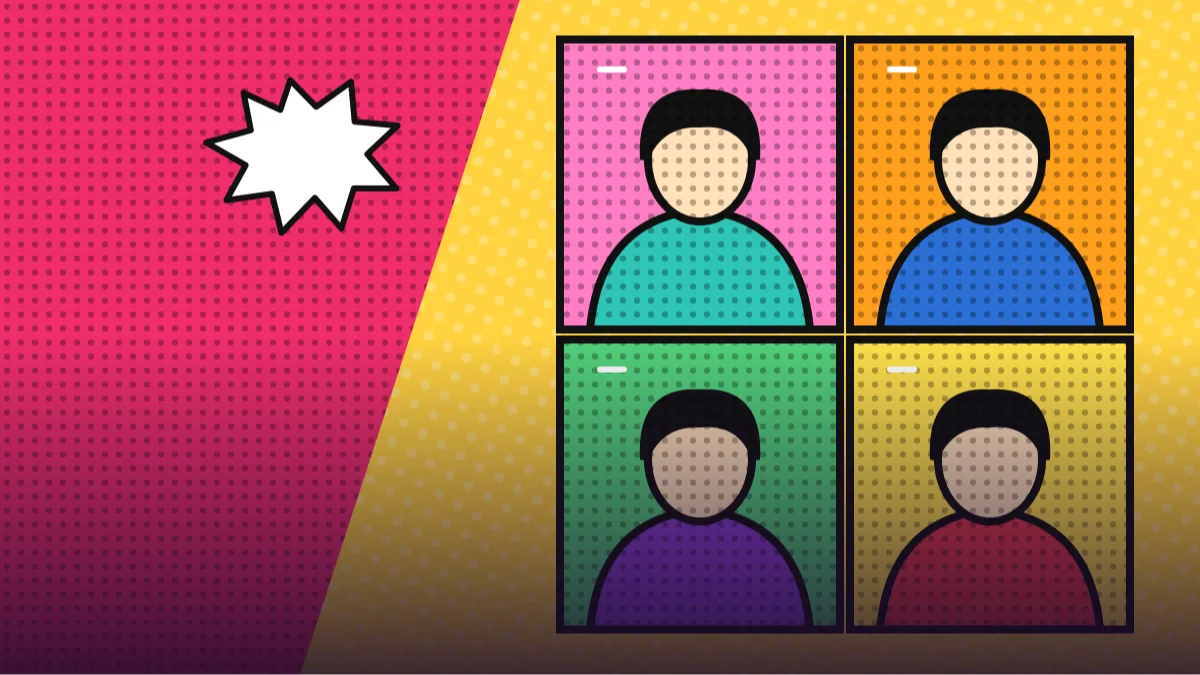
2. Four-Panel Colour Grid
SUBJECT: Use my attached photo and keep my face recognisable in each of four equal panels.
OUTFIT: Same plain shirt in every panel, colour changes with the panel.
SETTING: Square grid: top-left pink and teal, top-right orange and blue, bottom-left green and purple, bottom-right yellow and red.
LIGHT: Flat poster lighting, strong black outlines.
CAMERA: Identical straight-on framing in all panels.
STYLE: Pop art screen print look, halftone dots in the shadows, matte colours.
AVOID: Text, realistic shading, uneven panels, extra faces.
The four-panel layout is a favourite for Instagram. Ask for a thin white gutter between panels.
3. Comic Speech Bubble Moment
SUBJECT: Use my attached photo and keep my face and hairstyle recognisable in a comic pop art style, looking surprised with wide eyes.
OUTFIT: Bright blue jacket over a white shirt.
SETTING: Red background with large halftone dots and a burst shape behind the head; an empty speech bubble beside the face.
LIGHT: Flat graphic lighting.
CAMERA: Close-up, slight tilt.
STYLE: Vintage comic pop art, thick outlines, bold flat colours.
AVOID: Readable text, realistic skin, gradients, copying any comic character.
Leave the bubble empty and add your own words later, so spelling errors do not creep in.
4. Neon Pink and Cyan Duotone
SUBJECT: Use my attached photo and keep my face recognisable as a high-contrast pop art portrait.
OUTFIT: Dark top with a thin white collar line.
SETTING: Split background, hot pink on the left and cyan on the right, with small halftone dot shading.
LIGHT: Strong side light creating sharp two-tone shadows.
CAMERA: Centred close-up, direct gaze.
STYLE: Modern pop art duotone poster, clean outlines, limited palette of pink, cyan, black and white.
AVOID: Soft gradients, text, extra colours, photoreal texture.
Two-colour designs are bold and print well. Swap the pair for orange and navy for a sporty feel.
5. Retro Sunglasses Cool Portrait
SUBJECT: Use my attached photo and keep my face and hairstyle recognisable, wearing simple round sunglasses with a small reflection of palm leaves.
OUTFIT: Hawaiian-style shirt with flat patterns.
SETTING: Turquoise background with yellow halftone sun rays.
LIGHT: Flat poster lighting, bold shadows.
CAMERA: Centred head-and-shoulders, slight low angle.
STYLE: Retro pop art screen print, thick outlines, bright flat colours.
AVOID: Brand logos on the sunglasses, text, realistic shading, gradients.
Sunglasses and a shirt pattern add personality. Keep the pattern simple so the face stays the hero.
6. Festival Colour Pop Poster
SUBJECT: Use my attached photo and keep my face recognisable as a festive pop art portrait.
OUTFIT: Modest kurta in bright magenta with a flat yellow border.
SETTING: Deep orange background with large halftone dots, simple flat marigold flowers and diya shapes around the frame.
LIGHT: Flat graphic lighting.
CAMERA: Centred head-and-shoulders crop.
STYLE: Vibrant pop art festival poster, thick outlines, limited bold palette.
AVOID: Religious figures, text, gradients, realistic skin.
Mixing pop art with festive motifs makes a lovely greeting image. Keep it respectful and simple.
7. Pop Art Full-Body Dance Pose
SUBJECT: Use my attached photo and keep my face and body proportions recognisable, shown full-length in a joyful dance pose.
OUTFIT: Colourful tracksuit with flat colour blocks and clean white sneakers.
SETTING: Bright purple background with yellow halftone dots and a few geometric shapes.
LIGHT: Flat graphic lighting with strong outlines.
CAMERA: Full-length, slightly low angle, centred.
STYLE: Bold pop art illustration, thick black outlines, flat colours.
AVOID: Gradients, text, extra limbs, realistic skin texture.
Full-body poses can distort limbs. Retry until the arms and legs look natural.
8. Pop Art Cityscape Duo Panel
SUBJECT: Use my attached photo and keep my face recognisable, shown in a pop art portrait on the left half.
OUTFIT: Simple jacket in flat orange.
SETTING: Right half shows a flat-colour city skyline with halftone dot clouds; both halves joined by a bold diagonal split.
LIGHT: Flat poster light.
CAMERA: Centred composition, straight-on.
STYLE: Retro pop art poster, thick outlines, limited palette of orange, blue, cream and black.
AVOID: Readable signs, text, gradients, realism.
A split layout looks like a movie poster. Add your own title in an editor afterwards.
What does a pop art portrait prompt actually change in your photo?
A normal photo has soft transitions between light and dark. Pop art removes them. The picture is broken into a small number of flat colours with sharp edges, and any texture is shown with dots instead of gradients. A strong pop art portrait prompt says this clearly: flat colours, thick outlines, halftone dots.
Think of it as telling the AI to forget photography and think of a screen printer. The fewer colours you allow, the bolder the final image feels. Four colours is the sweet spot for beginners.
Gemini or ChatGPT: the same routine, slightly different results
We use the same routine in both apps. A Gemini pop art portrait often stays truer to your face, while a ChatGPT retro poster style image tends to have more punch in the colour and outlines.
- Pick a photo with strong, even lighting and a clear face.
- Upload it and paste the prompt.
- Change the colours in the SETTING and OUTFIT lines to match your taste.
- Review the face. Add 'keep my likeness' if it drifts.
- Ask for a transparent-looking plain background if you plan to use the picture in a design.
Which colours make a vibrant profile picture idea?
Colour is the whole point of pop art, and the vibrant profile picture idea that works best is usually a strong contrast between the person and the background. If your outfit is red, choose a yellow or teal background. If your skin tone is warm, try cool blues and purples behind you to make it glow.
Stay with a palette of three or four colours plus black. When the AI is allowed ten colours, the result looks like a sticker sheet. When it is limited, the portrait feels designed.
- Complementary pairs: orange and blue, pink and green, yellow and purple.
- Use black outlines of consistent thickness.
- Ask for halftone dots only in shadows to keep the face clean.
- Try a bold four-panel layout for a bold colour four panel portrait look.
Why does my pop art still look like a photo filter?
The classic mistake is leaving in realistic words like 'cinematic lighting' or 'detailed skin'. These push the tool back toward photography. Delete them. The second is forgetting outlines; without thick black lines, the image looks like a filter rather than a poster.
If the halftone dots are huge and ugly, ask for 'fine halftone dots'. If they are missing, say 'visible Ben-Day dot shading in the shadows'. And for a comic style pop art photo prompt, remember to leave speech bubbles empty, because AI spelling inside bubbles is rarely correct.
Keeping your pop art original and safe to share
Pop art grew from advertising and comics, so it is easy to drift into copying someone else's work. We recommend describing your own composition and never naming a specific artist, a famous painting or a licensed comic character. Use your own face, plain clothes and original shapes.
That keeps the result unique to you, and it keeps your posts comfortably within platform rules. If a result accidentally looks like a famous poster or a cartoon character, change the colours and the layout before you share it.
Also avoid real logos on jerseys, caps or bags. The tool may copy a brand mark by accident, and you do not want your profile picture to carry someone else's trademark.
Where to use your finished pop art poster
Pop art portraits are great for profile pictures, posters, phone cases (for personal use) and event invitations. For a profile picture, crop tight on the face and keep the background a single bold colour, so it still reads at thumbnail size.
For a poster or invitation, ask for empty space on one side and add the text later in an app. Keep to two fonts at most, so the type does not fight the art.
Captions that suit the style are short and loud:
- Loud colours, louder personality.
- My face, four ways.
- Turned myself into a poster today.
- Pick a colour and I will make the next one.
Count the colours: how to judge a pop art portrait prompt result
Real pop art has rules, and checking them tells you quickly whether the AI followed your pop art portrait prompt. First, count the colours. Beyond black outlines, you should see only the three or four you asked for, in flat patches with no gradients. If there is a soft blend from yellow to orange on the cheek, it is still a digital painting. Second, look at the outlines: they should be thick, dark and fairly even, with no sketchy double lines.
Third, look at the shadows on the face. In pop art they are cut shapes, like one clean block under the chin and a crescent beside the nose, not smooth shading. Halftone dots should appear in these shadow zones or in the background, in neat rows. If the dots are random or look like noise, ask for 'regular grid of fine halftone dots at 45 degrees'.
Fourth, check likeness. Because the style simplifies the face, three things carry identity: the hairline, the eyebrow shape and the smile. If one of these is wrong, mention it directly, for example 'keep my side parting and thick eyebrows'. Finally, make sure the background colour contrasts with skin and clothes. A yellow shirt on a yellow wall disappears, so change one of them.
College sports day poster: adapting the classic portrait
Let us adapt the Classic Four-Colour Halftone Portrait for a college sports day. Keep the SUBJECT line so your likeness stays. Change the outfit to 'plain sports jersey with no numbers or logos in flat blue'. Change the background to 'orange with a bold radiating sunburst of lighter orange rays'. Replace the palette with 'orange, blue, cream and black'.
Swap the camera for 'low angle, centred, chin slightly raised' to give a heroic feel, and add 'a thick white border around the poster like a printed edition'. Leave text areas empty, then add the event name and date later in a design app, because AI lettering is unreliable.
Check the result for gradients and for any imitation of a real team uniform. If the shirt looks like a known club's colours, change them. Print a small test at A4 before you order a big poster. Your own photo is the base, so only include other people if they have agreed, and avoid any famous artwork or celebrity styling.
Frequently Asked Questions
Do I need to know anything about art to use a pop art prompt?
No. You only need to name the ingredients: flat colours, thick black outlines, halftone dots and a four-colour palette. The AI handles the drawing. Picking two colours that contrast with each other is the only design decision you really have to make.
Does the AI keep my face recognisable?
Mostly, if you attach a clear photo and ask it to keep your face shape and hairstyle. Pop art simplifies features, so small differences are normal. Retry for a closer match.
How do I get halftone dots?
Write 'visible halftone dots in the shadows' or 'Ben-Day dot shading' in the prompt. Ask for fine dots if the pattern looks too coarse.
Can I print the portrait as a poster?
For personal use, yes. Use the highest resolution output and check the edges for artefacts before printing.
Why is my image still realistic?
Remove photographic words and add flat colours, thick black outlines and limited palette. The more graphic the wording, the more graphic the picture.
Final Thoughts
Pop art is cheerful, confident and very forgiving. With the right pop art portrait prompt, a clear photograph and a short list of colours, you can turn an ordinary selfie into a poster that stops people mid-scroll. Start with the classic four-colour halftone version, and then try panels and festival colours.
Pick a colour pair you would actually hang on a wall, count the colours in your first result, and send one short correction if gradients sneak in. The festival colour pop version is a cheerful next step.
Note: AI image and text results vary by tool, version and settings. Use only your own photos, avoid copying real people’s likeness, and follow the terms of the AI tool you use.