Negative Prompt Ideas for Cleaner AI Photos
 AI PHOTO PROMPTSNEGATIVE PROMPT IDEAS8 COPY-PASTE PROMPTS
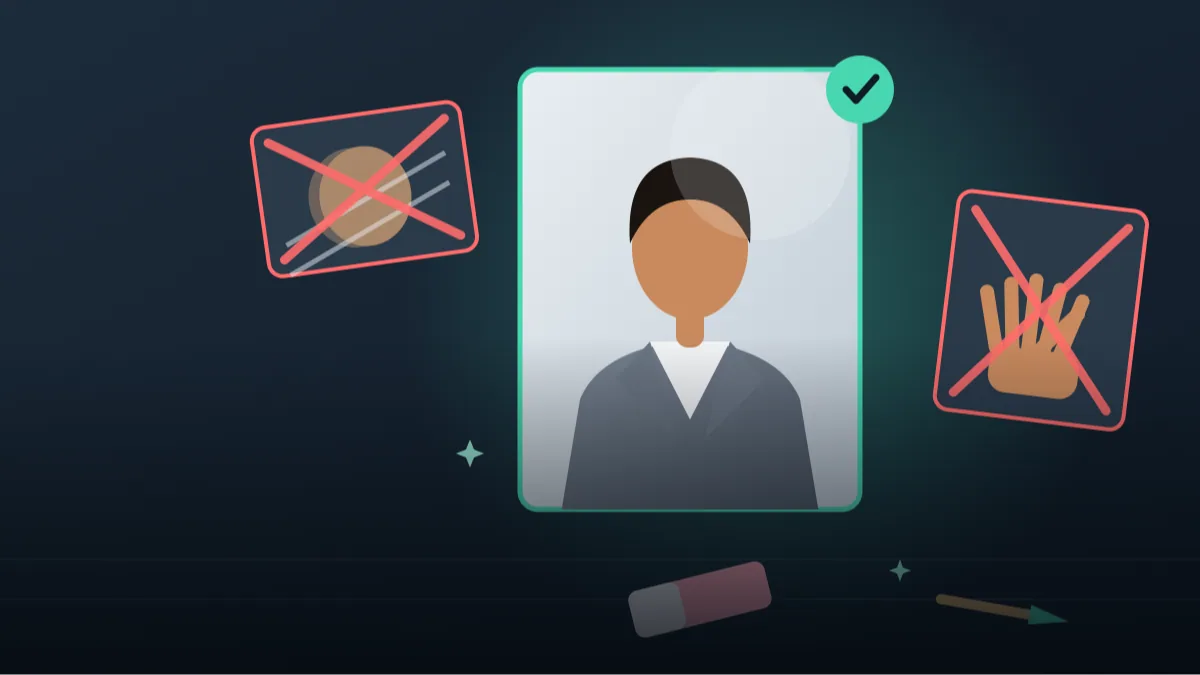
A negative prompt is simply a list of things you do not want in the picture. Some tools have a separate box for it. Gemini and ChatGPT usually do not, so we write it as an AVOID line at the end. Good negative prompt ideas save you many retries because they close the doors the AI likes to wander through.
The trick is to be specific. 'Bad quality' tells the model nothing. 'Extra fingers, warped teeth, text on clothing, watermark' tells it exactly what to steer clear of. In this guide we group avoid-words by problem and then give eight full prompts, each with an AVOID line designed for its scene.
As always, attach your own photo and keep your face unchanged. Negative words reduce problems but do not erase them, so keep your expectations realistic and retry when needed.
- Copy-Paste Prompts
- How negative prompt ideas actually help
- Negative prompt ideas sorted by problem
- Where the AVOID line goes in Gemini and ChatGPT
- Vague and contradictory words that weaken an avoid list
- Keep a small avoid notebook on your phone
- Match the avoid line to the exact defect you see
- Why too many negatives can backfire
- Worked example: cleaning up a cafe portrait in three rounds
- FAQs
Copy-Paste Prompts: Negative Prompt Ideas (8 Ready Ideas)
1. Clean Portrait Avoid List
SUBJECT: Use my uploaded photo, face unchanged, shoulders-up portrait
OUTFIT: grey blazer, white shirt
SETTING: soft neutral studio backdrop
LIGHT: soft window light from the left
CAMERA: 85mm lens, f/2.8
STYLE: natural realistic portrait
AVOID: warped eyes, asymmetrical ears, plastic skin, double chin distortion, extra shadows on neck, watermark, text
Notice every item names a real defect. This is the portrait list we reuse most often.
2. Hands and Body Avoid List
SUBJECT: Face unchanged from my attached photo, standing with arms relaxed, half-body
OUTFIT: casual shirt and trousers
SETTING: bright living room corner
LIGHT: daylight from a window on the right
CAMERA: 50mm lens, f/4
STYLE: lifestyle photograph
AVOID: extra fingers, missing fingers, merged hands, twisted wrists, long arms, floating limbs, mismatched shoes
Body-related defects are the most common. Naming them can calm the model down.
3. No Text or Logos
SUBJECT: Use my uploaded photo with face unchanged, sitting at a cafe table
OUTFIT: plain solid-colour sweater
SETTING: cosy cafe with blank menu boards and plain cups
LIGHT: warm indoor lamp light
CAMERA: 50mm lens, f/2
STYLE: warm candid photo
AVOID: any readable letters, fake brand logos, signboard text, printed t-shirts, watermarks, captions, QR codes
Perfect for safe, clean images that you want to post anywhere without brand worries.
4. Realistic Skin Avoid List
SUBJECT: Face unchanged from my attached photo, close portrait, gentle smile
OUTFIT: simple cream top
SETTING: blurred green background
LIGHT: soft shade light, gentle highlights
CAMERA: 100mm lens, f/3.2
STYLE: natural skin texture with visible pores and small lines
AVOID: airbrushed skin, waxy shine, glowing forehead, doll eyes, over-whitened teeth, beauty filter look
Pair a positive 'visible pores' line with the negative list. Both together work best.
5. Clean Landscape With Person
SUBJECT: My face unchanged from the uploaded photo, standing small near a viewpoint
OUTFIT: light jacket, backpack
SETTING: mountain lake with calm water and clear sky
LIGHT: clear morning sun
CAMERA: 28mm lens, f/8, deep focus
STYLE: natural travel photo
AVOID: crowds, floating objects, double horizons, oversaturated sky, smudged trees, distorted proportions, text
Landscape problems differ from portraits. Double horizons and smudged trees are classics.
6. Product Photo Avoid List
SUBJECT: Single [product, e.g. ceramic mug] centred on a table
OUTFIT: not applicable
SETTING: pale wooden surface, soft cloth, one small plant
LIGHT: soft side window light, gentle shadow
CAMERA: 60mm lens, f/4, slightly above
STYLE: clean catalogue-style photograph
AVOID: duplicate products, bent edges, fake labels, reflections of people, dust, harsh shadows, cluttered props
Shops and creators can use this base for tidy listing images. Check the final image carefully.
7. Family Photo Avoid List
SUBJECT: Use the attached family photo, keep everyone's faces, ages and positions unchanged, warm group pose
OUTFIT: coordinated pastel traditional clothes, as in the original
SETTING: tidy living room with soft flowers
LIGHT: soft daylight from a window
CAMERA: 35mm lens, f/5.6, all faces sharp
STYLE: warm, natural family portrait
AVOID: extra people, missing people, swapped faces, merged bodies, blurry faces, text
Always check each face after generating. Group images carry the highest chance of errors.
8. Short Universal Avoid Line
Make a realistic half-body photo of me using the attached picture, face unchanged, in a [setting] with soft natural light coming from one side. Outfit: [outfit]. 50mm lens, f/2.5, sharp eyes, simple uncluttered background. Keep my hairstyle, skin tone and expression the same as the original. Avoid: distorted face, extra fingers, plastic skin, strange background objects, watermark, text, heavy filter, cartoon look.
Use this when you want one compact line that you can paste at the end of any prompt.
How negative prompt ideas actually help
An image model starts with a huge range of possibilities and narrows them as you add words. A good avoid list cuts away the unwanted ones. It is not magic, but it nudges the result away from known weak spots.
In text-based chat tools, you can write 'Avoid:' or 'Do not include:' at the end. Both work. Positive phrasing still matters most, so use negatives as a seasoning, not the main dish.
Negative prompt ideas sorted by problem
Instead of one giant list, keep short lists per problem and combine two or three as needed. A long dump of twenty words can confuse the tool and may even put those things in the picture by accident.
- Face: warped eyes, asymmetrical features, crossed eyes, mismatched earrings
- Skin: plastic skin, waxy shine, airbrushed look, heavy retouching
- Hands: extra fingers, merged fingers, twisted wrists
- Text: watermark, readable signs, fake logos, captions
- Image: blur, noise, jpeg artefacts, oversaturation, harsh vignette
- Scene: extra people, floating objects, duplicate items, cluttered background
Where the AVOID line goes in Gemini and ChatGPT
Attach your own photo, paste the full prompt including the AVOID line, and send. If a defect appears anyway, reply with 'same image, but remove the extra fingers' rather than rewriting everything.
A negative prompt for chatgpt images works best when the item is concrete and visible. 'Extra cup on the table' is easier to follow than 'bad composition'.
Put the AVOID line last, after the scene, the light and the camera. The model reads your main idea first, and the negatives then act as a final check. For a long prompt, a short line like 'Avoid: extra fingers, text on clothes, watermark' is easier to follow than a paragraph of warnings.
If you are editing an existing picture, say 'keep everything else exactly the same' before the avoid line. Without it, a fix for one hand can quietly change the background too.
Vague and contradictory words that weaken an avoid list
Do not contradict yourself, such as asking for 'detailed texture' and avoiding 'texture'. Do not list things that were never a problem. And do not use vague words such as 'ugly' or 'bad'.
Also, do not rely on it for safety. If a result shows something odd, look at it carefully before posting. Your own eyes are the final filter.
Words like 'ugly', 'weird' or 'low quality' do not point at anything the model can see. Replace them with a visible fault: 'blurry eyes', 'tilted horizon', 'tiny text on the wall'.
Another trap is avoiding something that your own prompt asks for. If your scene has a market, do not write 'avoid crowd' unless you really want an empty street. Read the positive part and the avoid part together before sending.
Keep a small avoid notebook on your phone
Every time you see a new defect, add one word to a note on your phone. After a few weeks you will have a custom list. This is the easiest way to get cleaner results from remove blur and distortion ai efforts without learning anything technical.
Open Notes on your phone and make three headings: Face, Hands, Background. Whenever a picture goes wrong, write the exact fault under the right heading, for example 'earring different on each ear' under Face. Next time, paste two or three lines from that note into your AVOID line.
After a month the notebook becomes your own custom list, built from your own photos and your own recurring problems. That makes it far more useful than any copied list, and it takes no technical knowledge at all.
Match the avoid line to the exact defect you see
The best avoid words come from what went wrong in your own picture, so learn to read defects. If the face looks like a different person, the problem is identity drift, and an avoid word like 'changed face' does little; strengthen the positive line instead: 'exact same face, jawline and nose as the attached photo'. If teeth look like a single white strip, write 'natural uneven teeth, no over-whitening'. If the hair becomes a solid shape with no strands, write 'individual hair strands, flyaway hairs at the edge'.
For clothing, name the specific failure: 'collar merged with neck', 'buttons in wrong places', 'sleeve length different on each arm'. For jewellery, 'mismatched earrings, floating chain' is more useful than 'bad jewellery'. For backgrounds, 'bent door frames, warped shelf lines, repeating objects' tells the model to straighten the room.
When a defect keeps coming back in three tries, stop adding more negatives and change the scene. A pose with hands in pockets, a seated pose or a tighter crop removes the problem instead of fighting it. Smart prompting is often about avoiding the situation, not only the word.
Why too many negatives can backfire
Image models do not read a sentence the way people do. When you write a long list of things to avoid, you also place those words in the conversation, and some systems may bring the idea into the picture by accident. A famous beginner mistake is writing 'no extra fingers, no six fingers, no seven fingers, no deformed fingers' and ending up with more attention on fingers than before.
Keep the list short, use plain nouns and keep each item visible. 'Extra fingers' is visible. 'Bad energy' is not. If you need a long list for a complex scene, split it by priority: put the three worst problems first and the minor ones last. Many creators also move a few positives into the main prompt instead, for example 'five fingers on each hand' rather than a negative about missing or extra fingers.
Also remember that tools update from time to time. A line that worked last month may behave differently today, so treat your avoid library as a living note, and delete words that stop helping.
Worked example: cleaning up a cafe portrait in three rounds
Start with the No Text or Logos prompt. Round one: you generate and see that the cup has a fake brand mark and the left hand looks merged with the cup. Reply with 'same image, plain cup with no print, five clear fingers on the left hand'. Round two: the hand is fixed but the menu board in the background now has squiggly letters. Reply with 'make the menu board fully blank and dark green'.
Round three: the skin has a waxy shine. Add the realistic skin list: 'natural skin texture, no shine on forehead, no airbrushing'. Notice that every correction is a short reply about one defect, not a new giant prompt. After these three steps, save the final version of the prompt, including the AVOID line, in your notes so the next cafe picture starts from a better place.
If, after several tries, a face still does not match your original, it is fine to stop. Not every attempt will succeed, and it is better to leave a picture unposted than to share a version that misrepresents you.
Frequently Asked Questions
What is a negative prompt in simple words?
It is a list of things you do not want in the image, such as extra fingers or watermarks. In chat tools you can add it as an AVOID line at the end of your prompt.
Does Gemini or ChatGPT have a separate negative prompt box?
Usually not. Write 'Avoid:' or 'Do not include:' inside your message and list the specific problems.
How many items should my avoid list have?
Around four to eight specific items works well. Longer lists can dilute the instruction and sometimes confuse the result.
Will negative prompt ideas remove every flaw?
No. They reduce common issues, but AI results vary. Expect to retry and to check details like hands and teeth yourself.
Final Thoughts
A careful avoid line is one of the quietest ways to improve a photo. Keep a few of these negative prompt ideas saved, match them to the problem you actually see, and keep the list short and concrete.
Test the clean portrait list with your own photo today, then add words one by one as new defects appear. When you are ready to write full prompts from scratch, browse our other AI photo prompt guides to see where the avoid line fits.
Note: AI image and text results vary by tool, version and settings. Use only your own photos, avoid copying real people’s likeness, and follow the terms of the AI tool you use.