ChatGPT Image Generation Prompts for Beginners
 CHATGPT PROMPTSIMAGE PROMPTS FOR BEGINNERS8 COPY-PASTE PROMPTS
Everyone remembers their first try. You type 'cool dragon' and get something that looks nothing like the picture in your head. A better chatgpt image prompt is not longer because of fancy words; it simply answers a few questions clearly: who or what, where, what light, what style.
We have kept this guide for absolute beginners. No jargon, no tricks. You get a five-part formula and eight templates you can paste, change a few words in, and use straight away.
AI pictures vary, so do not worry if the first one is not perfect. Regenerating and adjusting is a normal part of the process.
- Copy-Paste Prompts
- Five questions that make a good chatgpt image prompt
- Your first chatgpt image prompt: paste, send, then follow up
- Overcrowded ideas and fake signboards: first-week slip-ups
- How to practise so your prompts improve in a week
- After the picture appears: four questions to ask about it
- Three small experiments to learn what each word does
- Worked example: turning a vague idea into a clean prompt
- FAQs
Copy-Paste Prompts: Chatgpt Image Prompt (8 Ready Ideas)
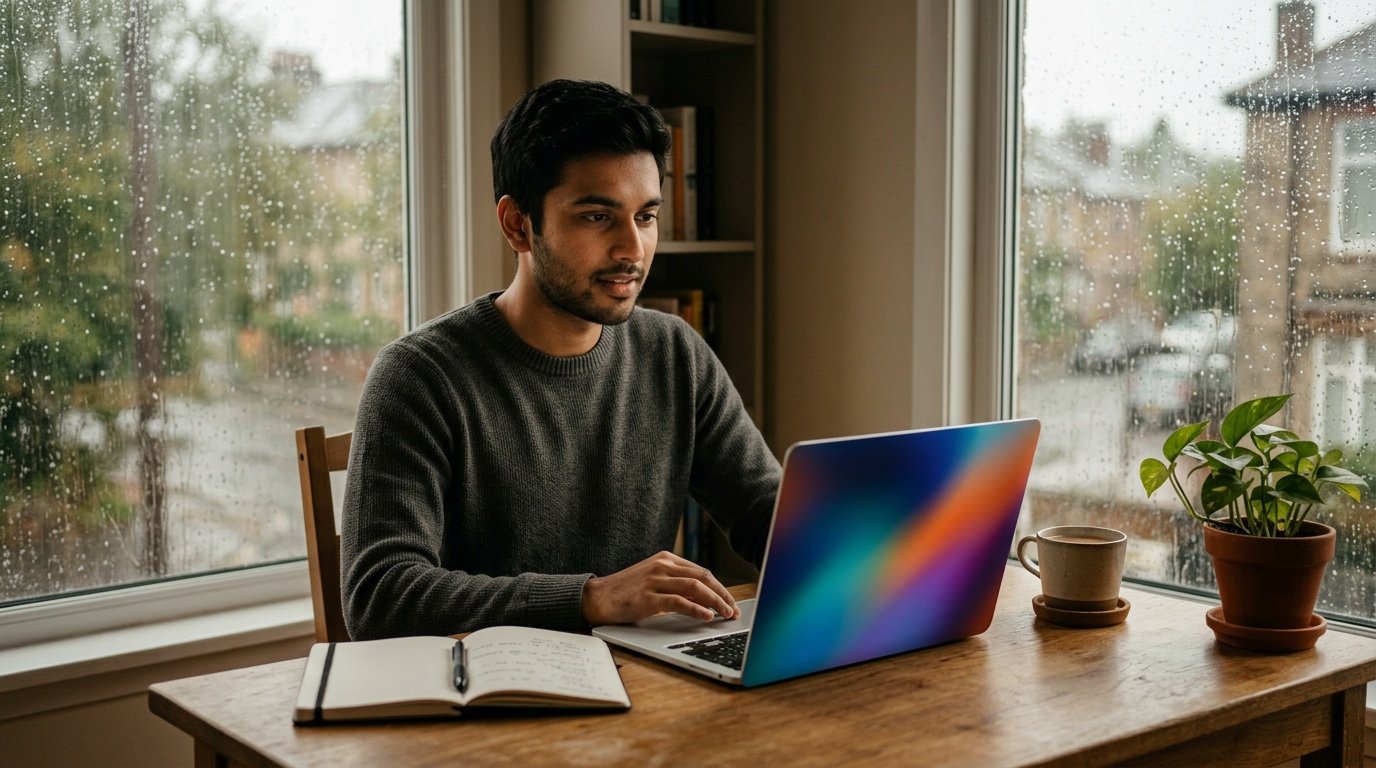
1. Cosy reading corner
Create a realistic image of a cosy reading corner.
SUBJECT: An armchair with a mustard blanket and a stack of [BOOK COLOUR] books.
SETTING: Beside a rainy window in a small apartment.
LIGHT: Warm lamp glow against grey daylight.
STYLE: Photograph, shallow depth of field.
MOOD: Calm and quiet.
AVOID: People, text, logos.
A friendly first prompt because objects are easier than faces. Change the blanket colour to learn how details change the result.
2. Friendly robot illustration
Create a flat vector style illustration of a small friendly robot.
SUBJECT: Round body, big round eyes, holding a [OBJECT, e.g. watering can].
BACKGROUND: Plain soft [COLOUR] with a few simple plants.
PALETTE: Four colours only, such as teal, cream, mustard and dark grey.
LINE: Clean, even thickness, no gradients.
POSE: Standing, facing the viewer, head slightly tilted, small smile-shaped mouth.
FORMAT: Square.
AVOID: Text, shadows, complex detail.
Limiting the palette to four colours teaches you how constraints keep images tidy.
3. Street food scene
Create a realistic evening photo of a street food stall in [CITY OR TYPE OF MARKET].
SUBJECT: A vendor's hands frying [DISH].
LIGHT: Bulb lights and steam catching the glow.
CAMERA: 35mm lens, eye level, slightly low angle.
DETAILS: A steel pan, a plate of ready food, small paper bags, a blurred crowd far behind.
MOOD: Busy, warm, appetising.
AVOID: Readable signboards, brand names, distorted hands.
Naming a lens and angle helps even if you do not know photography. Simple words like 'eye level' are enough.
4. Watercolour landscape
Paint a watercolour landscape.
SUBJECT: A small wooden boat on a still lake at sunrise.
PALETTE: Soft peach, pale blue, and a little green.
TEXTURE: Visible paper grain, loose edges, soft bleeds of colour.
COMPOSITION: Boat in lower third, empty sky above, a faint line of distant hills on the right.
REFLECTION: Soft vertical streaks of colour on the water under the boat.
AVOID: Photo realism, hard outlines, text.
Describing texture like paper grain is a quick way to get a hand-made feel.
5. Pet portrait cartoon
Make a cheerful cartoon portrait of a [PET TYPE] with [FUR COLOUR] fur and [EYE COLOUR] eyes.
POSE: Head tilted, tongue out slightly.
BACKGROUND: Pastel [COLOUR] with small stars.
STYLE: Thick clean outlines, flat colour, a little highlight on the eyes.
FRAMING: Head and shoulders centred, with a small collar or bandana in a contrasting colour.
AVOID: Realistic fur, text, other animals.
You can also upload a photo of your own pet and say 'based on the attached photo'.
6. Product on a table
Create a realistic product style image.
SUBJECT: A plain [COLOUR] ceramic mug with no logo.
SURFACE: Light oak table with a folded linen napkin.
LIGHT: Soft window light from the left.
CAMERA: 50mm, slightly above, mug in the centre.
BACKGROUND: Blurred cream wall.
AVOID: Text, brand marks, steam shapes that look odd.
A great way to learn how light direction changes mood. Try right instead of left.
7. Fantasy village at dusk
Create a storybook illustration of a hillside village at dusk.
SUBJECT: Round stone houses with glowing windows and a winding path.
SKY: Deep purple fading into orange near the horizon.
STYLE: Gentle painterly, soft edges, like a children's picture book.
DETAIL: A few lanterns, small trees, no people.
AVOID: Dark horror feeling, text.
Mood words such as 'gentle' and 'like a picture book' guide the whole tone.
8. Minimal poster background
Create a clean abstract background for a poster.
SHAPES: Overlapping soft circles and a thin curved line.
PALETTE: [COLOUR 1], [COLOUR 2] and off-white.
STYLE: Minimal, modern, lots of empty space at the top, soft paper-like matte finish.
BALANCE: Heavier shapes near the bottom corner, lighter and thinner near the top.
FORMAT: Vertical 3:4.
AVOID: Any text, faces, icons, busy textures.
Leaving empty space means you can add your own words later in a design app.
Five questions that make a good chatgpt image prompt
Here is an order that is easy to remember: subject, setting, light, style, and what to avoid. Subject is the main thing in the picture. Setting is where it sits. Light decides the mood, so 'soft window light' and 'harsh noon sun' give very different pictures. Style tells ChatGPT whether you want a photograph, a painting or a flat vector illustration. Avoid removes the usual problems, like text or extra objects.
You do not need every part each time. A quick sticker design may need only subject and style. But the more you fill in, the less you leave to chance, and the fewer retries you need.
Your first chatgpt image prompt: paste, send, then follow up
Open a new chat in ChatGPT, paste one template and swap anything in brackets. Send it and wait for the image. Do not judge it yet; look at what is right first, and then at what is not.
Then adjust with simple follow-ups like 'make the light warmer', 'same picture but a wider view' or 'remove the extra cup'. Keep the follow-up in the same chat, because ChatGPT remembers the picture it just made. If you start a new chat, you lose that reference and the picture changes completely.
Overcrowded ideas and fake signboards: first-week slip-ups
Very short prompts and very crowded prompts both struggle. 'Cool dragon' leaves everything to chance; ten objects, three styles and a long sentence of text usually break something.
Also avoid asking for exact words on signs, posters or book covers. Text in images is improving, but spelling errors still happen, so add words later in a normal editor like Canva or Photoshop Express.
- Use one main subject.
- Pick one style, not four.
- Name colours instead of saying 'nice colours'.
- Change one thing at a time when fixing.
How to practise so your prompts improve in a week
Pick one template and run it five times, changing only one detail each time. You will quickly see what each word does. Keep the results in a folder with the prompt written beside each picture, or paste both into a notes app.
Once you feel comfortable, mix ideas from two templates, for example the cosy reading corner with the watercolour style. That is when it starts feeling like your own beginner ai image prompts collection. Ten minutes a day is enough; there is no need to run fifty images in one sitting.
After the picture appears: four questions to ask about it
After each picture, ask four quick questions. Is the main subject clear within one second? Is the light coming from the direction I wrote? Is the style what I asked for, or did it slide towards realism or cartoon? And is anything strange, such as extra fingers, melted cup handles or bent shelves?
Beginners often judge a picture as simply good or bad. A checklist helps you see which of your words worked. If the subject is clear but the light is flat, add a light word. If the style is right but there are strange shapes, remove an object from the prompt. Each fix teaches you something, and after ten tries you will start writing prompts that work on the first go.
For the cosy reading corner, look at the blanket folds and the window: panes should be straight and the rain should look like thin streaks, not blobs. For the product mug, check that the handle connects at both ends. For the robot, check that both arms exist and that the object it holds is the one you named.
Three small experiments to learn what each word does
Try this with the Product on a table template. Run it once as written. Then change only the light: write 'hard afternoon sunlight with a sharp shadow' and compare. Then change only the surface: 'dark walnut table' instead of light oak. Then change only the camera: 'from directly above'. You have now seen how light, material and angle each change one picture, without any theory.
A second experiment uses the Watercolour landscape. Replace 'sunrise' with 'stormy evening', then with 'foggy morning'. The palette line must also change, or the AI will fight your words. Notice that peach and pale blue sit badly with a storm, so write 'slate grey, deep blue and a streak of yellow'.
The third experiment is about words like 'realistic', 'cartoon' and 'painting'. Run the same pet prompt three times with each style word. You will see that style is the strongest word in the whole prompt, which is why it comes early in our formula.
Worked example: turning a vague idea into a clean prompt
Say your first idea is 'a nice picture of my city'. That gives ChatGPT nothing to hold. Walk it through the five parts. Subject: the old clock tower. Setting: a market square with a few flower stalls. Light: soft golden light from low sun. Style: realistic photograph. Avoid: readable shop names and crowds.
Put it in plain order: 'Create a realistic photo of an old clock tower in a market square with flower stalls, low golden sunlight, shallow depth of field, no readable signs, no crowds.' That is about thirty words and already ten times clearer than the first idea.
Honest limit: AI will not know your exact local tower unless you describe its shape, and it may invent details. If you want your actual building, upload your own photo and ask for a style change instead.
Save your improved prompt in a notes app with the date. In a month you will have a personal library of simple prompts for ai pictures that you trust, and that library is more useful than any list you find online because it reflects the pictures you actually want to make.
Frequently Asked Questions
What is the easiest chatgpt image prompt to start with?
Pick a simple object scene such as a cosy reading corner. Objects are more predictable than people, so it is easier to see what your words changed.
How long should a prompt be?
Around 40 to 80 words works well. Enough to describe subject, light and style, but not so much that the ideas fight each other.
Why does my image not match my idea?
Usually something important was left out, such as light, angle or style. Add that detail and regenerate. Several attempts are normal.
Can I use these for free?
Image access depends on your ChatGPT plan and current limits, which change from time to time. Check your account to see what is available.
Can I use the images commercially?
Check the current terms of the tool you use. Avoid asking for logos, brands or real people so you stay on the safe side.
Final Thoughts
A solid chatgpt image prompt is really just a clear description with a bit of structure. Start with the formula, try the templates, and change one detail at a time until you see how each word shapes the picture.
Give the cosy reading corner and the watercolour landscape a go today, and keep what you like. Once the formula feels natural, our other prompt-writing guides on Tech Boi Prompt go a step deeper.
Note: AI image and text results vary by tool, version and settings. Use only your own photos, avoid copying real people’s likeness, and follow the terms of the AI tool you use.