AI Magazine Cover Photo Prompts
 AI PHOTO PROMPTSAI MAGAZINE COVER8 COPY-PASTE PROMPTS
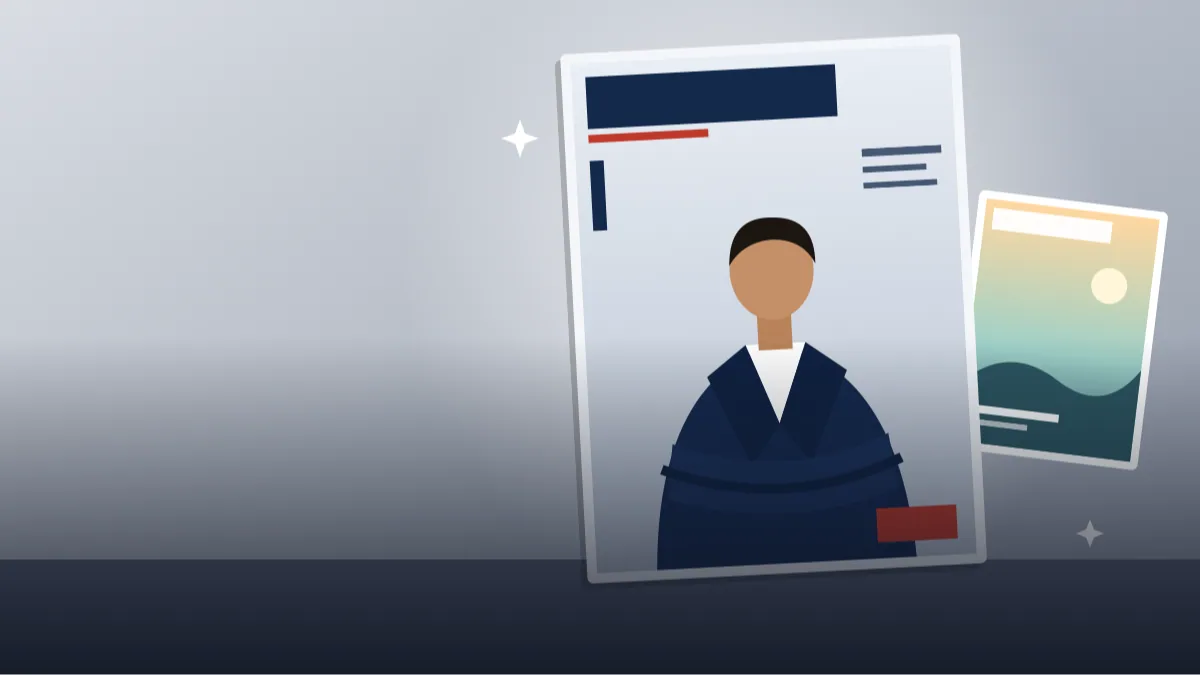
A magazine cover is really just a very good portrait with room for words. A well-made magazine cover prompt handles both parts: the editorial look of the photo and the clean space around it where a title and headlines can sit.
Here are eight prompts for Gemini and ChatGPT image tools. Upload your own photo, keep your face unchanged and choose the type of magazine you want to imagine: business, travel, food, wellness or art. We avoid real magazine names and real brand logos, and we avoid fake headlines, since the AI tends to scramble them.
Think of the result as a base picture. Add your own masthead and headlines later in Canva or any editor and you will get a cover that looks neat and truly yours.
- Copy-Paste Prompts
- Your first magazine cover prompt: check face, empty space and background
- Where the head and the headlines go on an AI magazine cover of myself
- Famous mastheads, crowded frames and over-smoothed skin
- What makes a magazine cover prompt result look like a real cover
- Colour, clothing and lighting choices that photograph well
- From base picture to finished cover, plus where to share it
- Adapting the travel cover for your own trip
- FAQs
Copy-Paste Prompts: Magazine Cover Prompt (8 Ready Ideas)
1. Business Leader Cover
Use my attached photo and keep my face unchanged.
SUBJECT: me standing with arms folded, calm confident look.
OUTFIT: tailored navy blazer over a white shirt.
SETTING: plain light grey studio wall.
LIGHT: soft key light from the left, subtle rim light, gentle shadows.
CAMERA: vertical 4:5 cover layout, three-quarter body, 85mm, blank band across the top for a masthead.
STYLE: premium editorial photography, natural skin texture.
AVOID: text, logos, fake headlines, barcodes.
A blank band at the top is the masthead area. State it clearly or your head may end up there.
2. Travel Magazine Cover
Use my uploaded photo and keep my face unchanged.
SUBJECT: me on a stone bridge looking at distant hills, relaxed smile.
OUTFIT: linen shirt and light scarf.
SETTING: misty valley at sunrise, river below.
LIGHT: soft golden morning light.
CAMERA: vertical cover, 35mm, me on the right third, empty sky left for headlines.
STYLE: cinematic travel editorial, natural colour.
AVOID: text, logos, other tourists, fake lens flare.
Keep the sky or a plain area free on one side. That is where headlines will go.
3. Food and Home Cover
Use my attached photo and keep my face unchanged.
SUBJECT: me smiling over a wooden table full of fresh seasonal dishes.
OUTFIT: rolled-sleeve shirt and apron.
SETTING: bright farmhouse kitchen with herbs and bowls.
LIGHT: natural window light, soft highlights on food.
CAMERA: vertical cover, 50mm, high angle, clear band at the top.
STYLE: warm lifestyle magazine photography.
AVOID: brand packaging, text, plastic-looking food.
Real-looking steam and soft shadows make food photos more appetising.
4. Wellness and Calm Cover
Use my uploaded photo with my face unchanged.
SUBJECT: me sitting cross-legged with eyes softly closed, serene.
OUTFIT: cream loungewear.
SETTING: sunlit room with a plant and a single candle.
LIGHT: diffused window light, airy and bright.
CAMERA: vertical cover, 50mm, centred, space above and to the right.
STYLE: minimal calm editorial, pale earthy palette.
AVOID: text, health claims, logos, busy decor.
Pale earthy colours keep text readable and the whole cover feels peaceful.
5. Art and Culture Cover
Use my attached photo and keep my face unchanged.
SUBJECT: me beside a large abstract painting, thoughtful look.
OUTFIT: black turtleneck and a silver pendant.
SETTING: bright gallery with concrete floor and one bench.
LIGHT: even gallery lighting with soft shadows.
CAMERA: vertical cover, 50mm, me on the left, painting on the right.
STYLE: refined editorial, high detail, muted colour.
AVOID: text, recognisable real artworks, logos.
Make up the painting. Naming a real artwork can give copyright trouble.
6. Tech Innovator Cover
Use my uploaded photo and keep my face unchanged.
SUBJECT: me holding a simple glowing device, curious expression.
OUTFIT: minimalist dark tee and a light jacket.
SETTING: clean dark studio with a faint blue gradient.
LIGHT: cool rim light with a soft front fill.
CAMERA: vertical cover, 85mm, tight upper body, blank headline area to the left.
STYLE: modern tech editorial, crisp.
AVOID: brand names, screens with text, extra hands.
Describe the device as generic. It avoids copying any real product's look.
7. Festive Fashion Cover
Use my attached photo with my face unchanged.
SUBJECT: me in an elegant standing pose, soft smile.
OUTFIT: festive kurta or saree in deep emerald with gold border, modest styling.
SETTING: palace corridor with arches and warm lanterns.
LIGHT: golden lantern light, gentle fill on the face.
CAMERA: vertical cover, 70mm, three-quarter shot, space on top.
STYLE: luxurious lifestyle editorial, rich colour.
AVOID: text, jewellery brands, other people.
Rich colour and warm light carry the whole festive mood without needing props.
8. Black and White Classic Cover
Use my uploaded photo and keep my face unchanged.
SUBJECT: me in a quiet portrait, direct gaze.
OUTFIT: plain dark shirt.
SETTING: simple textured studio backdrop.
LIGHT: single window-style light, deep shadows, strong contrast.
CAMERA: vertical cover, 85mm, shoulders up, blank top band.
STYLE: black and white fine-art magazine portrait, fine film grain.
AVOID: text, colour spill, heavy retouching.
Black and white hides small colour errors and gives an instantly timeless feeling.
Your first magazine cover prompt: check face, empty space and background
Upload one sharp photo of yourself, ideally with plain light on your face. Paste your chosen magazine cover prompt and send. When the picture comes back, check three things in this order: face, empty space and background.
If the face changes, repeat the keep-my-face line. If the space is missing, say: leave the top 20 percent of the image empty.
Keep your expression calm and natural in the source photo. A relaxed half-smile is easier for the tool to copy than a wide grin or a strong pose.
Keep your expression calm and natural in the source photo. A relaxed half-smile is easier for the tool to copy than a wide grin or a strong pose.
- Choose 4:5 or 3:4 vertical for a real cover ratio.
- Always tell the tool to avoid text.
- Add the masthead later in an editor.
Where the head and the headlines go on an AI magazine cover of myself
Real covers put the eyes close to the upper third of the frame, and leave the area behind the head quiet. When you ask for an ai magazine cover of myself, mention where the head sits and where text space goes.
Editorial lighting is usually soft on one side with a gentle edge light behind. Describe it that way and the picture looks professional. Without that line, Gemini often gives flat, even light that looks like a passport photo with nicer clothes.
- Plain backgrounds beat busy ones.
- Contrasting clothes help you stand out.
- One strong colour is enough.
Famous mastheads, crowded frames and over-smoothed skin
AI will happily write the name of a famous magazine across the top. Do not use it, it is a trademark. Ask for no text and create your own invented masthead.
Another mistake is too much going on. If the cover looks crowded, remove props and keep one background colour.
Over-smoothed skin is the third problem. If the face looks waxy, say 'natural skin texture, no beauty retouching' and use a sharper source photo. A cover with a recognisable face always beats a flawless stranger.
Smooth the retouching in your own editor if you must, not in the prompt.
Smooth the retouching in your own editor if you must, not in the prompt.
What makes a magazine cover prompt result look like a real cover
Open any cover on a shelf and notice how simple it is. One person, one clear expression, one calm background, and a lot of deliberate empty space. The face usually sits slightly off centre, the eyes fall near the upper third, and the top band is left clear for the masthead. When your magazine cover prompt output follows this pattern, adding text later feels easy.
Judge your result on five points. First, the top band: is it really empty, or did the AI place hair, a lamp or a branch there? Second, the head: is there a little breathing room above it, or is it cropped tight against the top? Third, the lower third: covers often keep the body quiet so cover lines can sit on both sides. Fourth, the skin: it should have natural texture, not a wax finish. Fifth, the edges: hair against a plain wall should look soft and real, with no halo.
If the headroom is too small, reply 'zoom out slightly, add 15 percent more space above the head'. If the background is competing, say 'make the wall one flat colour, soft gradient only'. These small replies change the picture far more than rewriting the whole prompt.
Colour, clothing and lighting choices that photograph well
Cover photographers choose clothes that separate from the background. A navy blazer on a light grey wall, a cream outfit against a dark green wall, deep emerald against warm stone: contrast makes the shape of the body clear. Patterns, thin stripes and tiny prints tend to shimmer or distort in AI images, so choose solid colours unless the pattern is the whole point.
For lighting, borrow editorial habits. A large soft light from one side gives shape without hard shadows. A small edge light behind the shoulder separates hair from the background. A reflector or fill on the other side keeps the shadow side from turning muddy. You do not need those words in every prompt, but 'soft key light from the left, gentle rim light, light fill on the shadow side' is a good copy-paste line.
If you want a glossy cover photo ai look, add 'clean polished skin tones with natural texture left in, subtle contrast'. Avoid the words 'airbrushed' and 'flawless'. They push the AI into over-smoothing, and the face stops looking like you.
From base picture to finished cover, plus where to share it
The AI image is only the photo. The cover is made when you add the invented masthead, a date line and two or three cover lines in an editor. Use a simple bold or serif font for the title, and place it behind the head slightly if your editor allows, which gives that layered magazine feel. Keep the cover lines short and on the calm side of the frame. Pick one accent colour from your clothing for the text so everything feels planned.
Make up your own name for the magazine, and check it does not copy a real publication. Do not add a barcode or price that suggests it is real. For headlines, write about yourself honestly: 'The year I learned to cook', 'Ten months, one big move'. Silly or warm lines work better than boastful ones, and they avoid any misleading look.
Export in the size of your use: 4:5 for Instagram, a tall PDF for a portfolio, and a crop for a LinkedIn banner if you leave the title on the left. A personal cover also makes a lovely birthday post or a gift for a parent, with a caption like 'Cover story: a very ordinary Tuesday'. A fashion magazine photo prompt style suits festive and event posts, while the business and wellness covers suit professional profiles.
Adapting the travel cover for your own trip
Take the travel prompt and change three things. Replace the subject line with the place you actually visited, such as 'me on a wooden jetty on a calm lake'. Swap the outfit for what you wore, for example 'cotton kurta and a light stole'. Then change the light: 'soft blue-hour light, lamps coming on at the edge of the lake'. Keep the vertical cover layout and the empty sky for headlines.
Run it, check the empty sky area, and add your own title such as the place name in your own words. The result feels like a personal travel diary cover, not a generic one.
Frequently Asked Questions
Can I use a real magazine name on the cover?
It is better not to. Real names are trademarks. Make up a simple name of your own and add it in an editor.
How do I get headlines on the cover?
Do it after generating the image. Use Canva or a similar app with a clean font. AI-written headlines often have spelling mistakes.
My face looks too smooth. What can I do?
Add natural skin texture and no beauty filter to the prompt, and use a sharper source photo.
Which size is best for a cover?
Vertical 4:5 or 3:4 works well for both screens and print. Say it in the CAMERA line.
Final Thoughts
You do not need a studio or a stylist to try the look. A solid magazine cover prompt, your own photo and a little patience are enough to create a neat cover for your profile or portfolio.
Pick one style, check the empty band at the top, and then add a title in your own words. When you want a more cinematic portrait style without the text space, other portrait prompts on Tech Boi Prompt are a fitting next step.
Note: AI image and text results vary by tool, version and settings. Use only your own photos, avoid copying real people’s likeness, and follow the terms of the AI tool you use.