AI Library and Bookshelf Portrait Prompts
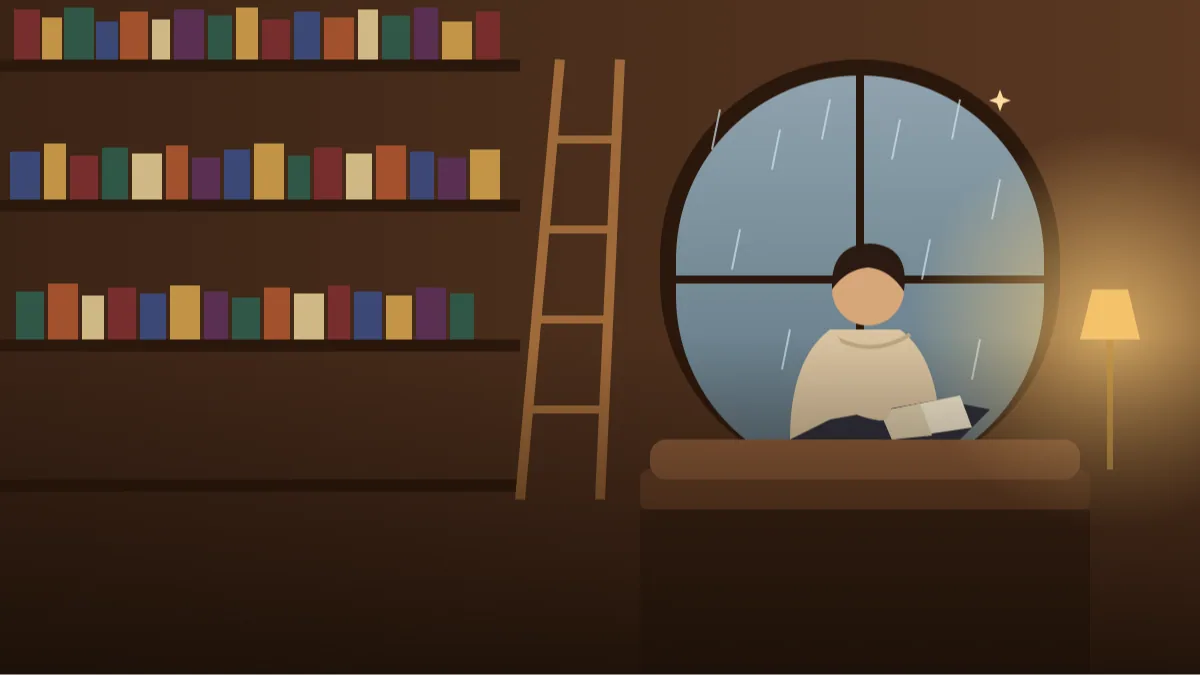 AI PHOTO PROMPTSAI LIBRARY BOOKSHELF PORTRAIT8 COPY-PASTE PROMPTS
A library has its own kind of silence. Light falls in thin lines across the floor, someone turns a page far away, and every shelf feels like a small door to somewhere else. A calm library portrait prompt lets you borrow that mood for a profile picture, a blog author photo or just a picture that makes you look thoughtful.
These eight prompts work in Gemini and ChatGPT image tools. Each begins with your own uploaded photo, with a clear instruction to keep your face unchanged. The settings stay quiet and tasteful: wooden shelves, brass lamps, a reading ladder, soft window light. No real book titles, no brand names, and no famous people.
Books themselves are tricky for AI because the spines often show gibberish. Below you will see how to write around that, so the shelves look rich without a single readable word.
- Copy-Paste Prompts
- What should I upload so a library portrait prompt keeps my glasses and face?
- Why do my book spines show gibberish, and what do I write instead?
- One warm lamp, one cool window: lighting your reading nook photo ideas
- What do I wear in a dark academia photo prompt?
- Is the author photo good enough for a blog or Instagram bio?
- Plastic skin, floating books and other fixes for a library portrait prompt
- Gemini or ChatGPT: which one suits a quiet study portrait?
- From a window-side selfie to a Dark Academia corner, step by step
- Open books, spiral stairs and real library rules
- FAQs
Copy-Paste Prompts: Library Portrait Prompt (8 Ready Ideas)
1. Window Seat Reader
Use my uploaded photo and keep my face, glasses (if any) and hairstyle unchanged.
SUBJECT: me seated on a cushioned window seat with an open book on my lap, glancing up softly
OUTFIT: oatmeal knit sweater and dark trousers
SETTING: old library with tall wooden shelves, rain on the window
LIGHT: soft grey window light with a warm lamp glow on the side
CAMERA: 50mm, medium shot, shallow depth of field
STYLE: calm editorial portrait
AVOID: readable book titles, extra hands, harsh glare
Rain on the window adds quiet mood. Open book pages should stay blank or blurred.
2. Ladder and Warm Lamp
Attach my photo; keep my face exactly as in the original.
SUBJECT: me standing on the lower step of a wooden library ladder, holding a closed book against my chest
OUTFIT: forest green cardigan over a white shirt
SETTING: floor-to-ceiling shelves with a brass wall lamp, polished wood floor
LIGHT: warm lamp light from the left, soft shadows
CAMERA: 35mm, full body, slightly low angle
STYLE: warm cinematic
AVOID: floating books, distorted ladder, text on spines
A ladder gives height and structure. Keep to the lower step for a safe, natural pose.
3. Dark Academia Corner
Use my uploaded photo, face unchanged.
SUBJECT: me leaning on a heavy wooden desk, fingers resting on a stack of old books
OUTFIT: charcoal blazer over a cream shirt, simple scarf
SETTING: dim study with dark panelled shelves, a globe and a candle-style lamp
LIGHT: low amber light, deep but soft shadows
CAMERA: 50mm, three-quarter portrait
STYLE: dark academia look, rich colours, film grain
AVOID: smoke, fire hazards, crowded desk, text
This is the classic dark academia look. Keep shadows soft so your face does not vanish.
4. Study Table Focus
Based on my uploaded photo, keep my face unchanged.
SUBJECT: me writing in a notebook at a long study table, pen in hand, thoughtful look
OUTFIT: light blue shirt with sleeves rolled
SETTING: bright public library with rows of shelves softly blurred and green-shaded lamps
LIGHT: even daylight from tall windows
CAMERA: 40mm, side angle, shallow depth
STYLE: clean study lifestyle
AVOID: laptop logos, readable notes, extra students in focus
Great for students. Keep the notebook text unreadable to avoid garbled writing.
5. Between the Shelves
Use my photo and keep my face and skin tone unchanged.
SUBJECT: me walking between two tall shelves, running my fingers along the book spines
OUTFIT: mustard sweater and jeans
SETTING: narrow aisle with symmetrical shelves, warm lights at the far end
LIGHT: soft overhead light, golden glow in the distance
CAMERA: 35mm, centred one-point perspective, full body
STYLE: symmetrical, cinematic
AVOID: warped shelves, readable spines, extra people
One-point perspective looks striking. Symmetry also hides small shelf errors.
6. Spiral Staircase Pause
Attach my photo; keep my face unchanged.
SUBJECT: me pausing on a spiral wooden staircase, one hand on the railing, looking toward the camera
OUTFIT: burgundy coat and dark scarf
SETTING: grand old library hall with balconies of books and glass ceiling
LIGHT: soft skylight with warm lamps
CAMERA: 35mm, slightly low angle, wide
STYLE: dramatic architectural portrait
AVOID: warped stairs, floating books, text
Grand halls look stunning but busy. Ask for 'simple structure' if the staircase twists oddly.
7. Reading Nook with Tea
Use my uploaded photo, face unchanged.
SUBJECT: me curled in an armchair with a cup of tea, a book resting open nearby, relaxed smile
OUTFIT: soft grey kurta with a woollen shawl
SETTING: small nook with low bookshelves, a rug and a plant
LIGHT: warm lamp light, late evening
CAMERA: 50mm, waist-up, cosy framing
STYLE: warm, intimate lifestyle
AVOID: too many plants, floating cups, text on books
A nook feels personal. One cup, one book, one plant is plenty.
8. Author Photo for the Back Cover
Based on my uploaded photo, keep my face exactly the same.
SUBJECT: head-and-shoulders portrait of me with a calm, confident expression
OUTFIT: neat dark shirt or blazer
SETTING: softly blurred bookshelf background in warm brown tones
LIGHT: soft window light from the front-left, gentle fill
CAMERA: 85mm, tight framing, eye-level
STYLE: professional author portrait
AVOID: busy shelf detail, over-smooth skin, text
A clean headshot for profiles. Heavy blur on the shelves avoids fake book titles.
What should I upload so a library portrait prompt keeps my glasses and face?
Choose a clear photo of yourself, taken with soft light and a plain background if possible. Upload it, paste the prompt, and send. If you wear glasses, keep them in the photo and mention them in the prompt so the AI keeps them.
Look at the result for three things: the face, the hands and the book spines. If the spines show nonsense text, ask for 'plain, unmarked book spines in warm browns'. The fix usually takes one reply.
- Attach a clear, soft-lit photo.
- Mention glasses if you wear them.
- Ask for unmarked spines to avoid garbled text.
- Retry with a closer crop if hands look odd.
Why do my book spines show gibberish, and what do I write instead?
Shelves are the star of a bookshelf portrait ai prompt, and also the biggest risk. Tiny printed words turn into noise. To stay safe, blur the shelves with 'shallow depth of field' or limit them to a background wash of colour.
Choose a palette: warm brown, forest green, deep red. Matching your outfit to the shelves makes the whole image feel designed. A cream sweater against dark wood looks lovely.
If you still want the shelves to feel full and real, describe them by colour and pattern, not by title: 'rows of old hardbound books in brown, green and faded red, some leaning, a small brass bookend'. A few books lying flat across the top of a row add the lived-in feel of a real shelf. Avoid asking for specific authors or famous titles; the tool will paint a fake spine with scribbles, and it also pushes the image towards copying someone's cover design.
One warm lamp, one cool window: lighting your reading nook photo ideas
Most reading nook photo ideas rely on a single warm lamp and a cool window. That combination gives depth and an evening feel. Name both sources in the prompt.
For bright, airy shots, ask for 'large window, soft daylight, white walls' and lighter wood. For moody dark academia, 'amber lamp, deep shadow, rich wood'. The difference is in the light words, not the books.
If you live in a small flat and do not have a library nearby, the same trick works with a real corner of your room. A single study table with a lamp, a steel cup of chai and a plain curtain can be described as 'a quiet reading nook with a wooden desk and soft curtain light'. The AI will turn it into a cosy scene, and the picture will feel more like you than a grand hall full of marble pillars ever could.
What do I wear in a dark academia photo prompt?
A dark academia photo prompt thrives on texture: wool, tweed, leather, brass, old paper. Pick two or three of those and drop the rest. Muted colours such as charcoal, burgundy, forest green and cream are your friends.
Keep the pose still and thoughtful. Reading, writing or leaning on a desk all work. Avoid dramatic gestures. Also, add 'soft shadows' so the darkness does not swallow your face.
In Indian weather you may not own a tweed blazer, and that is fine. A grey or brown cardigan, a collared shirt with the sleeves folded once, or a plain dark kurta with a muffler can give the same quiet, bookish feel. Say the item and the fabric: 'charcoal wool cardigan over a white collared shirt'. Skip glossy fabrics, huge scarves and heavy jewellery, which pull the eye away from your face and the books.
Is the author photo good enough for a blog or Instagram bio?
A profile photo for writers and students should be simple and clear. The Author Photo prompt gives a tidy head-and-shoulders picture with a warm, blurred background. Check that your face looks natural and the shirt collar is neat before using it.
If the profile is for a job or official site, be careful. Use AI-made photos only where it is allowed, and say so when asked. For personal blogs, social pages and creative portfolios, it is generally fine.
Test it small before you commit. Shrink the picture to the size of a profile circle and see whether your face, not the shelf, is what you notice first. If the books are louder than you are, crop closer or ask for 'background shelves very soft and out of focus'. A good writer's picture says one thing at a glance: this is a calm person who reads.
Plastic skin, floating books and other fixes for a library portrait prompt
Try 'A good book and a better lamp' or 'Quiet chapters'. If you post a series, order them from wide shelves to a close portrait.
Common fixes: for plastic skin, add 'natural skin texture'. For strange glasses, upload a photo that shows them clearly. For floating books, reduce the number of books in hand to one. And if anything looks too dark, add 'soft fill light on face'.
Then, for posting, a few more caption lines that sound like a reader and not a brand: 'Currently reading: nothing, currently sitting: here', 'Chai gone cold, chapter still on'. Keep it short. Mention it is AI-made, and if you are tagging a real library or bookshop, do not imply the photo was taken there.
Gemini or ChatGPT: which one suits a quiet study portrait?
For a gemini prompt for study photos, Gemini often gives a soft, natural look with gentle lamp light, which suits libraries well. ChatGPT sometimes keeps finer control over small details like glasses, notebooks and sleeves. Run the Window Seat Reader prompt in both, then stick with the one that looks more like you.
Whichever you choose, give the AI a stable composition: one person, one chair or desk, and a blurred shelf behind. Complex scenes with several readers and many shelves seldom work.
If you plan to use the image on a site or a social profile, check the platform's rules about AI-generated pictures, and keep a plain original photo of yourself for places where a real picture is required.
From a window-side selfie to a Dark Academia corner, step by step
Let us take Ishaan, a literature student with a bright selfie taken near a window, and walk him through the dark academia prompt. Step one: he attaches the selfie and writes 'keep my face and glasses exactly as in the photo'. Step two: he picks two textures only, a charcoal wool sweater and a brown leather satchel on the desk. More than that and the picture gets crowded.
Step three: the setting. 'A small oak desk, an old brass lamp, a stack of closed hardbound books without titles, a blurred shelf behind.' Step four: the light. 'One warm lamp from the left, cool blue window light from the right, soft shadows.' Step five: the pose, 'looking down at an open notebook, pen in hand, calm expression'.
His first result has lovely mood but the book spines show scribbles. He changes the shelf line to 'background shelves softly out of focus, spines without text'. The second try is cleaner, but the pen looks like a stick. He adds 'a simple black pen held naturally between thumb and two fingers'. Now it works.
For a lighter version of the same picture, swap the lamp for 'large window, white walls, pale oak, a cream shirt'. That gives an airy cozy library photo with your own picture suited to a blog about reading.
Open books, spiral stairs and real library rules
Real libraries often have rules about photography, and many do not allow flash, tripods or pictures of other readers. If you are taking a real photo for reference, ask the staff first and keep your voice low. For the AI scene, you use your own photo, so none of that applies, but it is a nice habit to carry over: do not paste other people's faces or a stranger's photo into a library scene.
AI also struggles with open books. Pages may show nonsense symbols, and fingers disappear between pages. If you need an open book, ask for 'open book with blank pages' or hold a closed one against the chest. Ladders and spiral staircases are another weak spot, so check that steps connect and rails continue.
Be honest in how you use the results. A writer's photo on a blog or social profile is fine when it looks like you. For job profiles or official pages, keep a real photograph. And remember that a mood picture is not a credential: a library background does not make anyone an author or a scholar, so write bios and captions truthfully. A beautiful dark academia photo prompt result is a nice image, nothing more.
Frequently Asked Questions
What is a library portrait prompt?
A library portrait prompt is a set of written instructions you paste into an AI image tool, along with your own photo, to create a portrait set in a library or bookshelf scene.
Why do the books show weird letters?
AI cannot draw readable text well. Ask for plain, unmarked spines or a blurred shelf background, and the problem mostly disappears.
Will it keep my glasses?
Usually yes, if they are clear in your uploaded photo and you mention them. If they change shape, regenerate with 'same glasses as the photo'.
Can I use it for a cozy library photo with my own picture on social media?
Yes. A cozy library photo with your own picture is a lovely post. Add a note that it is AI-made.
Which prompt is best for a LinkedIn-style headshot?
The Author Photo prompt, with a plain dark shirt. Check that it looks natural and follow the platform's rules about AI images.
Final Thoughts
A quiet shelf, a warm lamp and your own face can make a surprisingly thoughtful picture. Begin with the Window Seat Reader, then try the darker moods once you know what suits you. A careful library portrait prompt rewards small tweaks in light and outfit.
If you are choosing between rooms, try the bright window version for a blog author photo and the amber lamp version for a personal wallpaper. For a more formal picture, professional headshot prompts keep the same soft light with a plain background.
Note: AI image and text results vary by tool, version and settings. Use only your own photos, avoid copying real people’s likeness, and follow the terms of the AI tool you use.