Gemini Night City Lights Couple Prompts
 AI PHOTO PROMPTSNIGHT CITY LIGHTS COUPLE8 COPY-PASTE PROMPTS
Walk past any flyover at 10 pm and you will see it: yellow lamps, red tail lights, a hundred tiny bulbs on a chai stall. Two people walking through that look like a scene from a film. A good city lights couple prompt gives Gemini exactly this setting, while your own photo keeps the faces real.
We wrote eight night scenes: a quiet flyover, a rooftop skyline, a rainy bus stop, a bridge, a food street and more. All are tasteful and shareable, with warm clothing and relaxed poses.
Night images are tricky because AI can add noise, wrong colours and weird reflections. We cover the most useful fixes below.
- Copy-Paste Prompts
- Which photo do I attach, and what do I check first?
- How do I get night light that looks real?
- Why do I get fake neon signs and dark faces?
- Where can I post these night pictures?
- What kind of source photo survives a night scene?
- How do I change the mood with three small edits?
- What should I check in reflections and hands before saving?
- How do I adapt the rooftop idea for a small-town evening?
- FAQs
Copy-Paste Prompts: City Lights Couple Prompt (8 Ready Ideas)
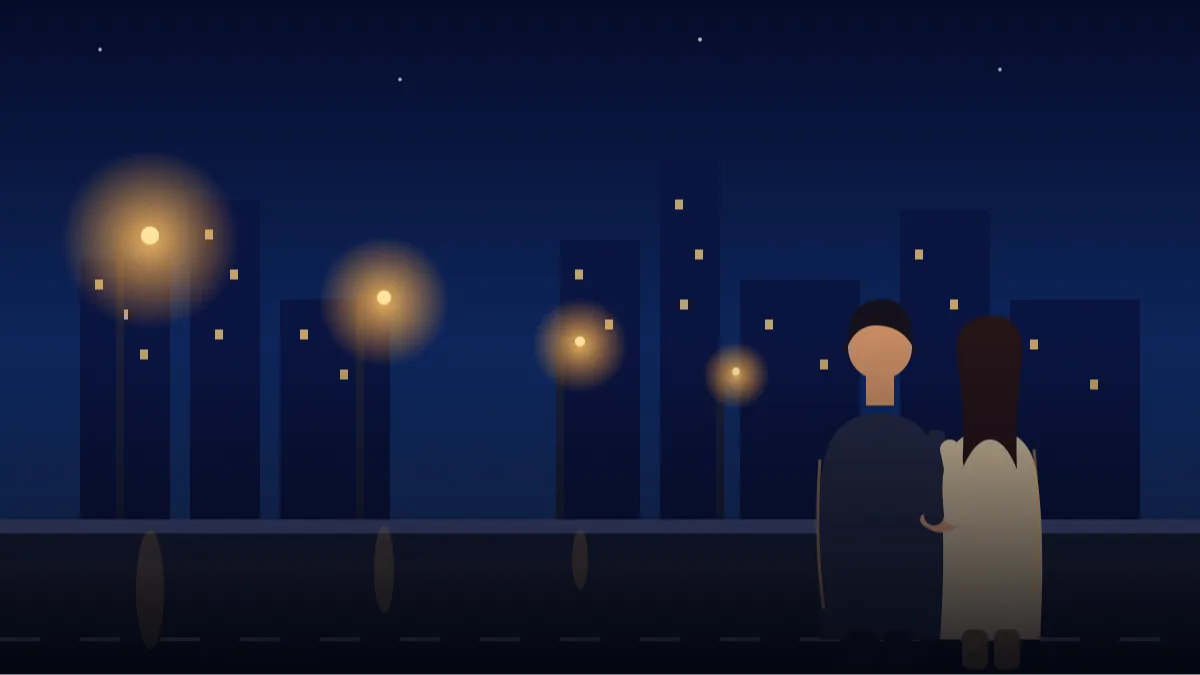
1. Flyover Walk at Midnight
SUBJECT: My attached photo, faces and hair unchanged, walking hand in hand along an empty flyover footpath.
OUTFIT: Dark jacket and jeans, a long coat in beige.
SETTING: Quiet city flyover with streetlamps in a row and distant towers.
LIGHT: Warm amber lamps against deep blue sky.
CAMERA: 35mm, full body, leading lines.
STYLE: Cinematic teal and orange, light grain.
AVOID: Traffic, brand signs, text.
Leading lines draw the eye to the two of you.
2. Rooftop Skyline View
SUBJECT: Use our attached photo, faces same, standing close at a rooftop railing, looking at the view.
OUTFIT: Smart casual, black shirt and a deep burgundy dress.
SETTING: Rooftop with a skyline full of lit windows.
LIGHT: Soft glow from the city, gentle fill on faces.
CAMERA: 50mm, medium shot, softly blurred skyline.
STYLE: Moody, clean, slightly cool.
AVOID: Neon brand logos, extra people, text.
Ask for a gentle fill on faces so they aren't lost in shadow.
3. Rainy Bus Stop
SUBJECT: Our attached photo, faces unchanged, sitting on a bench in a glass bus shelter, sharing a small umbrella.
OUTFIT: Raincoats in yellow and navy.
SETTING: Wet street with blurred headlights and reflections.
LIGHT: Cool blue night with warm shelter light.
CAMERA: 50mm, medium shot, shallow depth.
STYLE: Quiet, cinematic, lightly saturated.
AVOID: Readable route numbers, brand ads, text.
Blur bus-stop ads on purpose so no fake brand posters appear.
4. Old Bridge Lamplight
SUBJECT: My attached photo, same faces, standing on a stone bridge, her hand on his chest, gentle smiles.
OUTFIT: Wool scarves and long coats.
SETTING: Historic bridge with round lamp posts and a dark river with city reflections.
LIGHT: Warm lamp glow, soft rim light.
CAMERA: 85mm, close-medium portrait, creamy bokeh.
STYLE: Romantic, deep colours, slight film feel.
AVOID: Strong lens flare, crowds, text.
Close crops with 85mm give flattering faces at night.
5. Food Street Glow
SUBJECT: Use our attached photo, faces unchanged, sharing a plate of street snacks, laughing.
OUTFIT: Casual hoodie and a short kurta with jeans.
SETTING: Busy night food lane with hanging bulbs and steam, background people blurred out.
LIGHT: Warm bulbs and stall glow.
CAMERA: 35mm, candid medium shot.
STYLE: Lively, warm, documentary.
AVOID: Readable stall names, clear background faces, text.
Ask for 'blurred crowd' to protect against strange background faces.
6. Ferris Wheel Backdrop
SUBJECT: Our attached photo, same faces, standing close with a softly lit Ferris wheel behind.
OUTFIT: Light jackets and scarves in coral and grey.
SETTING: Small fairground at night, rotating coloured lights.
LIGHT: Colourful bokeh behind, warm light on faces.
CAMERA: 50mm, medium portrait, shallow depth.
STYLE: Dreamy and bright.
AVOID: Real park names, text, noisy skin.
Bokeh circles make a cheerful background without effort.
7. Car Window Reflection
SUBJECT: My attached photo, faces unchanged, sitting in the back seat of a parked car, heads close, looking out.
OUTFIT: Cosy sweaters in grey and mustard.
SETTING: Parked car at a quiet street, city lights blurred outside the window.
LIGHT: Soft glow from outside, subtle reflection on glass.
CAMERA: 50mm, medium shot through the window frame.
STYLE: Quiet, introspective, filmic.
AVOID: Brand logos on dashboard, double faces, text.
Reflections can create double faces. Retry if they appear.
8. Lantern Lane Walk
SUBJECT: Use our attached photo, same faces, walking under paper lanterns hung across a lane.
OUTFIT: Light jacket and a pastel salwar suit.
SETTING: Narrow lane with warm lanterns and old buildings.
LIGHT: Warm lantern glow, dark blue sky above.
CAMERA: 35mm, full body, slight low angle.
STYLE: Warm, festive, cinematic.
AVOID: Readable signs, tourists, text.
Lanterns give warm light without any harsh shadows on faces.
Which photo do I attach, and what do I check first?
Attach a well-lit picture of both of you, taken in daylight or a bright room. Night photos often hide faces, so a clear source matters more here than in any other style. Paste the prompt and look at face detail before you look at the lights.
If faces look dark, add 'soft fill light on faces, details visible'. If the result looks grainy, write 'clean, low noise'. Change one line at a time so you know which fix actually worked.
- Use a bright, clear source photo
- Ask for fill light on faces
- Keep to two main light colours
- Retry with one change at a time
How do I get night light that looks real?
Night pictures look best with a mix of colours: warm lamps against a cool sky. Describe both. 'Amber street lamps, deep blue sky' tells Gemini much more than 'night city'. Keep to two main light colours, or the scene turns into a disco.
A night couple photo AI result gets its cinematic feel from bokeh. Write 'lights as soft circles' and the background melts into round shapes behind you. If the circles look like sharp polka dots, add 'shallow depth of field, 85mm'.
Why do I get fake neon signs and dark faces?
The usual culprits are neon brand logos, strange signboards and faces lost in shadow. Ask for 'blurred lights, no readable signs' and the logos mostly disappear. Do not name real shops, malls or brands, because Gemini will try to paint them and spell them wrong.
The other problem is the over-processed look: plastic skin and hard edges. Request 'natural skin texture, soft contrast' and avoid words like 'flawless' or 'HDR'. If the whole image feels orange, say 'balanced neutral colours' and describe only one lamp colour.
- Fake logos: say no readable signs
- Dark faces: add fill light
- Plastic skin: ask for natural texture
- Noise: request clean low-noise image
Where can I post these night pictures?
These images work as phone wallpapers, anniversary posts or Instagram story backgrounds. Short captions suit them: 'Our city, our night' or 'Same flyover, new story'. A vertical crop looks best on stories and reels covers.
Share them responsibly, mention that the picture is AI-created, and keep it to photos of people who agreed to be in it.
Vertical frames suit stories, and a square crop works for a profile picture or an anniversary post.
What kind of source photo survives a night scene?
Most disappointing night results start with the wrong upload. If your reference photo is a dark selfie with flash glare, Gemini has very little face detail to protect, and a city lights couple prompt can only do so much. Choose a daylight or well-lit indoor photo where both faces are sharp, eyes are open and neither person is half hidden behind the other. Standing at similar heights in the frame also helps, because the AI tends to keep the proportions it sees.
Avoid photos with sunglasses, caps pulled low or strong filters. A beauty filter on the source gets copied into the night scene and the skin looks plastic under the lamps. If the two of you are in separate photos, say so plainly: "Use the first photo for him and the second for her, standing side by side." Check the first result for faces before you even look at the background, because a pretty skyline never saves a wrong face.
How do I change the mood with three small edits?
Take the Rooftop Skyline View as the base. If you want a softer, more romantic feel, change "slightly cool" to "warm champagne tones" and lift the fill light on faces. If you want a sharper cinematic night couple photo, switch the lens line to 35mm, ask for "deep shadows, crisp lit windows" and keep the clothes dark with one coloured accent, like a mustard scarf. For something playful, try a neon night couple prompt style by replacing the sky colour with "magenta and cyan reflections", but keep the signs unreadable.
Lens words matter more than people expect. An 85mm portrait gives a Gemini bokeh couple portrait with big creamy circles and faces that fill the frame. A 24mm or 35mm shows more of the street, which suits a night street couple prompt where you want the lane or flyover to be part of the story. Do not stack three lens types in one prompt; pick one and Gemini will follow it.
- Soft and romantic: warm tones, raised face fill, 85mm
- Crisp and filmic: 35mm, dark clothes, one accent colour
- Playful and bright: coloured reflections, no readable signs
What should I check in reflections and hands before saving?
Night scenes create their own special errors. Look at wet roads and glass first: reflections sometimes show a different outfit or an extra person. In the car window prompt, a reflected face can appear twice, so zoom in on the glass. Then look at hands, because holding an umbrella while holding a partner's hand confuses the AI and may produce an extra finger or a hand with no arm.
The background deserves the same attention. In busy lanes Gemini may paint tiny faces in the crowd that look stretched. Ask for "background people as soft blurred shapes" or remove them completely. Readable shop names are another trap; they usually come out as nonsense words. If one area is wrong but the rest is lovely, reply with a short targeted fix such as "keep everything, only remove the second umbrella" instead of rewriting the whole prompt.
How do I adapt the rooftop idea for a small-town evening?
Not everyone lives near a big skyline, and that is fine. Take the rooftop prompt and change only the setting: "terrace of a two-storey house, rows of rooftops, a skyline of water tanks and antennas, scattered yellow windows and a half moon". Keep the camera and light lines as they are. Swap the outfits to a simple shirt and a cotton kurti, which matches how people really dress on a terrace evening.
Run it once, check faces, then adjust one thing at a time: first the sky colour, then the amount of glow. This small step-by-step habit is how a plain couple on rooftop at night AI idea becomes a picture that feels like your own town. Remember these are creative images, so keep the couple fictional or use your own photo with your partner's agreement before posting anywhere public.
Frequently Asked Questions
Why are the faces dark in night images?
Night lighting hides faces. Add a gentle fill light or a nearby lamp to the prompt, and use a bright source photo.
How do I avoid fake neon logos?
Write 'blurred lights, no readable signs or logos'. Avoid naming real shops or brands.
Can I use a daytime photo as the source?
Yes, the prompt changes the scene. Make sure the faces are sharp and evenly lit.
What lens style is best?
Use 35mm for full-body scenes where the street matters and 85mm for close portraits with big bokeh circles. Pick one, because stacking two lens types in a prompt confuses the result.
Can I make the colours less orange?
Add 'balanced neutral colours' and reduce the warm lamp description to a single source.
Final Thoughts
City nights are made for quiet walks and big conversations, and a thoughtful city lights couple prompt helps Gemini capture that mood. Keep your faces clear, choose one or two light colours and let the bokeh do the rest.
Try the rooftop and the bus stop scenes first, because they show you how much the light colour changes the mood. If you enjoy night looks, festival and wedding photo prompts make a nice daytime contrast for your next set.
Note: AI image and text results vary by tool, version and settings. Use only your own photos, avoid copying real people’s likeness, and follow the terms of the AI tool you use.