Gemini Minimal Studio Portrait Prompts for Girls
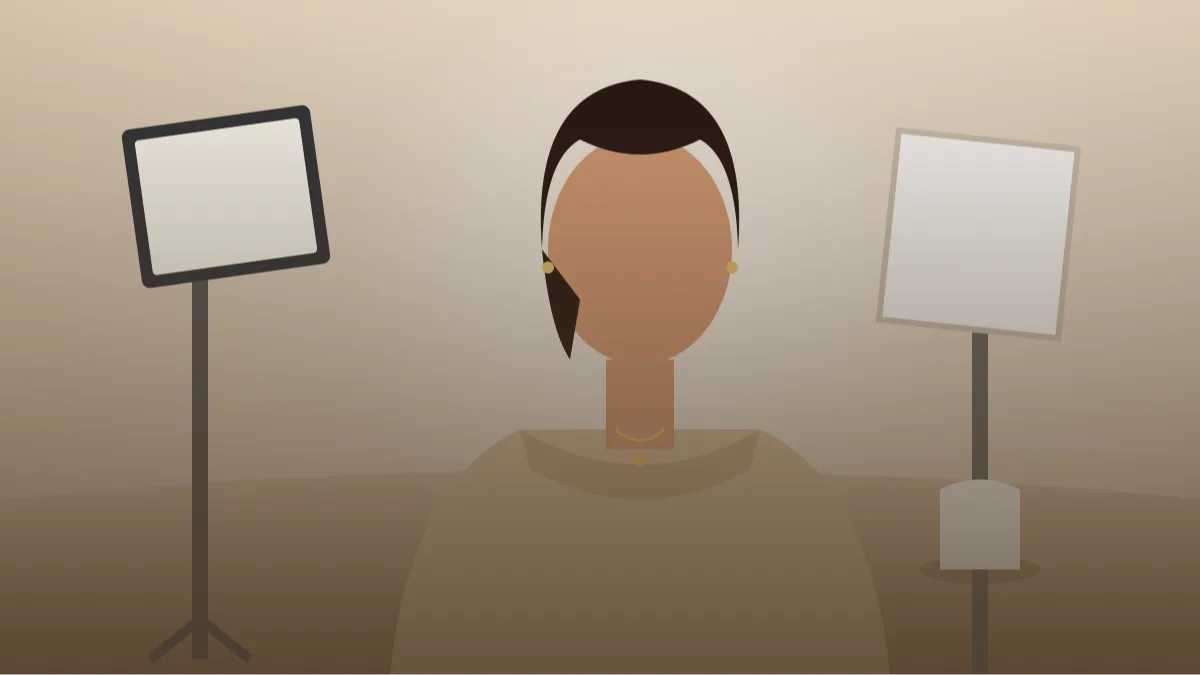 AI PHOTO PROMPTSMINIMAL STUDIO PORTRAIT GIRLS8 COPY-PASTE PROMPTS
A studio portrait removes everything except you: a plain wall, one soft light, a simple outfit. A well written studio portrait prompt gives Gemini the same minimal setup, so your own photo turns into a clean, magazine-style frame without a camera crew.
Minimal does not mean lazy. In a plain scene, light and pose carry everything, so we describe them carefully: the size of the light, its angle, the background tone and the spacing around the subject. A tiny change like moving the light from front to side changes the whole mood.
Upload your own photo, ask Gemini to keep your face unchanged and try the eight prompts. Because the scenes are simple, they are also the best ones to learn from.
- Copy-Paste Prompts
- Your first studio portrait prompt in Gemini: photo, paste, check
- Big light, small light: backdrop and softbox choices
- Plastic skin and muddy shadows in a studio portrait prompt
- Can a headshot style prompt for girls work for a college or creator page?
- Zoom in before you post: what a clean minimal portrait should show
- Same wall, five different pictures: changing pose and outfit
- A worked example: turning the beige half-body into a creator profile picture
- FAQs
Copy-Paste Prompts: Studio Portrait Prompt (8 Ready Ideas)
1. White Seamless Beauty Light
SUBJECT: Use my uploaded photo, face unchanged, head tilted slightly, soft closed-lip smile.
OUTFIT: White ribbed top, tiny gold studs, hair slicked back neatly.
SETTING: Pure white seamless studio background.
LIGHT: Large soft box directly in front and slightly above, white reflector below the chin.
CAMERA: 90mm lens, f/5.6, head and shoulders, centred.
STYLE: High-key, bright, clean skin with natural texture.
AVOID: Washed-out features, plastic skin, grey background.
The reflector below the chin lifts shadows. Ask for 'natural skin texture' to avoid a waxy look.
2. Warm Beige Backdrop Half-Body
SUBJECT: My own uploaded photo, face unchanged, arms relaxed, calm eyes to camera.
OUTFIT: Oatmeal linen shirt, simple pendant necklace.
SETTING: Warm beige paper backdrop with a soft gradient.
LIGHT: Soft light from the left at 45 degrees, gentle fill on the right.
CAMERA: 85mm lens, f/4, half-body, space at the top.
STYLE: Tone-on-tone, calm, natural colours.
AVOID: Orange face, harsh shadow on the wall.
Beige on beige is gentle. Pick a darker or lighter shirt if you want more contrast.
3. Bold Red Backdrop Pop
SUBJECT: Keep my face same as the uploaded photo, hand resting on the shoulder, confident smile.
OUTFIT: Black fitted turtleneck, silver hoop earrings.
SETTING: Solid deep red studio backdrop.
LIGHT: Even front light with a faint rim light on the hair.
CAMERA: 85mm lens, f/5.6, chest-up.
STYLE: Bold editorial, saturated red against black, crisp.
AVOID: Red cast on the skin, flat shadows, text.
Strong backdrops need a rim light to separate your hair. Ask for 'natural skin tone' to stop red spill.
4. Side Window Light on Grey
SUBJECT: My uploaded photo, face unchanged, looking at a point just off-camera, serious calm.
OUTFIT: Charcoal sweater, no jewellery.
SETTING: Mid-grey wall with a soft shadow gradient.
LIGHT: Single soft side light, shadow side lifted slightly by fill.
CAMERA: 85mm lens, f/2.8, head and shoulders, subject on the right third.
STYLE: Quiet, painterly, soft contrast.
AVOID: Dark patches on the face, harsh specular highlights.
Place yourself on a third, not in the middle, for a more artistic layout.
5. Pastel Colour Block Portrait
SUBJECT: Face exactly like my uploaded photo, sitting sideways on a simple stool, head turned to the camera.
OUTFIT: Lilac shirt and cream trousers.
SETTING: Two-tone studio wall, soft pink on top and pale blue below, clean floor.
LIGHT: Large diffused light from the front-left.
CAMERA: 50mm lens, f/5.6, full-length, subject small in frame with space.
STYLE: Pastel minimal design, calm, bright.
AVOID: Busy objects, shadows from two sources, text.
A stool and two colours are enough. The empty space becomes part of the design.
6. Black Backdrop Low Key Elegance
SUBJECT: My own uploaded photo, face unchanged, chin slightly down, soft eye contact.
OUTFIT: Black silk blouse, thin gold chain, hair in a low bun.
SETTING: Deep black backdrop.
LIGHT: Narrow soft light from the front-left, small rim light on the shoulder.
CAMERA: 100mm lens, f/4, head and shoulders.
STYLE: Low key, elegant contrast, subtle highlights on the cheek and chain.
AVOID: Lost face in black, noise, over-bright shine.
Black on black needs a rim light or the shoulders vanish. Keep one highlight on the face.
7. Natural Texture Wall with Shadow Play
SUBJECT: Use my uploaded photo, face unchanged, standing sideways close to a plain wall, looking over the shoulder.
OUTFIT: White shirt with sleeves rolled, light trousers.
SETTING: Smooth plaster wall in warm white, a window-blind shadow pattern falling across it.
LIGHT: Hard-ish sunlight through a blind, stripes of light and shadow on wall and body.
CAMERA: 50mm lens, f/5.6, three-quarter body.
STYLE: Minimal, graphic, strong shadow patterns, natural colours.
AVOID: Stripes covering the face, harsh black bars, over-sharp noise.
Shadow stripes add drama. Ask for the face to be mostly clear of stripes.
8. Monochrome Blue Studio Set
SUBJECT: My uploaded photo, face unchanged, standing with the hands clasped lightly in front, relaxed expression.
OUTFIT: Light blue shirt dress.
SETTING: Soft blue studio wall with a matching floor and one round white stool.
LIGHT: Large soft light, even and gentle.
CAMERA: 50mm lens, f/5.6, full-length, centred.
STYLE: Monochromatic blue, calm, clean and modern.
AVOID: Outfit blending fully into the wall, grey cast, distorted hands.
Choose a slightly different blue than the wall so you don't disappear into it.
Your first studio portrait prompt in Gemini: photo, paste, check
Upload a sharp front-facing photo taken in soft light, say near a window, with your shoulders visible. Paste the prompt in one go and generate. Because the scene is so simple, the first thing to check is the skin: it should look natural with a little texture, not airbrushed like a beauty-app filter.
Now compare the face with your original. If the eyes, nose or jawline have shifted, reply 'keep my exact face shape, eyes and nose from the uploaded photo' and run it again. If the face is fine but the picture feels flat, do not restart. Send one short follow-up about the light only, such as 'move the light to the left, slightly above eye level'.
Big light, small light: backdrop and softbox choices
A soft box lighting portrait prompt depends on three details: size of the light, its direction and the fill. Large and close light is soft, small and far is harsh. Front-above is flattering, side is moody.
Backdrop colour sets the mood. White and beige are calm, grey is neutral, bold colours are playful and black is dramatic. Choose one and let your clothes either match tone-on-tone or contrast clearly.
For a plain backdrop photo prompt, say how smooth it is: 'seamless paper', 'painted wall' or 'fabric'. Each has a slightly different texture.
Plastic skin and muddy shadows in a studio portrait prompt
Plastic skin is the number one complaint, followed by muddy shadows. Add 'visible skin texture, soft natural pores' and 'clean shadows that keep some detail'. Also avoid asking for too many accessories, as minimal shots need minimal styling.
Try the small fixes below before you rewrite the whole prompt. Most of the time one line is enough, and you keep the face you already liked.
- Face too flat: move the light to about 45 degrees on one side.
- Backdrop looks dirty or patchy: ask for 'smooth, even tone, no marks'.
- Outfit blends into the wall: change one colour, not both.
- Skin looks orange: add 'neutral white balance, natural skin tone'.
Can a headshot style prompt for girls work for a college or creator page?
A headshot style prompt for girls is handy for college club pages, creator bios, portfolio sites and speaker slides. Choose the beige or grey backdrop, a plain collar or round neck, and a soft closed-mouth or small smile. Crop at the chest and keep the face in the upper third so it also survives a circle crop.
One honest limit: AI images are not suitable for official documents, exam forms or ID needs, where a real photograph is required. Use them for personal branding, and mention AI use when it matters, for example on a portfolio where clients expect an unedited photo.
Zoom in before you post: what a clean minimal portrait should show
Minimal frames leave nowhere for mistakes to hide, so check the finished image slowly. Begin with the hair edge against the backdrop. On a white or pale wall, hair should show fine natural wisps, not a hard cut-out line. If the edge looks like a sticker, ask for 'soft natural hair edge with a few loose strands, background lit separately'. Then check the neckline and collar. A shirt collar should sit symmetrically, and a necklace should lie against the skin, not float away from it.
Next, look at the ears and earrings. Studs should match on both sides. Jhumkas or hoops should hang straight under gravity. Now check the shadow on the backdrop. In a real studio, the subject stands some distance from the wall, so the shadow is soft and faint, or absent. A dark hard shadow right behind your head suggests the AI placed you flat against the wall. Add 'subject two metres from the backdrop, no visible shadow on the wall'.
Finally, look at the eyes. There should be a small bright catchlight in each, roughly in the same position, and the gaze should look at the lens unless you asked otherwise. If one pupil seems to look elsewhere, run the prompt again with 'both eyes looking directly at the camera'.
Same wall, five different pictures: changing pose and outfit
The same backdrop can produce five different pictures if you change only the pose. For a calm, professional feel, keep shoulders square and chin level, with the face turned a few degrees. For something more editorial, ask for 'shoulders angled forty-five degrees from the camera, face turned back to the lens, chin slightly lowered'. For a relaxed lifestyle feel, ask for 'one hand lightly touching the collar, soft laugh, eyes looking just off camera'.
Outfit works the same way. Fabrics catch light differently. Linen and cotton look matte and gentle. Silk and satin pick up highlights and look richer under soft light. A knit sweater adds texture that suits a plain wall. When you describe the outfit, name the fabric and the neckline, for example 'ribbed cotton crew neck' or 'satin cowl neck', and Gemini will usually draw the folds more believably.
A clean aesthetic does not require expensive clothes. A white shirt, a black tee and a beige cardigan are enough. Keep jewellery small: two studs, a thin chain or one ring. In minimal pictures, one shiny object is a quiet accent and three are clutter.
A worked example: turning the beige half-body into a creator profile picture
Suppose you run a small illustration page and want a profile picture that looks calm and creative. Take the Warm Beige Backdrop Half-Body prompt. Keep the SUBJECT line and the face instruction. Change the OUTFIT to 'sage green cotton shirt, thin round glasses if I wear them in my photo, no jewellery'. Change the SETTING to 'warm beige paper backdrop, soft gradient, one small dried flower stem in a glass on a low table at the bottom corner'. Keep the light as it is and change the CAMERA to 'square frame, face in the upper third, 85mm, f/4'.
You get a picture with the quiet colour harmony of an art studio and enough empty space for a circular crop. Because you changed only the outfit, one prop and the frame shape, the face stays consistent with your original photo. If the prop becomes too large, say 'prop very small, far from the face', or remove it completely.
A small note on honesty. These are AI-edited pictures. Using them as a creator picture is fine, but do not use them where a real, unedited photograph is required.
Frequently Asked Questions
Do I need good studio lighting in my source photo?
No, but a sharp photo with even light helps Gemini read your features. Avoid strong shadows across the face.
Why does my skin look too smooth?
AI tends to polish skin. Add natural skin texture and visible pores softly to the prompt.
Can I get a clean aesthetic photoshoot prompt result without props?
Yes, simple props like a stool or plain fabric are enough. A clean aesthetic photoshoot prompt works best with one prop at most.
What backdrop colour is the safest?
Warm grey or beige suits most skin tones. Try bold colours only after you like the base result.
Can I use these for a resume photo?
Be careful. Some employers or portals need real photos. Use AI portraits for personal profiles and creative work.
Final Thoughts
With nothing in the frame but you and the light, a crisp studio portrait prompt is the best way to learn how Gemini reads detail. Start with the warm beige half-body, then try bold colours and low key shots.
Upload your own photo, paste a prompt and build a small portrait set with the same backdrop. When you want to understand why each light looks the way it does, our studio lighting setup prompts explain Rembrandt, loop and clamshell step by step.
Note: AI image and text results vary by tool, version and settings. Use only your own photos, avoid copying real people’s likeness, and follow the terms of the AI tool you use.