ChatGPT Passport Size Photo Prompts
 CHATGPT PROMPTSPASSPORT SIZE8 COPY-PASTE PROMPTS
Everyone has needed a quick photo with a white background at some stage: college forms, job applications, club cards. A good passport photo prompt helps ChatGPT clean the backdrop, balance the light and crop neatly, while keeping your face exactly as it is.
One important honest note. Official passports, visas and government IDs usually have strict rules, and many do not allow AI edits at all. Always check the rules of the authority. These prompts are meant for informal uses like resumes, internal cards, student forms and profile pictures.
Take your own photo, upload it, and ask ChatGPT to keep your face unchanged.
- Copy-Paste Prompts
- Check the official rules before you try a passport photo prompt
- From phone photo to finished picture, in four moves
- Fix it at the camera, not in the prompt
- Why a passport photo prompt leaves grey corners on a white background
- Checking the finished photo like a print shop would
- Sizes, crops and file limits for forms
- Honest limits of AI for ID-style pictures
- FAQs
Copy-Paste Prompts: Passport Photo Prompt (8 Ready Ideas)
1. White background cleanup
Clean up the attached portrait for a resume photo.
BACKGROUND: Plain white, no shadows or texture.
FACE: Keep my face, expression, hairstyle and skin texture exactly unchanged.
LIGHT: Even on both sides of my face, no harsh shadows.
FRAMING: Head and shoulders, facing the camera, centred.
AVOID: Smoothing skin, changing features, text.
Sets the basic look. Remind ChatGPT to keep skin texture to avoid the airbrushed finish.
2. Even lighting fix
Fix the lighting on the attached photo of me.
PROBLEM: One side of my face is in shadow because the light came from a window on my left.
FIX: Balance the light evenly across both cheeks, keep natural skin tone and the natural shape of my nose and jaw.
BACKGROUND: Light neutral grey.
KEEP: Face, hair and clothing exactly the same.
AVOID: Flat or glowing look, whitened skin, text.
Window light from the side is the usual culprit. Take new photos facing the window next time.
3. Formal shirt cleanup
Tidy the clothing in the attached photo for a job application picture.
FIX: Smooth wrinkles on my shirt collar and shoulders, keep the same colour, pattern and style.
KEEP: My face, hair and neckline unchanged.
BACKGROUND: Plain off-white.
FRAMING: Shoulders visible, head centred, equal space on both sides.
AVOID: Changing outfit style, adding jewellery or ties, text.
Only smooth what is already there. Do not change what you wear in documents that need accuracy.
4. Square resume crop
Crop and prepare the attached photo as a square resume portrait.
CROP: Head and top of shoulders, eyes about one third from the top, a small gap above the hair.
BACKGROUND: Soft light grey with no gradient.
FACE: Unchanged, natural expression.
QUALITY: Sharpen slightly, keep realistic skin with visible pores.
AVOID: Heavy filters, extra margins, text.
Equal margins and eyes at one third give a professional frame.
5. Straighten and centre
The attached photo is slightly tilted and my head is off-centre.
FIX: Straighten my head and shoulders so they are level and centred, ears at the same height.
KEEP: Face, expression and clothing unchanged.
BACKGROUND: Plain white.
EDGES: Clean and natural around the hair, no halo.
AVOID: Stretching the face, cutting off the top of my head, text.
Ask not to stretch the face so proportions stay realistic.
6. Glare and shine reduction
Reduce shine on my forehead and nose in the attached photo.
KEEP: Skin texture, natural tone and facial features exactly as they are.
GLASSES: If present, remove glare on lenses but keep my frames and the shape of my eyes.
BACKGROUND: Plain light colour.
AVOID: Matte painted look, changing eyes or teeth, text.
A light touch looks best. Over-fixing shine creates a plastic result.
7. Student ID style
Prepare the attached photo as a student ID picture.
BACKGROUND: Solid pale blue, flat colour, no shadow behind the head.
FRAMING: Head and shoulders, facing forward, neutral expression kept as in my photo.
FACE AND CLOTHES: Unchanged.
LIGHT: Even and soft.
QUALITY: Clean and sharp.
AVOID: Edits to features, text, shadows on background.
Check the colour requested by your school or college and tell ChatGPT the exact shade.
8. Multiple prints sheet
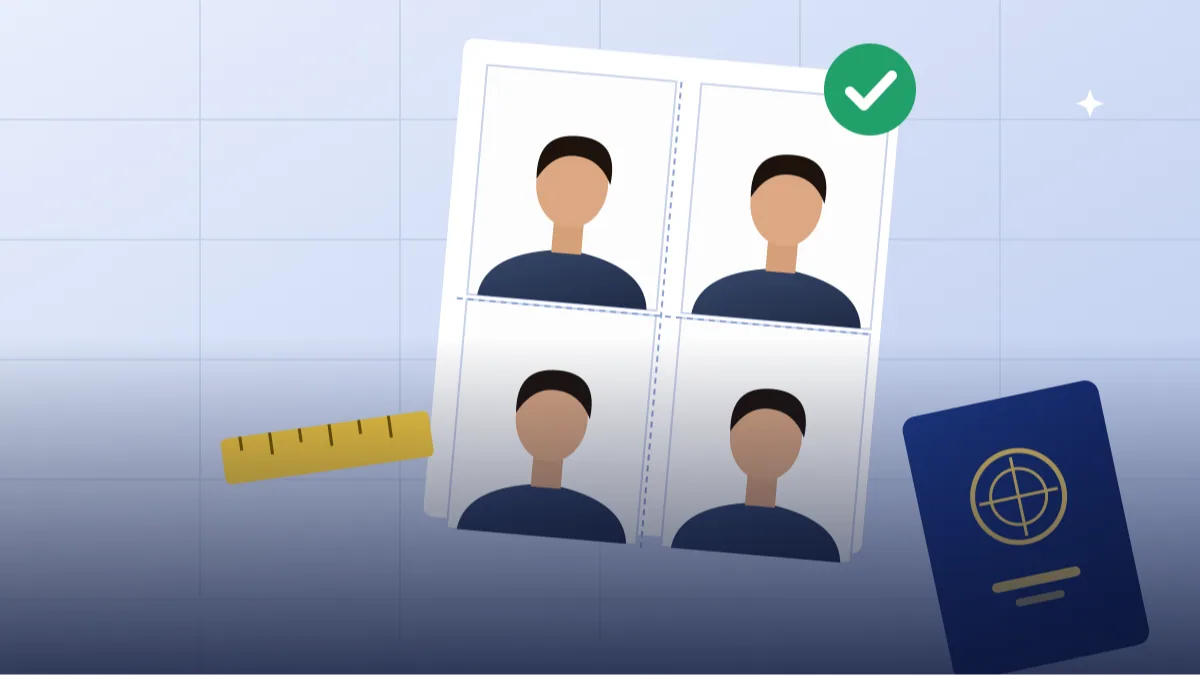
Arrange the attached prepared portrait into a sheet of 8 small photos on a white page, 4 columns by 2 rows.
SIZE: Each photo equal in size with even gaps of about 5 mm between them and a clean margin around the sheet.
KEEP: Every photo identical, face unchanged, same crop and same eye height in each one.
BACKGROUND: White page.
AVOID: Borders with text, shadows, varying sizes.
Check final dimensions in a photo editor or at the print shop before printing.
Check the official rules before you try a passport photo prompt
Official documents often forbid retouching, digital background replacement or filters. Photo specifications also vary by country, and some offices reject a photo for a faint shadow or a tilted head. Read the checklist from the issuing authority first and use a regulated photo service if required.
For resumes, school forms and profile pages, light cleanup is usually fine and easier. Even then, read the form's own instructions. If it says 'unedited photo only', respect that and do not upload an AI-processed picture.
From phone photo to finished picture, in four moves
Take the original photo facing a window, with the camera at eye level and a plain wall behind you. Daylight from the front gives even skin; a ceiling light directly overhead gives dark eye sockets. Upload it to ChatGPT, paste a prompt and send.
Compare the result with the original at full size. If your face looks different, reply 'restore my real face and features, change only the background'. If the result has a grey cast, add 'pure white background, evenly lit'. Repeat the check each time, because small changes sneak in.
Fix it at the camera, not in the prompt
Most issues are easier to fix at the camera stage than with a longer prompt. A good original saves three or four retries later, and the AI then has less to guess.
- Keep a neutral, relaxed expression.
- Pull hair back from the face if required.
- Avoid glare on glasses; tilt them slightly down or remove them if the form allows.
- Wear solid colours that differ from the background, such as navy or maroon against white.
- Hold the camera at eye level, about an arm and a half away.
Why a passport photo prompt leaves grey corners on a white background
Over-smoothing, changing features and cropping the head are common. State what must remain exactly the same: face shape, hairline, glasses, collar. If the head is cut at the top, add 'leave space above the head'.
For white background photo for application uses, the biggest mistake is a faint grey gradient. Ask for 'pure white, evenly lit' and check by zooming into the corners. A shadow behind one shoulder is another giveaway, so add 'no shadow behind the head or shoulders'.
Checking the finished photo like a print shop would
Open the result at full size and look at it in four places. First, the hair edge. Cut-out backgrounds often leave a pale halo or a ragged fringe around curly or loose hair. If you see this, ask ChatGPT to 'keep the natural flyaway hair edges, no hard outline'. Second, the ears and neck. Wrong shadows here make the head look pasted on. Third, the collar. A neckline that has quietly changed shape means the AI redrew your clothes, which you did not ask for. Fourth, the eyes. Check that both pupils look in the same direction and the glasses frame has not been bent.
Next compare it with the original side by side. Your face should have the same mole, the same eyebrow shape and the same smile line. If a passport size photo with chatgpt looks a little 'prettier' than you, that is a warning sign, not a bonus. A form reviewer, an interviewer or a college clerk will meet the real you, and a picture that does not look like you creates more trouble than a plain one.
Finally, print a test copy on ordinary paper. Screens are kind to small flaws and paper is not. If the test print looks soft, ask for a sharper version or take a new original photo in better light.
Sizes, crops and file limits for forms
Different forms ask for different things, so write down the rule before you start. Typical requests are a pixel size such as 200 by 230, a file size under 50 KB or 100 KB, and a specific background colour. ChatGPT is not always exact about pixels, so treat its output as a clean source image and do the final photo size and crop for forms in a free photo editor or the form's own upload tool.
A useful habit is to keep three versions: a large clean master picture, a square crop for resumes and profile pages, and a small compressed copy for upload portals. Name them clearly, for example 'master', 'square' and 'upload-small', so you never send the wrong file at the last minute.
For a resume photo prompt, many Indian job portals also crop your picture into a circle. Leave a little extra space above the head and keep the face in the middle third so the circle does not cut the forehead or chin. For student id photo editing, ask your school first whether edits are allowed at all, and use the exact background colour they name.
Honest limits of AI for ID-style pictures
AI does not understand legal photo rules. It can paint a lovely white wall, but it does not know that a particular office wants the ears visible, no head tilt and no shadow behind the head. It can also quietly change small things like the colour of your skin, the width of your jaw or the number of strands in your parting.
So use the ai id photo background trick for convenience, not for compliance. If a document matters for travel, banking or government work, visit a studio or a certified photo booth and take it the official way. It costs little and saves a rejected application.
Frequently Asked Questions
Can I use an AI-edited photo for my real passport?
Usually not. Most authorities require unedited photos that follow strict rules. Check the official guidance before submitting anything.
What can I use these photos for?
Resumes, internal ID cards, school forms and profiles where edits are acceptable. Always read the requirements of the form.
Will the AI change my face?
It might slightly. State that your face must remain unchanged and verify the result against your original.
What size should the file be?
It depends on the form. Many ask for specific pixel dimensions or file size, so resize in a photo editor afterwards.
Should I smile?
Follow the instructions of the form. For informal uses, a natural relaxed expression is fine.
Is it safe to upload my face photo to ChatGPT?
Think before you upload. Use a photo you are comfortable sharing, avoid pictures that show documents or addresses in the background, and read the privacy settings of the tool you use. If a photo is for a sensitive government form, do not run it through any online AI tool at all.
Final Thoughts
A dependable passport photo prompt is mostly about plain backgrounds, even light and a face that is left alone. Use these for resumes, school forms and profiles, and always check official rules for real documents.
Try one with a fresh well-lit photo, and if you are updating your CV next, take a look at the other professional photo prompts on Tech Boi Prompt for a matching look.
Note: AI image and text results vary by tool, version and settings. Use only your own photos, avoid copying real people’s likeness, and follow the terms of the AI tool you use.